The PowerPoint® Blog

I work with PowerPoint on a daily basis and I am very honored to be a Microsoft PowerPoint MVP. We have a talented team of presentation designers at TLC Creative Services and ThePowerPointBlog is our area to highlight PowerPoint tips, tricks, examples and tutorials. Enjoy! Troy Chollar

Happy Thanksgiving – 2019

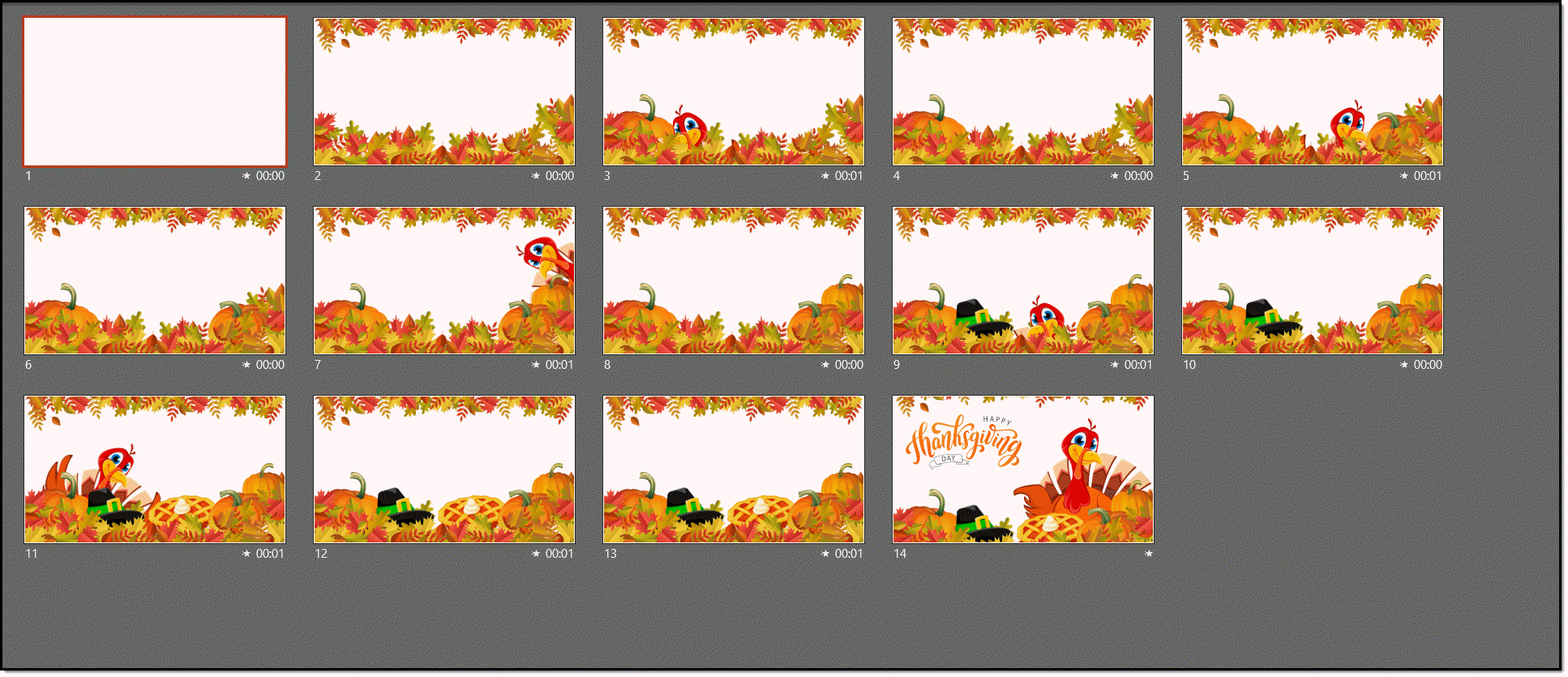
Just a bit of Thanksgiving fun in her spare time (thanks Christie!) with this PowerPoint animation creation!

[videopack id=”13531″]https://thepowerpointblog.com/wp-content/uploads/2019/11/unnamed-file.mp4[/videopack]

Here is a look at the number of slides it took to create this masterpiece:

By |2021-06-18T08:15:56-07:00November 28th, 2019|Portfolio, Resource/Misc|

BrightSlide – A PowerPoint Add-in You Want!

If you use PowerPoint on Windows and do not have this add-in on your PowerPoint toolbar, you are missing out on one of the best productivity options to be released in 2019! The BrightSlide add-in has become a must have on all of our computers.

BrightSlide is a PowerPoint add-in with a suite of amazing (truly amazing!) productivity tools. It is graciously made available, for FREE, by presentation design company, BrightCarbon

Note: If you use the YouTools add-ins, or have read our review of them here or heard us mention them on ThePresentationPodcast, you are familiar with BrightSlide – but may not know it. YouTools basically expanded and became the BrightSlide add-in.

Get all the details and download it here.

Troy @ TLC

By |2019-11-23T16:53:51-08:00November 26th, 2019|Software/Add-Ins|

The Presentation Podcast – A Geeky PowerPoint Conversation Mostly About Morph

A new episode of The Presentation Podcast is available today! Join Troy, Lori, Simon, Richard, Ingrid and Tom for an international group of presentation design experts gathered together chatting about PowerPoint, projects and the use of Morph. Episode 90, “A Geeky PowerPoint Conversation Mostly About Morph”

Listen in on Apple Podcasts, Stitcher, Google Play, Spotify and Soundcloud – just search for “The Presentation Podcast” – or go direct to the episode page here: https://thepresentationpodcast.com/podcast/90

By |2019-11-18T15:54:47-08:00November 19th, 2019|Resource/Misc|

Podcast Portable Studio Setup

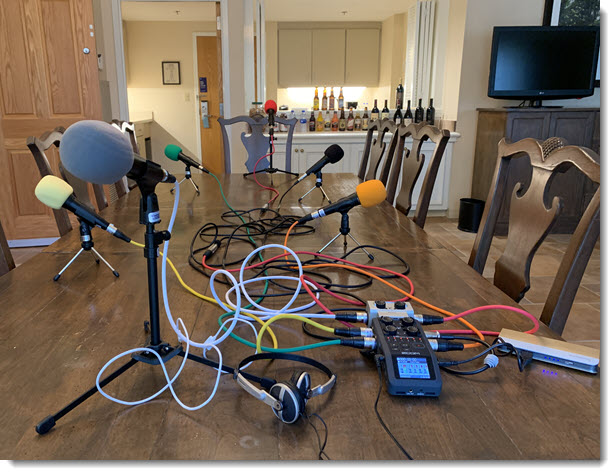
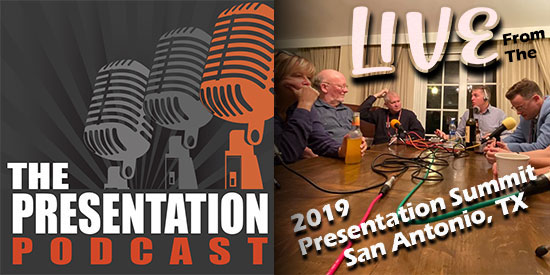
Podcast recordings are always fun when it is a group gathered together (most episodes are recorded with everyone in remote locations). I have assembled a pretty robust portable studio setup for the live recordings, including 6 channel discreet recording, separate mics, each with color coded cabling and foam heads – the open bar is an optional element 🙂

By |2019-11-05T06:41:42-08:00November 11th, 2019|Personal|

The PowerPoint Podcast – Just Talking PowerPoint

A new episode of The Presentation Podcast is available today! Join Nolan, Sandy and Troy for a conversation just talking about what’s happening in the world of PowerPoint and presentation.

Listen in on Apple Podcasts, Stitcher, Google Play, Spotify and Soundcloud – just search for “The Presentation Podcast” – or go direct to the episode page here: https://thepresentationpodcast.com/podcast/89

By |2019-11-05T06:03:32-08:00November 5th, 2019|Resource/Misc|

Compare Microsoft Office Features List

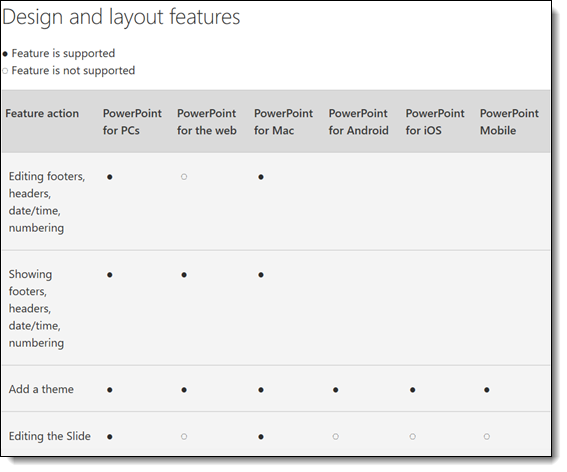
Pulling this from a recent conversation. Microsoft has an up-to-date feature comparison list of what works, or is available in several versions of Microsoft Office. It is a page worth bookmarking.

First question is, what versions of Office are compared? Well, “versions” is not the best word, it is more about platforms – and this list compares most of them. All is based on the most recent version of Office 365 (so legacy versions and Office 2019 are not included).

The next question is, is it an up to date list? Many thanks to Ben Schorr at Microsoft for having a date stamp added to this page after I noted that this information was great, but users had no way of knowing if it was recent or 3 year old information.

Most important, what features are listed? Lots; audio, text, collaboration, design and Layout, keyboard, object, photo, print, slide show, video and more.

Check out this info page here.

Troy @ TLC

By |2019-10-29T14:07:59-07:00October 25th, 2019|Resource/Misc|

The PowerPoint Podcast – Live at the Presentation Summit!

A new episode of The Presentation Podcast is available today! This episode join over 20 people gathered at the 2019 Presentation Summit for a great conversation on design tricks, tips on running a presentation business, recommendations and a free-for-all review of the Presentation Summit!

Listen in on Apple Podcasts, Stitcher, Google Play, Spotify and Soundcloud – just search for “The Presentation Podcast” – or go direct to the episode page here: https://thepresentationpodcast.com/podcast/88

By |2019-10-14T22:49:51-07:00October 15th, 2019|Resource/Misc|

PowerPoint’s Arrange All

PowerPoint has an almost hidden feature, that has been there for quite awhile, and can be very useful when there are several presentations open – Arrange All.

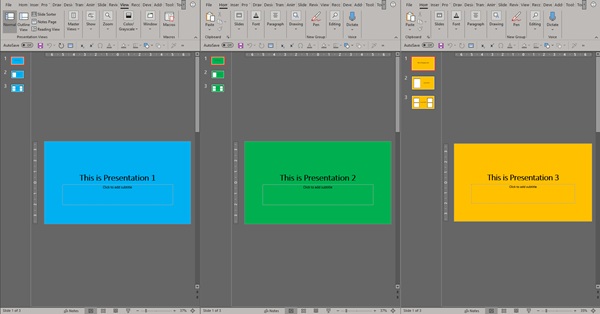
When working with multiple presentations in PowerPoint, there are times where you will have to switch back in forth between them. PowerPoint can make this easier and instantly layout all the presentations across the monitors like this:
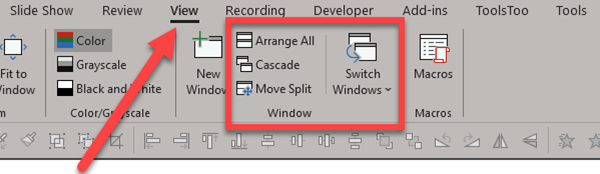
Go to the VIEW tab and the WINDOW section. There are a few options:

  • Arrange All
  • Cascade,
  • Move Split
  • Switch Windows

First, we will take a look at Switch Windows.
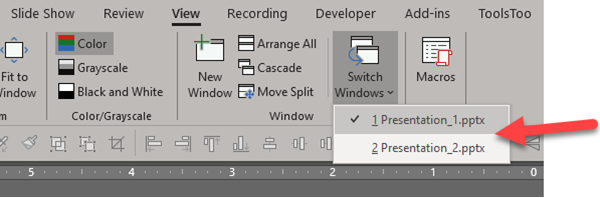
The SWITCH WINDOWS drop down menu shows a list of all currently open presentations. Select a presentation file name to bring that one to front.
 

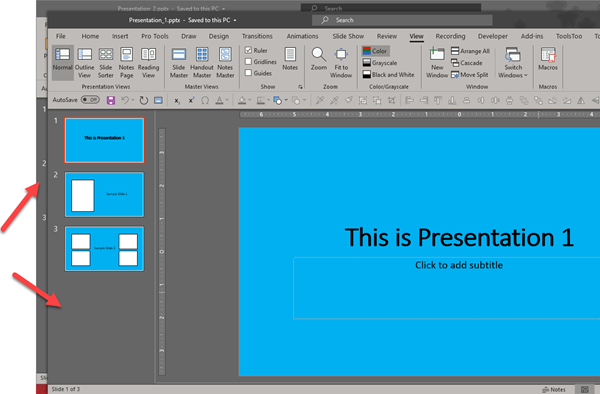
CASCADE resizes and repositions all currently open presentations onto a single montior, slightly offset so you can see their separate windows.
ARRANGE ALL is one of our favorite features. This will evening divide all currently open presentations across the screen. This is particularly helpful when working on one presentation while referencing the other(s).
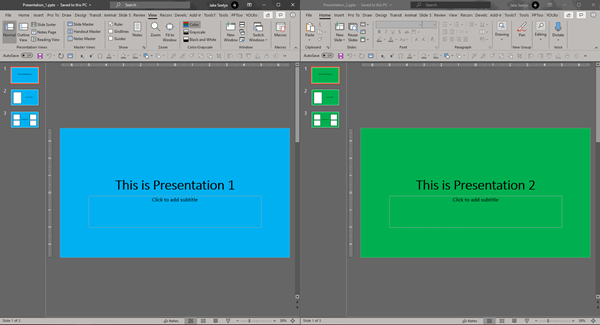
Here are 3 presentations instantly positioned on 1 screen. 
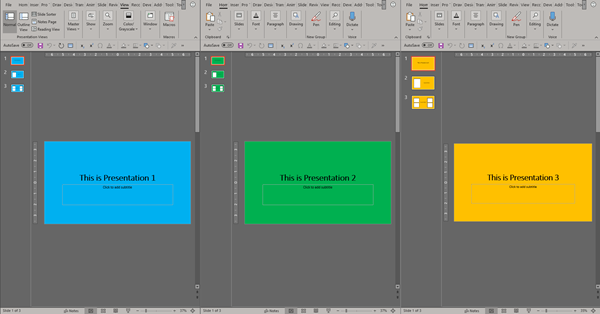
When working on multiple presentations simultaneously, things can get a bit hectic. This particular feature in PowerPoint makes life a little easier by making it simple to cycle to each presentation or by quickly displaying all presentations on screen.


Jake @ TLC

By |2019-10-06T10:41:07-07:00October 11th, 2019|Tutorial|
Go to Top