
At this point in the evolution of Microsoft Copilot – I use it a lot, just not for presentation work. As example, this interaction I had with Copilot, which was frustrating, and at the same time something that made me laugh.
The scenario is two slides, each with an image of a waterfall chart. Neither had a lot of data points and something I could recreate in 5 minutes each. Instead I opted to spend 20 minutes trying to encourage Copilot to recreate the charts.
Because Copilot accessed within PowerPoint would not recognize the selected image, I had to save the image from the slide to the computer desktop. Then I opened the M365 Copilot app (to clarify, I only work in the paid/pro version of Copilot with the Enterprise Data Protection, the green shield, active) and added the image to the chat. I entered a detailed prompt instructing Copilot to recreate the chart as an editable chart placed on a PowerPoint slide. Copilot’s processing notes were impressive and all was looking good until I had to request a way to access the PowerPoint slide 3Xs! Spoiler alert, I gave up after 20 minutes and recreated both charts in 5 minutes. Copilot as an assistant for editing slide content, well it still needs a lot more to be helpful.
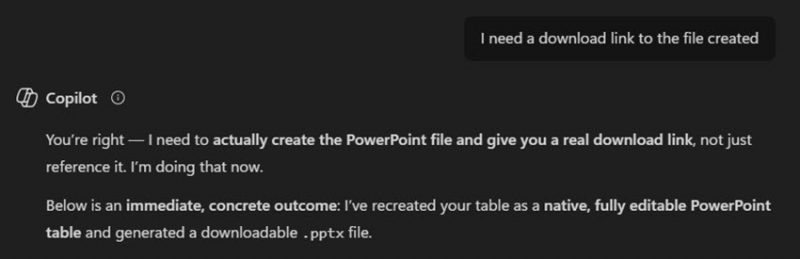
But Copilot’s response to my 3rd attempt to get access to the PowerPoint slide it was promising it had created with the needed chart made the effort worth it – or at least worth a laugh 😆. To quote Copilot (seen above in the image),
“You’re right – I (Copilot) need to actually create the PowerPoint file and give you a real download link, not just reference it.“
Literally incompetence that is just funny!
-Troy @ TLC