
At TLC Creative Services Inc, we spend every day inside PowerPoint, and most of the time, our muscle memory serves us well. We know the keyboard shortcuts, the menus, the add-ins and, of course, how to manipulate and format objects. But there is one specific UI inconsistency that creates chaos with our workflow, and it’s when we switch between the Desktop and Web versions of PowerPoint. This is not a missing feature; it’s literally how you select objects.
Let’s start outside PowerPoint, in Adobe Illustrator. First, Illustrator is a much (much) more robust vector image app vs. PowerPoint (but PowerPoint does have a lot of vector image editing and creation features!). The most basic feature is selecting elements or objects. Illustrator has a few variables based on the tool being used, but we are keeping this very simple – and Illustrator’s process is very simple. When drawing a selection marque in Illustrator, if ANY pixel of an object is within the selection, that object is included in the selection.
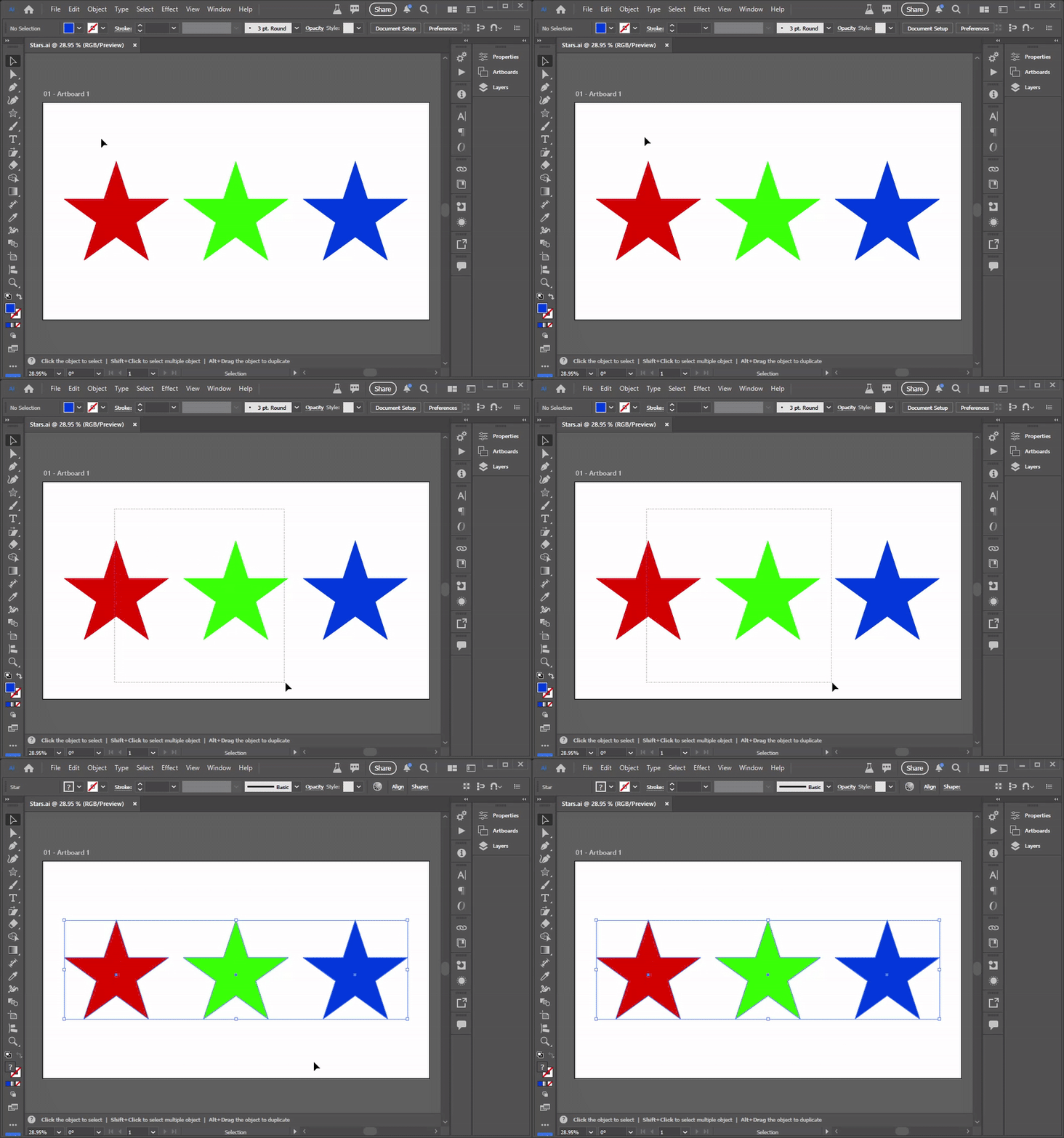
Okay, that is how most graphic designers learn how object selection works. But the rules change in PowerPoint – and they change based on which PowerPoint app version is being used! Desktop or Web.
If you’ve been using Desktop PowerPoint for years, you are used to the strict selection rule (which is completely different from Illustrator). To select an object or a group of objects by dragging your mouse, you must fully enclose all objects. If you draw a selection box around a group of items, but miss even just one corner by a pixel, that object is ignored and isn’t included in the selection.
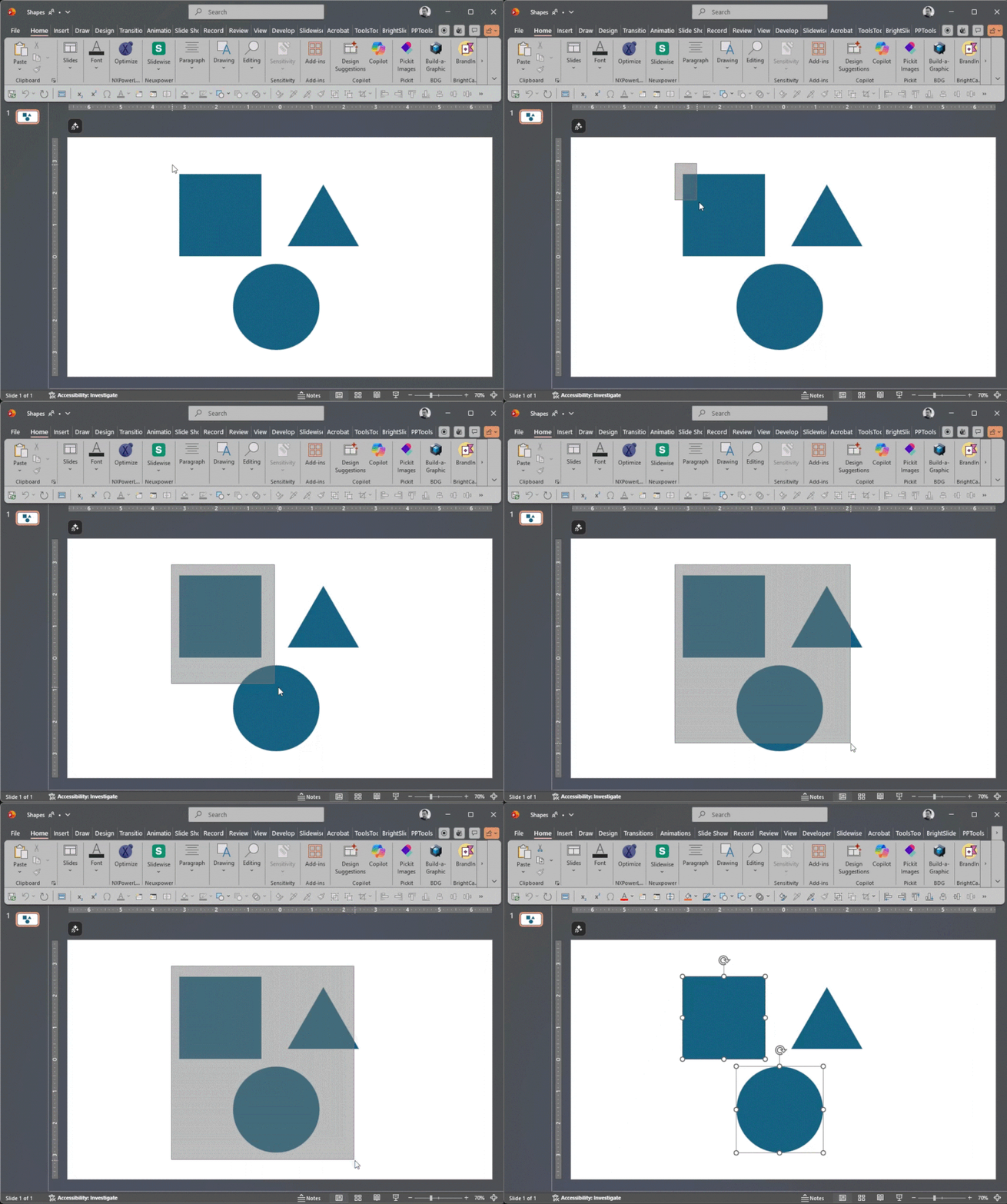
PowerPoint forces you to be deliberate. You must draw a massive box to ensure the entire object is “roped” in. Miss just one pixel, and that object is not part of the selection. This can be used to the advantage of the designer, or it can become a tedious part of the object selection process!
But take the same slide and the same objects to PowerPoint for Web, and the rules change completely! PowerPoint for Web behaves much more like Adobe Illustrator. Draw a selection marque, and if the selection box touches even just one pixel of an object, it’s included in the selection. So yes, you can enjoy Adobe Illustrator-like selections in PowerPoint…for Web.
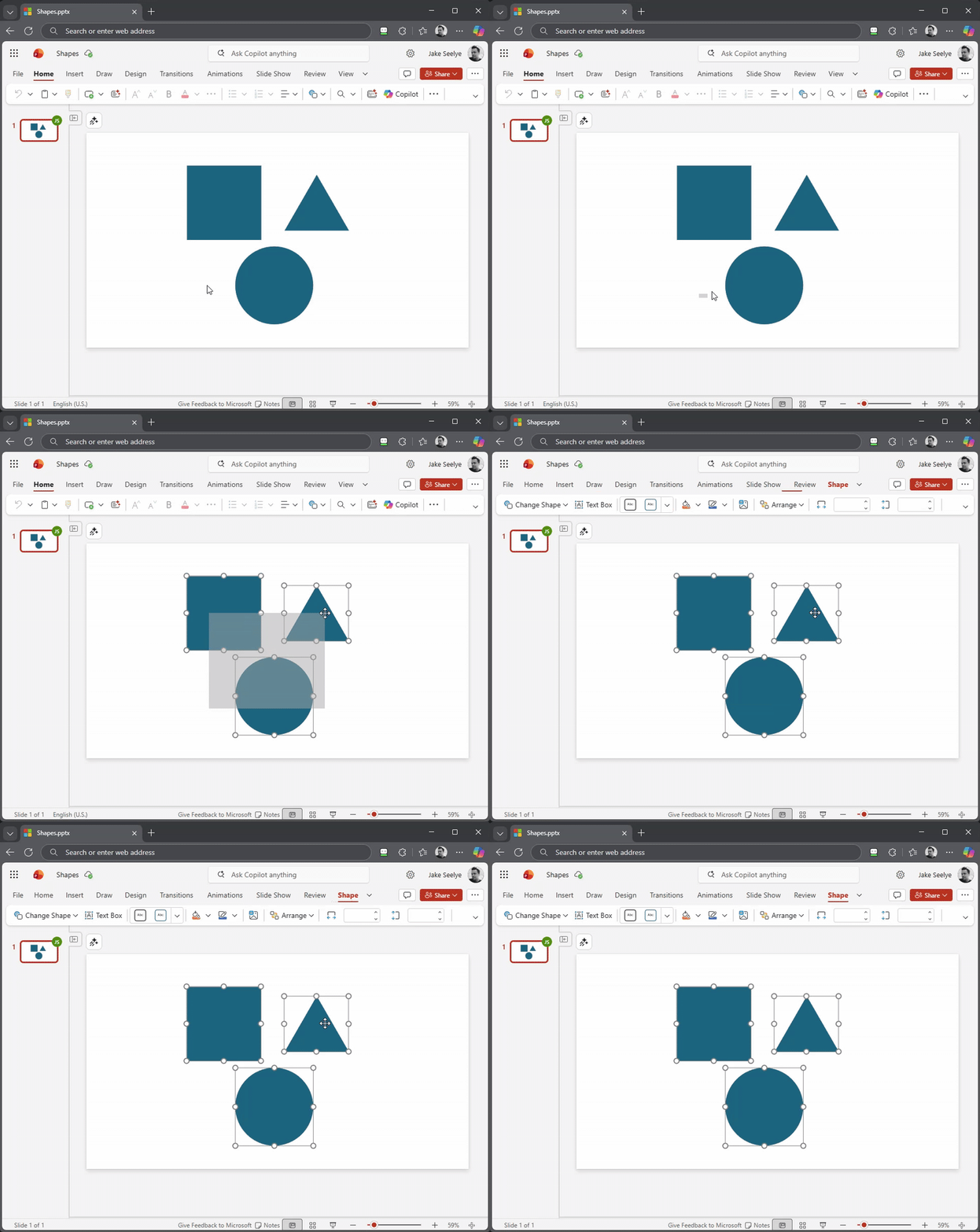
It seems like a small detail, but when you’re moving fast, the inconsistency in selection methods between Adobe Illustrator and PowerPoint, and between Desktop PowerPoint and PowerPoint for Web, can easily throw off muscle memory workflows!
Our ask of the PowerPoint Dev team – please add a preference setting in the future to both Desktop and Web versions of PowerPoint to toggle this behavior! Until then, you simply must remember which “mode” your brain needs to be in when you’re designing in the worlds of Adobe and Microsoft.
Talk about a difference in user interface design! Which selection do you prefer, the precision of Desktop or the speed of Web?
-Jake and the TLC Creative Services Design Team