
Smoother Animation with Hardware Acceleration
If you notice some of your animations are not playing smooth, check to assure you are using all of your graphic processor’s power. Go to SLIDE SHOW >> SETUP SHOW >> check the USE COMPUTER HARDWARE ACCELERATION.
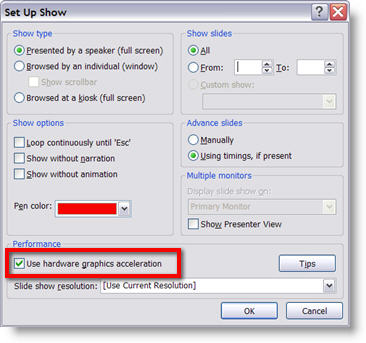
Now run the presentation and things should be running much smoother.
– Troy @ TLC