
PowerPoint Gets The Blame with Full Screen Videos
PowerPoint seems to cause the problem, but it is really video card settings that make your movie playback at full screen.
(on pre-Vista OS) go to START >> DISPLAYS >> SETTINGS tab >> ADVANCED button >> depending on graphics card find the settings for THEATER MODE (usually buried a few buttons down). If it says play movies full screen, that is what PowerPoint looks at and does… I recomend changing THEATER MODE to ‘standard’ so there are no surprises.
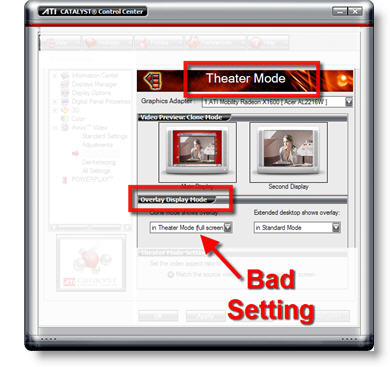
– Troy @ TLC