Online Video Highlights of Olympics
The Winter Olympics are here and all the excitement has begun. Google has a cool collection of all the highlight videos. Check it out daily here.
Troy @ TLC

The Winter Olympics are here and all the excitement has begun. Google has a cool collection of all the highlight videos. Check it out daily here.
Troy @ TLC
Everyone has a workplace, mine just happens to move to a different hotel/convention center/conference room nearly every week. Part of the “Fun” is moving in all my computers, patching in everything and teching everything to assure it is doing what it needs to do.
I took a series of photos of a recent event, stitched them together in PhotoShop and then experimented with SnagIt’s very easy to use hotspot feature. To see the big image click here.

Troy @ TLC
Life just got a bit better! While I am not a coffee connoisseur, I enjoy good flavor and something nice and hot while working backstage. Of course being backstage does not afford many opportunities to find a good coffee drink. But now a hot latte is always in my bag! Enter Wolfgang Pucks’ self heating can.
Pull the lid off the bottom – push in the tab to release the heating chemical reaction – wait 5 minutes – open the top and enjoy a hot Mocha or Carmel Latte!
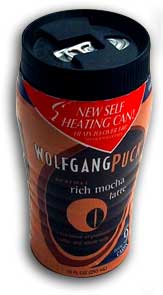
And if you’re really curious, here’s a review with photos of the can in action.
Troy @ TLC
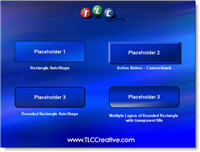
Plain text floating under a photo. A diagram that uses lots of bland color boxes. A solid color callout on a chart. All are things that generally make a slide boring and look standard/’off the shelf.’
To create a polished look I create virtually all of these placeholder elements in PhotoShop (with bevels, glows, highlights, drop shadows, etc.) and import into the presentation. But aesthetic placeholders can be created in PowerPoint with a bit of creativity with custom fills, bold lines and layered shapes.
Download a quick 1 slide sample here.
Troy @ TLC
https://www.tlccreative.co…ials/movies.htm
Frustration is getting things working perfect on your computer and then discovering they do not work on another computer. This is a very common tech support call I get when it comes to movies playing in PowerPoint.
Knowing some of the behind the scenes workings of PowerPoint and multimedia. I added a page that covers the big points and offers a few solutions that I have had good results with. To see it click here.
I have just added a project write-up and movie that was ‘authored’ in PowerPoint. It is a good example of how PowerPoint is moving beyond PowerPoint and evolving into much more than slides for a presentation. Check it out here.
Troy @ TLC
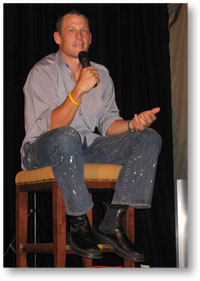
We all have some perks from our profession. For me one recently occurred. I was asked to clean up the presentations for a corporate event and optimize the 40+ movie files so they would actually play when needed. All the work went great, but the producer called and requested I be there one evening to pick up some additional files – a bit of an inconvenience, but I agreed. When I arrived I was treated to a very cool, very candid Lance Armstrong speaking to a small group – A VERY COOL PERK!
Troy @ TLC