OneSheet on Office 2007 UI
If you are looking forward to Office 2007, or at least curious, here is a quick read that describes what the developers at Microsoft view as the essentials to the new UI.
Click here to download the 1 page PDF.
-Troy @ TLC

If you are looking forward to Office 2007, or at least curious, here is a quick read that describes what the developers at Microsoft view as the essentials to the new UI.
Click here to download the 1 page PDF.
-Troy @ TLC
This week Steve Hards from Perspector sent me an notice that they have released a minor update to its recently released version 3. The update installs on top of existing versions and in addition to fixing some minor bugs, has a huge upgrade to the image quality!
Perspector is a 3D add-in that allows you to convert any object or text on a slide to a true 3D element. It has a great library of 3D template objects which can be easily modified to match your slide.

Check out Perspector and download the update here.
-Troy @ TLC
This is a quick animation sample that I created based on yesterday’s posted tutorial. Here I start with a small image and combine a MOTION PATH with a GROW EMPHASIS and finally a fully size image FADE IN. The result is some visually dynamic onscreen action, that overcomes one of PowerPoint’s raster graphic limitations.

Click here to download the PowerPoint file (500k).
-Troy @ TLC
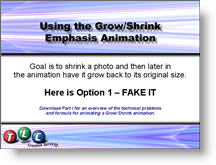
This is a continuation of the Part I post on May 22. In this tutorial PowerPoint presentation I make a photo shrink and then grow back to its 100%, without any resolution loss. Okay, so it is a tutorial on how to use animation to fake it, but the results are great and it is a technique I use on many projects.
Click here to download the PowerPoint file (900k). The entire animation sequence is broken down into individual steps over 10 slides.
And there is a forthcoming part three, which is another technique for making an image grow, without resolution loss.
– Troy @ TLC
PPT MVP, Glenna Shaw, has added some new Xcelsius samples and downloadable “templates” for all to use in their presentations. Even more fun, is that all of the samples are working on her site as web-page items. Play with them and download from here.
If you are unfamiliar with Xcelsius, have some good MS Excel skills, and want to really make charts and graphs POP in a presentation, this is an incredible application to use. Click here to visit the Xcelsius website.
Troy @ TLC