
Animating an Instant Camera – Using Barbie Polaroids!

Bringing a Camera to Life with PowerPoint Animation
When one of our favorite brands approached us with a creative request, we knew we were in for a fun challenge! For this project, they wanted a camera animation — complete with a flash and a photo magically “printing” from it.
The goal? Make it feel like the camera was taking a picture — all within PowerPoint. But like most creative adventures, this one had a few interesting twists behind the scenes.
Preparing the Assets for Animation
To create the illusion of a flash and photo ejecting from the camera, we needed to gather the image components and, in some cases, make some specific modifications. For the photo to look like it is coming out of the camera, we needed 2 layers of the camera image, with the bottom layer being the full camera and the top layer cropped right to where the photo will spit out.

Making the Magic with Morph
The star of the show? PowerPoint’s Morph transition. We used Morph to animate the photo “printing” out of the camera.
The trick was placing the camera on Slide 1 with a slightly squished photo, hiding under the first camera layer. Then, as the slide animates, the photo comes out of the camera on a motion path, making it appear as if it’s animating out of the camera at the correct angle (this is why we squished the photo).
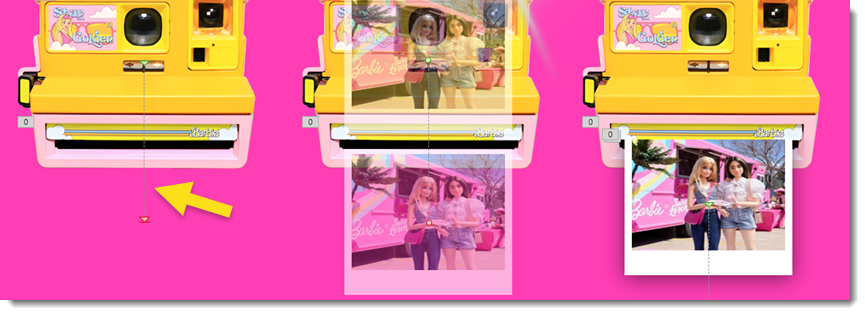
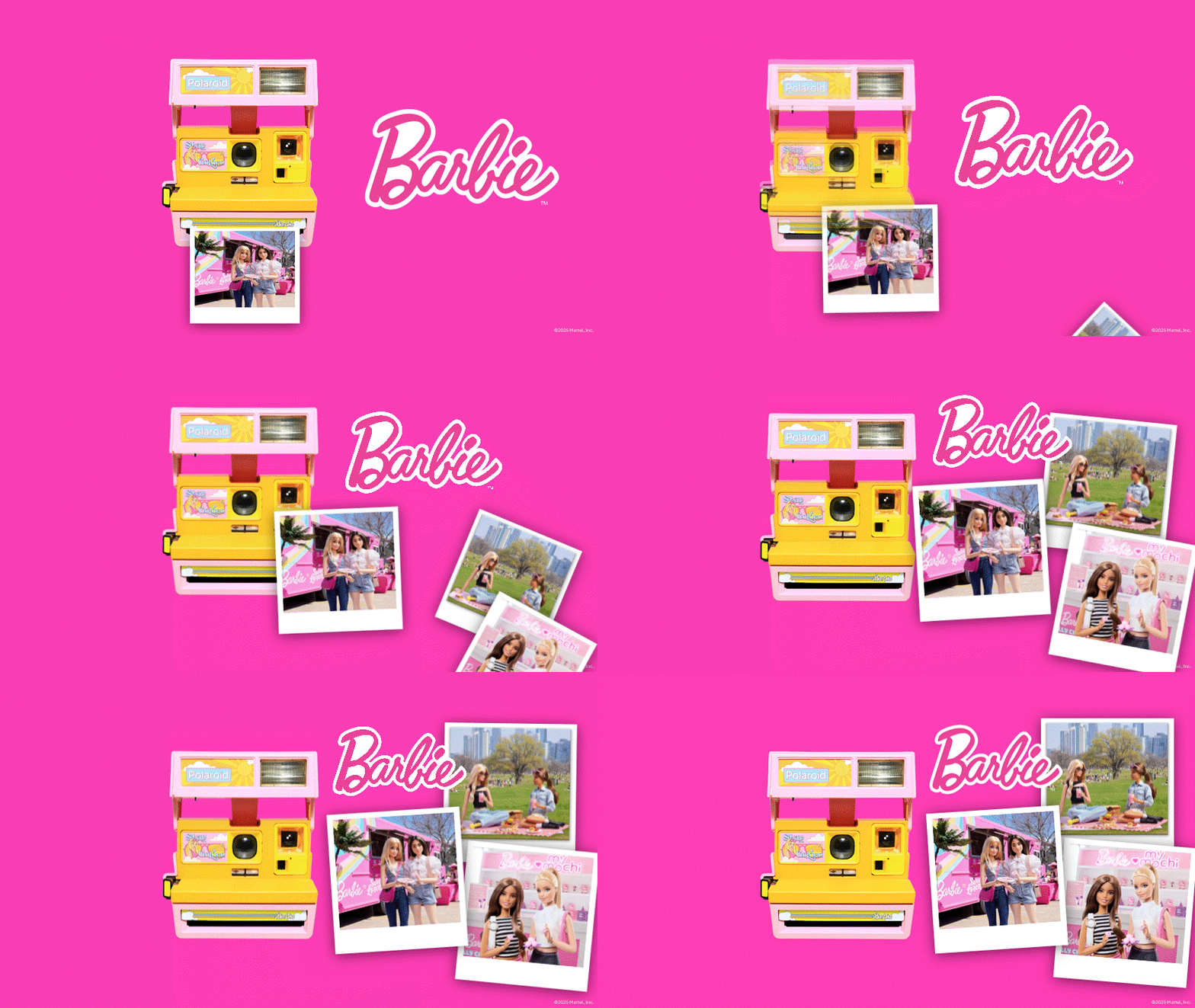
Then on Slide 2, with the photo already visible, we let Morph do the interpolation and stretch the photo to its normal un-squished size as it moves into position with the other two photos joining it. The illusion was smooth and seamless as you see here.
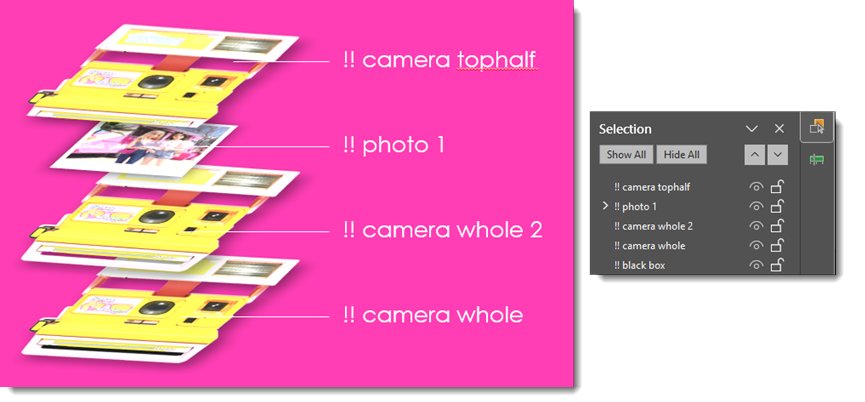
However, this part of the animation was problematic at first – our camera was popping on top of our photo for a brief moment during the morph animation, which clearly looked wrong. With a few extra layers and proper labeling in the selection pane, we essentially added a duplicate camera image underneath the photo and animated it to appear as the other camera layer disappeared.
To further play into this camera moment, we used the flash burst asset created earlier and animated it to quickly appear and then disappear using simple fade-in and disappear-out animations timed to the sequence.
The Final Touch
To tie it all together, we made sure the colors, timing, and movement all aligned with our favorite doll’s playful and stylish brand. The end result? A moment of animated delight that felt right at home in this fabulously fun and pink world.

– Christie and the TLC Creative Services design team