I work with PowerPoint on a daily basis and I am very honored to be a Microsoft PowerPoint MVP. We have a talented team of presentation designers at TLC Creative Services and ThePowerPointBlog is our area to highlight PowerPoint tips, tricks, examples and tutorials. Enjoy! Troy Chollar
Where are the File Properties in PPT 2007?
The ribbon interface was designed to be intuitive and make things easy to find. But there are exceptions to everything, like not having an ‘Insert Slide’ on the Insert tab and finding the file properties for the presentation.
In PPT 2003 you go to FILE >> PROPERTIES and this dialog appears:
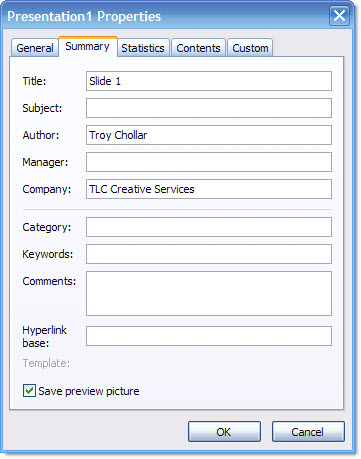
To find this information in PPT 2007 it is not as obvious, although it does have a nice layout when found. To open the file properties in PPT 2007:
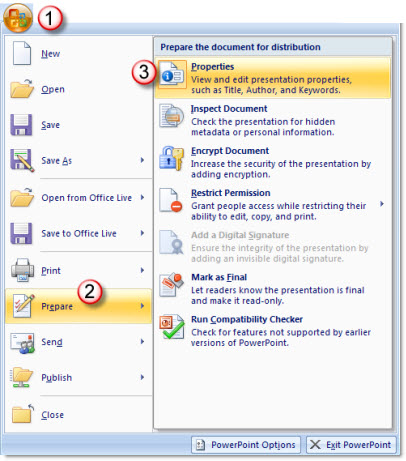
1 – go to the OFFICE BUTTON
2 – go to PREPARE
3 – select PROPERTIES
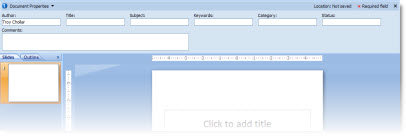
The properties information appears inline just above your slides.
– Troy @ TLC