Resource/Misc

Creating a PowerPoint Shamrock

Working with PowerPoint shapes, the shape merge and edit points tools, and some gradient fills, 3D and other effects, Kristen, a TLC Creative Services designer, created this PowerPoint shamrock.
[youtube src=”https://www.youtube.com/embed/DDtBgQCodDI?rel=0″]

Download the final slide here 200KB

– Troy @ TLC

By |2016-08-16T08:41:53-07:00March 13th, 2013|Resource/Misc|

Gigapixel.com – Amazing Technology!

Gigapixel.com is a service that produces extremely high resolution images. A Gigapixel image is a digital image bitmap composed of one billion pixels (1,000 megapixels), or more than 100 times the information captured by a 10 megapixel digital camera.

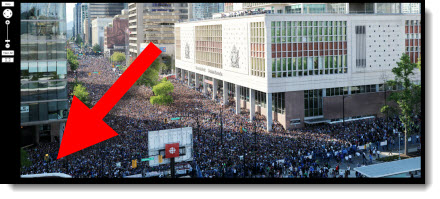
For example, here is a photo of the mass crowd of Canadians at the Vancouver Canucks Fan Zone along Georgia St. for Game 7 of the 2011 Stanley Cup Final. The image was captured at 5:46 pm on June 15, 2011. It is made up of 216 photos (12 across by 18 down) stitched together, taken over a 15-minute span, and is not supposed to represent a single moment in time.

Note the zoom control in the left portion of the above image. Here is maximum zoom on the image! This street sign is where the red arrow above is pointing. Plus you can pan around and identify virtually everyone’s face.

Of course, this image is 69,394 X 30,420 pixels (or 2,110 megapixels). A widescreen PowerPoint slide image through an HD projector or monitor is 1,920×1080 – we have a long way to go before needing this resolution for presentations, but it is amazing!!

Click here to view image in browser (Note: Needs Flash)

– Troy @ TLC

By |2016-08-16T08:42:38-07:00March 8th, 2013|Resource/Misc|

PowerPoint Video Slides/Templates By TLC Creative Services (Free!)

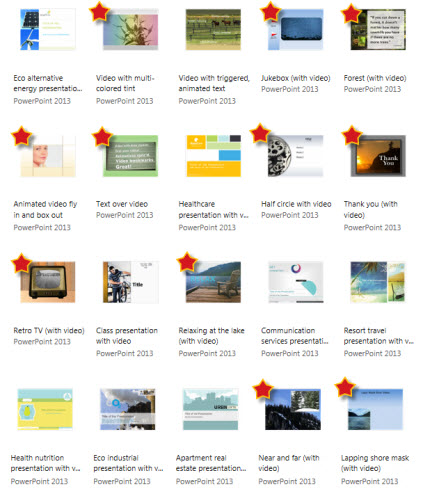
At the beginning of last year, Microsoft posted a series of PowerPoint 2013 slides and templates that TLC Creative Services, Inc. developed (for Microsoft Office.com). These were the items referenced in the previous blog post that many emailed and asked about.

There are a lot of templates and sample slides available at Office.com. Just go here and search in the Templates and then PowerPoint.

Here is a direct link to PowerPoint slides and videos with templates, many were created here at TLC Creative Services, and all are free to download and use!

– Troy @ TLC

By |2016-08-16T08:42:56-07:00March 6th, 2013|Resource/Misc, Templates/Assets|

I Was An Audience Guest at Microsoft’s Office.com “The Office 15-Minute Webinar”

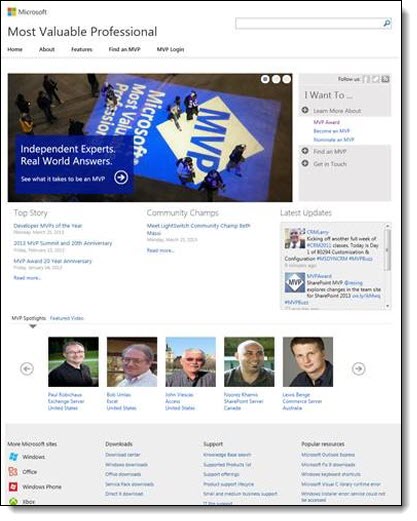
While at Microsoft a few weeks ago, I was able to sit in on the production of an episode of “The Office 15-Minute Webinar.”

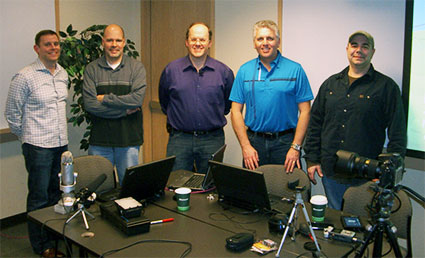
Dave Ludwig, Chris Downs, Doug Thomas, Troy Chollar, Bruce Bracken

Doug Thomas (3rd from left) is the ring leader for the series and does a great job. I have been around a lot of video production, live events, podcast and webinar production and Doug has definitely assembled a full team and has all aspects covered. In addition to his computer, a 2nd computer viewing the webcast as any viewer does is giving audience view feedback, a professional microphone, video camera (actually the DSLR camera shooting HD through a real lens), professional audio recording system, backup video camera and crew to monitor audio, video and feed web search information are a part of every production. Doug’s previous video series was “Office Casual” and part of the theme carries over to “The Office 15-Minute Webinar” in that there is a lot of pre-planning, scenarios to handle live situations and manpower in each produciton, but he works very hard to make the production feel casual and friendly (all good things!).

– Microsoft’s Office.com division does offer a lot of good resources. This team is in the CPub (Content Publishing) area and TLC Creative Services contributed to another area last year with a series of PowerPoint video templates.
– The webinar home site is here. It airs live every Tuesday at 9:15am PT and recorded episodes are available.
– And the webinar I watched be produced was the MVP special here.

It was a fun day and great to meet the crew of “The Office 15-Minute Webinar.”

– Troy @ TLC

By |2016-08-16T08:43:20-07:00March 4th, 2013|Personal, Resource/Misc|

Attention University of Minnesota People – here is a free UofM themed template!

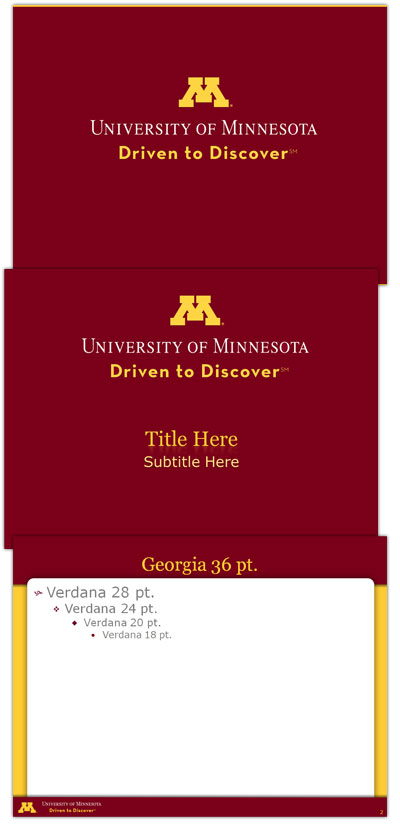
We completed a project recently that involved the University of Minnesota. As part of the presentation project, we developed a great UofM themed template. Because all of the content is clear for distribution, I thought it would be good to make the full template available here.

The template is native to PPT 2010 (.pptx), 4×3 aspect ratio, and has all of the PowerPoint presets customized. Let us know if the template is useful to you!

Download here – 254KB

– Troy @ TLC

By |2016-08-16T08:44:09-07:00February 27th, 2013|Portfolio, Resource/Misc, Templates/Assets|

Showsite Pics From Prague

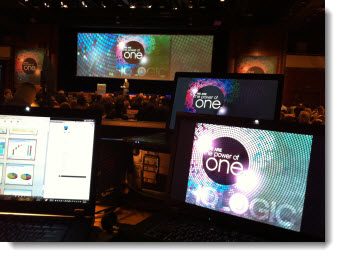
The recent show in Prague at the Hilton went great. Here is my view of things (note the super wide screen that is a permanent install along with a Pandora’s box system to create multiple PIPs, add background graphics, and more – very nice!)

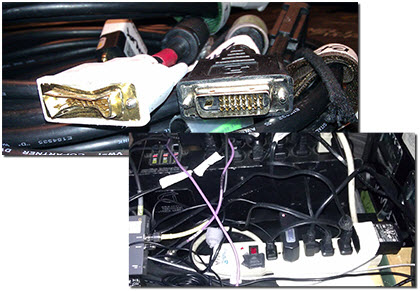
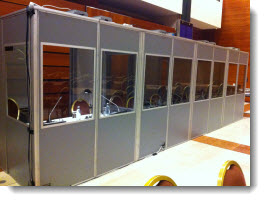
International meetings have unique needs. Along with all power needing to be adapted from U.S. connectors, there is always need for live translation. For this meeting, translation was in 8 languages (English being one of them).

– Troy @ TLC

By |2016-08-16T08:45:31-07:00February 13th, 2013|Personal, Resource/Misc|

Typography and PowerPoint

Typography:
– From the Greek words ôýðïò and ãñáöÞ
– ôýðïò (typos) = form
– ãñáöÞ (graphe) = writing

Typography is the art and technique of arranging type in order to make language visible.

The arrangement of type involves the selection of typefaces, point size, line length, leading, adjusting the spaces between groups of letters and adjusting the space between pairs of letters. In modern times, typography has been put into motion—in film, television and online broadcasts—to add emotion to mass communication.

For example, here are some typography layouts we like:

The same theory can be used for PowerPoint – typography should be visually engaging for the audience. You’re communicating a message, so use your type to enhance your message. Not only does it make your presentation more interesting, engaging typography helps communicate the message to the viewer.

Note: Bullet lists are not styling.

Here are some examples of presentation slides where TLC Creative Services took “traditional” slides and applied typography styling (nothing too “designer” but enough to enhance the layout and create an easy to read message for the audience):

– Troy @ TLC

By |2016-08-16T08:48:58-07:00January 18th, 2013|Resource/Misc|

Microsoft Office as Disc or Subscription

Microsoft released Office 365 roughly a year ago. TLC Creative Services has been using it since it released, primarily for the web-based Outlook Exchange and SharePoint.

Office 365 has different plan levels. All plans include Email (Exchange Online – with 25GB mail boxes), SharePoint and Lync. “Higher” level plans include a subscription to Microsoft Office. And interestingly, not all plans include Microsoft’s free Web Apps, which are online versions of PowerPoint, Word and Excel (it is a collection of free apps, so I cannot see a reason they are not offered with all plans…). Microsoft has recently integrated Skype calling minutes into Office365 subscriptions, and promise more web services in the future.

The advantage of using the subscription service over the disc/serial number is that you will always be using the latest version. Offers the Office 2010 programs. It also includes online storage, sharing and syncing to web-based “cloud” access. The cloud services make it easy to save and access all of your documents from any device. And Office is available on multiple devices and platforms: PCs and Macs, phones-tablets-computers.

So, which Microsoft Office install option is better for you – subscription or disc? If you have a lot of users to manage, the subscription plans make it much easier from an IT perspective to assure everyone has a working version of Office. If you have an MSDN account, keep the same install for multiple years, or very few computers to manage, purchasing a serial number/disc may be the better option.

But with either option, I definitely recommend Office 365 for its Outlook, SharePoint and Lync options.

– Troy @ TLC

By |2016-08-16T08:49:44-07:00January 14th, 2013|Resource/Misc|

Adobe – Which is Better, Subscription or Disc?

The Adobe Creative Suite is the industry standard for design applications: PhotoShop, Illustrator, InDesign, Acrobat, etc. Adobe now provides two purchases options, and determining which is best is based on your needs.

Option 1: Purchase Disc
– The traditional purchase is a serial number, either software download or install disc. This provides a fixed set of applications (depending on which suite is selected). It is OS specific (Windows or Mac) and can be installed on multipled computers (generally two).

TLC Creative has historically purchased the Design Premium suite for its design and show computers. This suite includes:
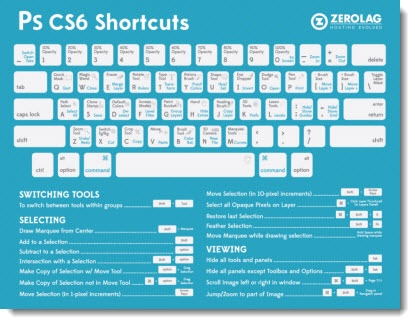
• Photoshop Extended, Illustrator, InDesign, Dreamweaver, Flash, Fireworks, Acrobat Pro, Bridge, Media Encoder

Option 2: Subscription
Recently, Adobe has starting offering a new subscription option, called Adobe Creative Cloud. It is based on CS6, the newest version of all Adobe apps. It also has the advantage of being turned on and off. So if you need Adobe software for a short time, it can be paid for in monthly increments. It also has the advantage of getting additional tool features added with the automatic web-based updates (so the subscription install of Adobe CS6 Illustrator has a number of additional tools that the disc install does not).

The subscription option is like purchasing the most robust (ie. costly) creative suite, the Master Collectoin. When looking at the year long subscription rate, the subscription is considerably lower cost than purchasing the Master Collection. But not that far from purchasing one of the other CS options. Currently, the Creative Suite includes:
• Photoshop Extended
• Illustrator
• InDesign
• Dreamweaver
• Flash
• Fireworks
• Acrobat X Pro
• Acrobat XI Pro (Not included in any CS)
• Bridge
• Media Encoder
• Lightroom (Not included in any CS)
• Adobe Muse (Not included in any CS)
• Flash Builder
• Edge Tools & Services (Not included in any CS)
• Premiere Pro
• After Effects
• Audition
• SpeedGrade
• Prelude
• Encore

It also includes these services: (Not included with any CS)
• Device and PC Sync
• Cloud Storage
• Business Catalyst
• PhoneGap Build
• TypeKit
• Story Plus
• Digital Publishing Suite

For TLC Creative Services, a major advantage of the disc install version is our show computers can inherit the previous version. So all show computers are very capable computers, just not loaded with the “cutting edge” edition. With the subscription, there is no “old” software available for use on other computers. The subscription is more economical over the course of the year than a direct purchase and allows us to have access to many applications that have not been a part of our standard design process. So for us, it is a combination of Disc and Subscription.

– Troy @ TLC

By |2016-08-16T08:50:14-07:00January 9th, 2013|Resource/Misc|

It Takes A Lot to Develop A “Real” PowerPoint Template – This Is The Best Resource Available To Know How To Do It!

“Building PowerPoint Templates – step by step with the experts” is one of the best resources available for anyone that creates PowerPoint templates (based on PPT 2007/2010). Outside of a small group of professional designers, and some of the developers at Microsoft, it would be difficult to find this information condensed into a single place. The authors are good friends, Microsoft MVPs for PowerPoint and two designers that I trust to know the real how-to’s, and why, of developing PowerPoint templates.

It can be found here at Amazon.com.

– Troy @ TLC

By |2016-08-16T08:50:35-07:00January 7th, 2013|Resource/Misc|
Go to Top