Resource/Misc

Pro’s and Con’s of Webcast Formats

I have been doing a lot of webcast projects lately. Most involve syncing a PowerPoint presentation with video of the presenter. One client’s IT department needed more information to determine which format fit their needs best so I provided this quick run down on the pro’s and con’s of the formats we were discussing:

Flash Legacy (.swf)
Pro: This format is virtually guaranteed to work on all computers, through firewall settings and has an install rating of over 98% of all computers worldwide.
Con: It is not optimized for live video, so it produces larger files and does not stream as well as an .flv

Flash Video/Flash 8 (.flv)
Pro: This format is optimized specifically for video. It produces good size files and streams extremely well (even if file is larger than a .swf it streams much smoother and faster).
Con: Still requires many computers to do the free upgrade, which is permitted through most corporate firewall systems (although it can be problematic in a tightly controlled corporate IT setting).

Windows Media Video (.wmv)
Pro: Optimized to playback on Windows PCs and now works on all Macs that have the Flip4Mac QuickTime add-in (included in a free auto update, so installed on majority of Mac systems). Can be embedded in webpage or forced to launch player application on computer.
Con: Larger file sizes than .flv (similar to .swf), fewer pre-load options (eg: a status bar before playing).

All of this is very simplified information, but it provides a quick overview of some common formats. Stay tuned for a very detailed set of posts on Streaming Media formats I have been working on.

– Troy @ TLC

By |2016-11-17T14:15:05-08:00September 1st, 2006|Resource/Misc, Tutorial|

Great Write-Up On Corporate Events

Mike Wilson from Instant Effects has a great article that posted at Indezine last week. I have worked a lot with Mike and his developers over the past few years as OfficeFX has evolved. Even better is knowing he has spent time out of office and backstage at large corporate events to really see what the presentations need to do and how they are used.

This is a long article, so have a few minutes, but it captures a lot of the enviroment, equipment considerations and requests I work with every day. View it here.

– Troy @ TLC

By |2016-11-17T14:14:20-08:00August 28th, 2006|PowerPoint, Resource/Misc|

PowerPoint Quotes – Funny and True.

Reading the latest edition of PC World I came across a quote that had me rolling in laughter. Peter Norvig (an executive at Google) said, “Powerpoint is like having a loaded AK-47 on the table. You can do very bad things with it.”

Funny – and true. It is not a bad program as Mr. Tufte says. But it can be used very poorly. So I went online and found a few more good quotes:

“PowerPoint is the Rodney Dangerfield of software: it gets no respect.”
– Ken Goldberg, the Berkeley engineering professor

“If you like overheads, you’ll love PowerPoint.”
– Edward Tufte

Hmmm… maybe some things to ponder today…

-Troy @ TLC

By |2016-11-17T14:11:19-08:00August 12th, 2006|PowerPoint, Resource/Misc|

3D Spheres from AutoShapes

I create a lot of graphic elements for presentations and since the inception of PPT XP I have been able to do many directly in PowerPoint with some creative use of AutoShapes and transparency settings. PPT MVP Shawn Toh has posted a sample presentation with some really great 3D spheres at Indezine.

Here is one of the spheres created entirely with autoshapes:
One of the 3D Spheres in the Presentation
Here are the autshapes used to create the above 3D spere:
Autoshapes used to create the 3D Sphere

Here is the description and download link on Indezine, click here.

Troy @ TLC

By |2016-11-17T14:05:00-08:00July 8th, 2006|Resource/Misc, Tutorial|

PPT Keyboard Shortcuts

There are lots of great ways to work faster in PowerPoint (and all Office applications for that matter). Most everyone knows the basic keyboard shortcuts; copy, paste, duplicate slide, etc. But how about moving through action panes (F6) or move one word (Ctrl + Right Arrow).

Here is a reference this page on Microsoft for the complete listing of keyboard shortcuts, click here.

Troy @ TLC

By |2016-11-17T14:04:41-08:00July 6th, 2006|Resource/Misc, Tutorial|

Selling Power Magazine Article

A few weeks ago an interview I had with Selling Power Magazine was posted. It is based on the Pre-Show Checklist I posted back in March. The article goes into a bit more detail, giving samples of why each item is important to address and is overall a great write-up.

Click here to visit Selling Power Magazine and read the article (requires free registration). Or search for “Prevention” from the home page.
Click here to see the original post and link to PDF on the TLC website.

-Troy @ TLC

By |2016-11-17T13:59:44-08:00June 15th, 2006|PowerPoint, Resource/Misc|

Steve Jobs 1984 Presentation

I prepare lots of presentations for company executives, for lots of big events. The presentations are like mini-Hollywood productions: animations, photography, precise timing to coordinate with the speakers script, wide-screens, multiple screens (up to 160′ of screen!), etc.

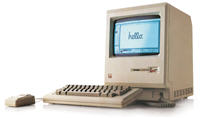
But take a journey back in time and it is almost amazing to me what was high-tech and “unbelievable.” Click here to view Steve Jobs original keynote speach unvieling the Macintosh computer.

Note: the computer display during the presentation is not connected to anything but shot with a camera that is projected.

– Troy @ TLC

By |2016-11-17T13:51:49-08:00May 30th, 2006|Personal, Resource/Misc|
Go to Top