Podcast Release – PowerPoint Tables are Not All Bad
PowerPoint tables – good, not good, and many tips on formatting and presenting tables from Troy, Nolan and Sandy on this episode of The Presentation Podcast. Join the conversation entitled “PowerPoint Tables are Not All Bad” here.
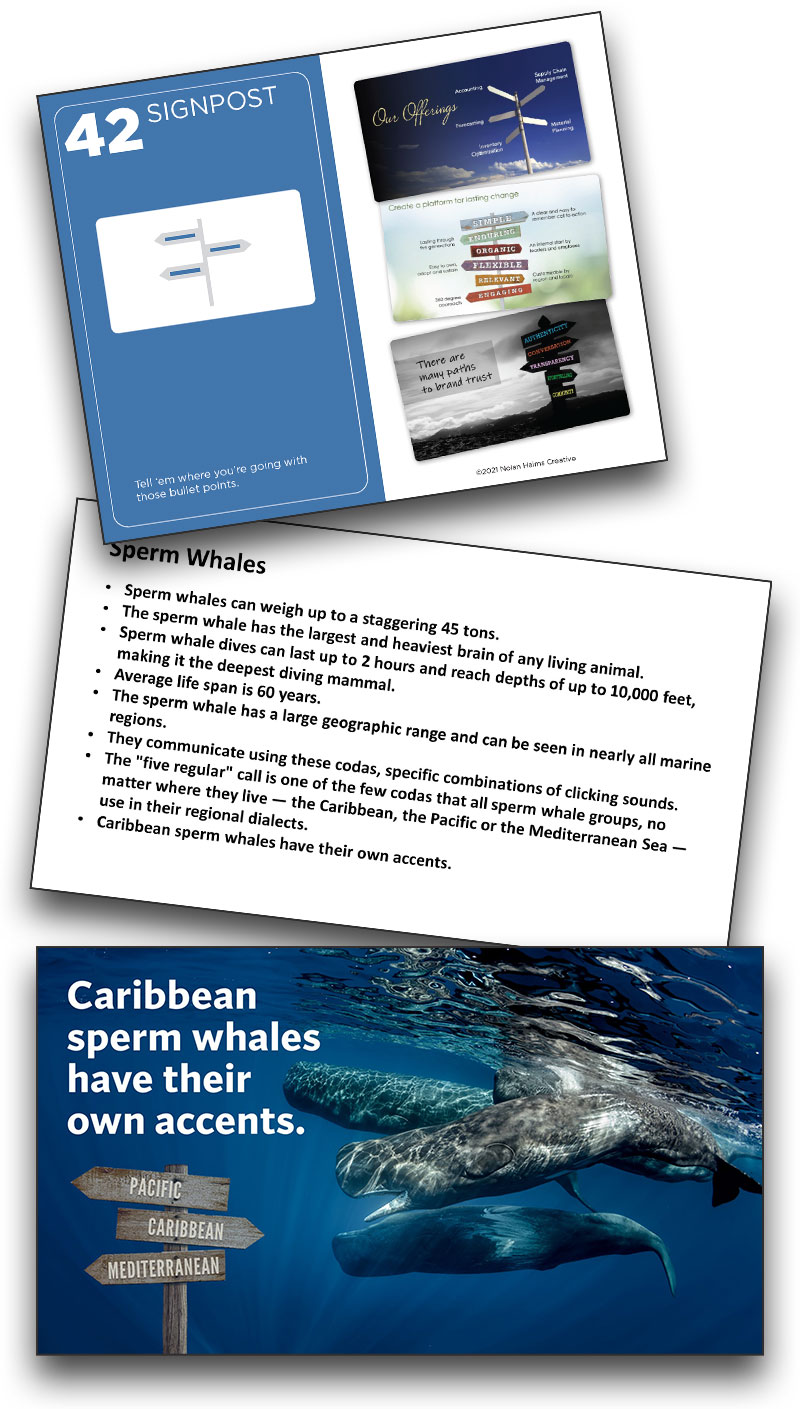
And last, Lori’s Card #42
There were so many more fantastic slide designs that came from this internal project. A big thank you to Nolan Haims and The Better Deck Deck for the inspiration! We started with a slide design from Lori, and we are ending this series with another of the slides that Lori designed – because creativity is on display here! Using card 42 – Signpost, it takes amazing creativity to envision a signpost that not only replaces bulllets as it tells part of the story, but is a signpost underwater!
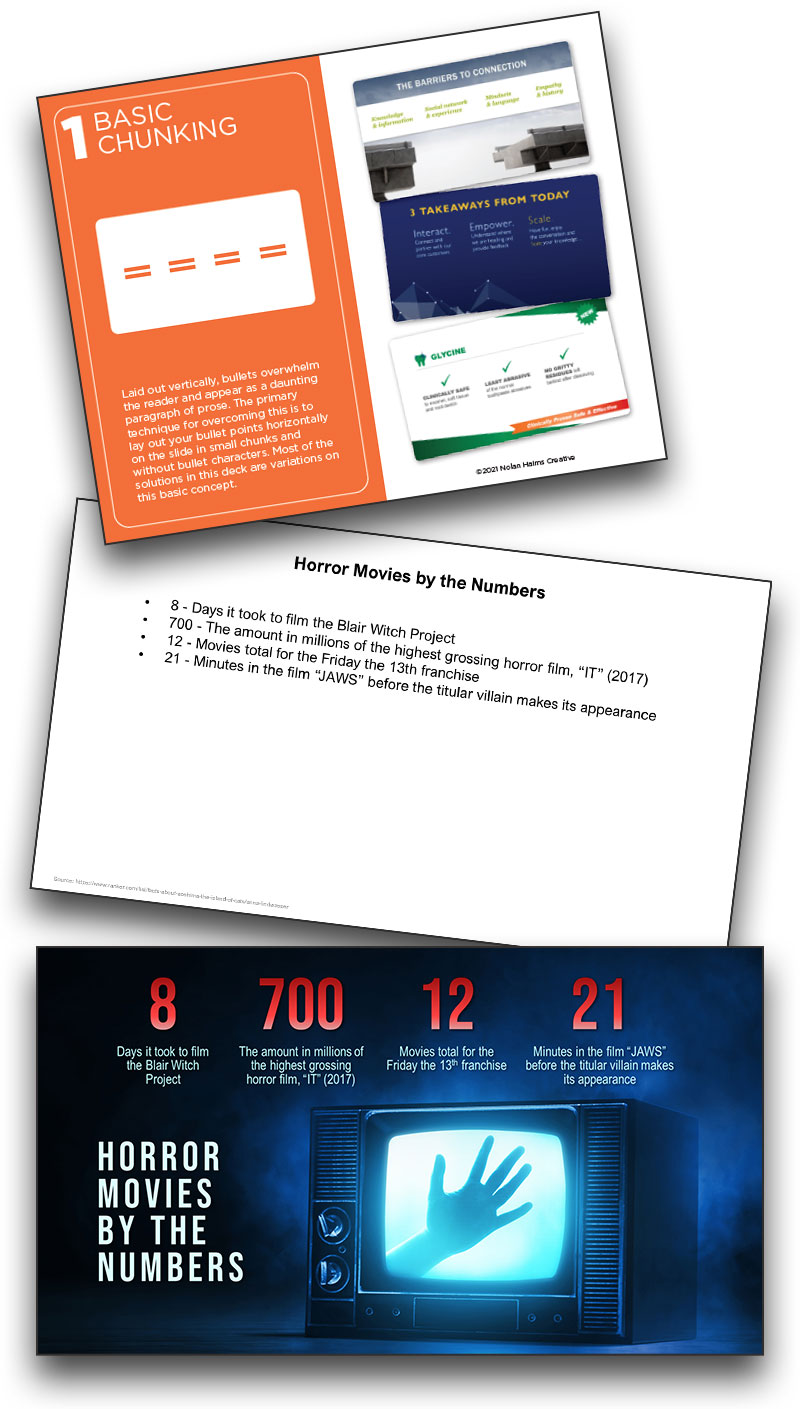
Basic Chunking Can Be Horrifying!
Jake on the TLC Creative design team also drew card #1 – Basic Chunking. The final slide on horror movie info not only converts the bullet points into chunks, but is an amazing visual that creates emotion and a story unto itself.
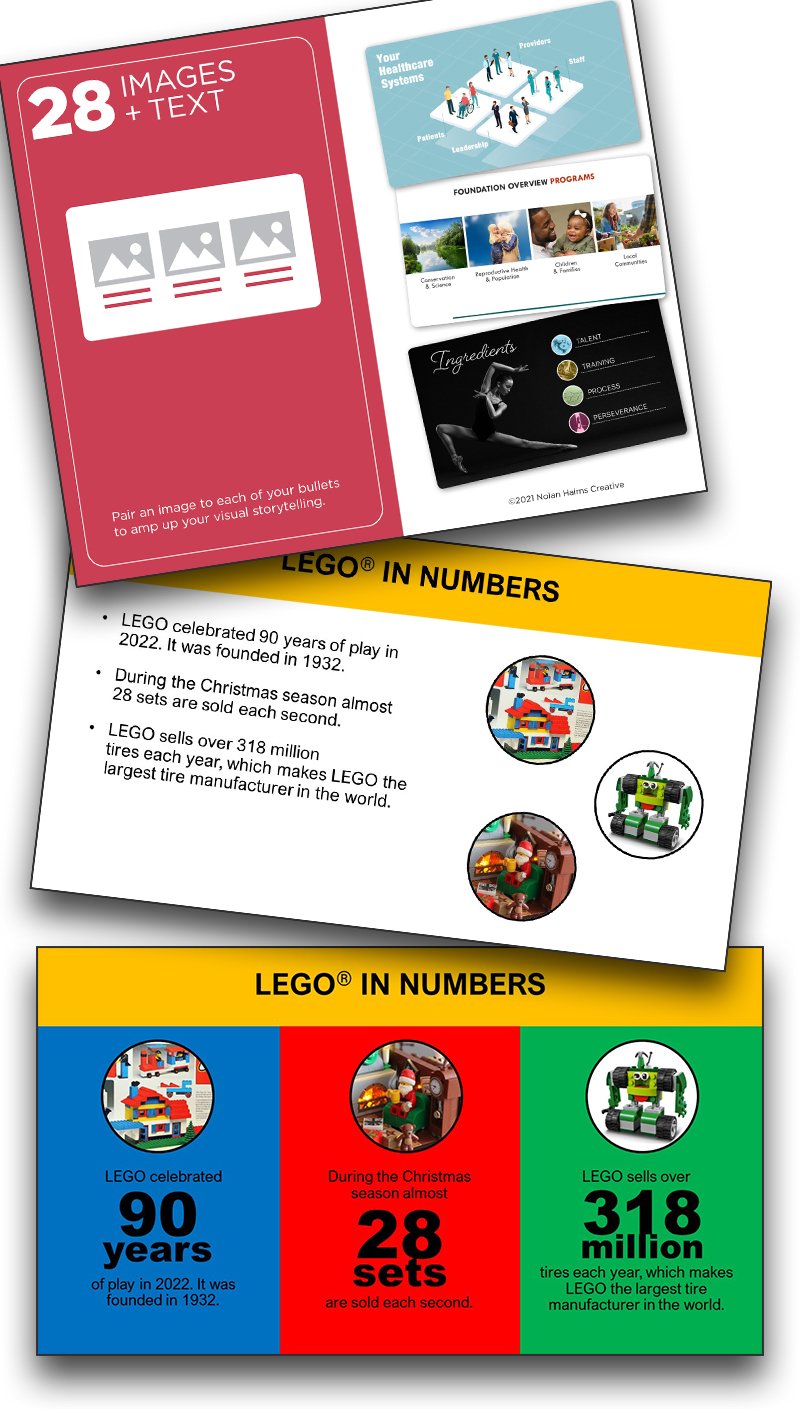
Karen’s Card #28
This slide inspires me on many levels. Karen drew The Better Deck Deck card 28 – Images + Text. The final design integrates the original randomly added images into a slide that uses great typography for the “+ Text” portion of the card, but also integrates the instantly recognizable Lego color scheme in the design!
Troy & Lori on The Presentation Podcast!
This episode is Troy and Lori Chollar. Microsoft Teams enables all PowerPoint files to be a collaboration file with dozens of people reviewing and editing the same file, at the same time. Troy and Lori of TLC Creative Services talk about how they have integrated Teams into the company presentation design workflow, how Teams files are key to their slide review process, and how Teams files are often a part of the backend setup for live meetings.
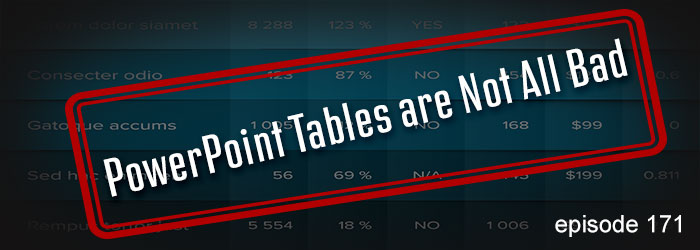
Sticky Notes for Card 22
Nick who was with TLC Creative took on the challenge of The Better Deck Deck, card #22 – Sticky Notes, with a fantastic presentation-ready slide full of colorful “sticky notes” vs. the before boring bullet list.