Monthly Archives: May 2007

VIsta & PPT 2003 Jumping Objects

A problem I have encountered on Vista computers here (Vista Ultimate) and several others I have spoken with have experienced is truly frustrating. Note: this may be caused by Logitech or Wacom drivers, but I have not had time to test to verify.

In PowerPoint 2003 you go to click on any object – image, text box, autoshape, etc. – and it jumps up and to the right. It’s not your unsteady hand, but a Vista “incompatability.” There is an easy solution up next.

– Troy @ TLC
By |2016-11-17T15:58:58-08:00May 13th, 2007|Tutorial|

VIsta & PPT 2003 Adv. Animation Pane

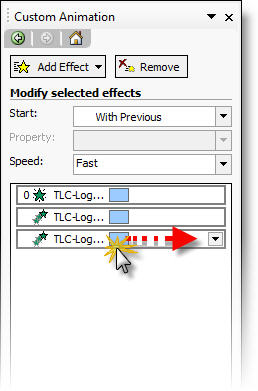
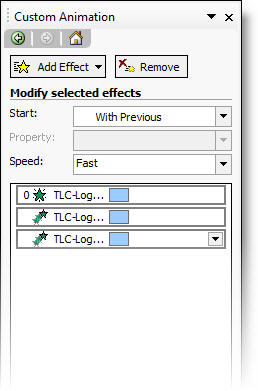
This one almost had me uninstalling Vista. this one invovles the Custom Animation pane open and set to view the Advanced Animation view (where the animations are shown on the timeline).

The problem (seen on multiple computers) is when you click and drag the animation bar to a new position, it basically disapears until you unclick. The result is loosing all ability to easily and accurately fine tune animations.

Again, there is a solution which is in the next post 🙂

– Troy @ TLC

By |2016-11-17T15:57:58-08:00May 11th, 2007|Tutorial|

PPT 2003 and Vista

I am now feeling confident running Vista and all of my applications. But it may not be my recommendation for the person unwilling to research hacks and settings to overcome the many situations that come up. On my primary system I have all versions of PowerPoint installed. In many instances client needs determine the software used. Although PowerPoint 2007 is wonderful, I am living in a PowerPoint XP-2003 world.

So if you have upgraded to Windows Vista and use PPT 2003, I have a few fixes to problems. The next two posts will explain usability problems and the third will cure both!

– Troy @ TLC

By |2016-11-17T15:57:26-08:00May 9th, 2007|Tutorial|

Informm Presentation Professional Survey

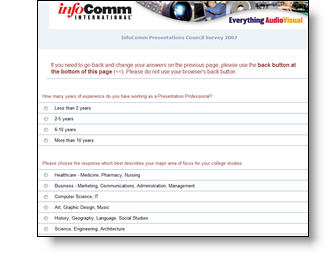
Infocomm is doing a follow-up to last years survey where they collected input from presentation professionals. I entered my info, which took about 6 minutes and the best part is this year they are making the results available to all that participate (must enter an email address at end of survey).

Click here to go to the survey.
Note: All submissions due by May 19th.

– Troy @ TLC

By |2016-11-17T15:57:04-08:00May 7th, 2007|PowerPoint, Resource/Misc|
Go to Top