The PowerPoint® Blog

I work with PowerPoint on a daily basis and I am very honored to be a Microsoft PowerPoint MVP. We have a talented team of presentation designers at TLC Creative Services and ThePowerPointBlog is our area to highlight PowerPoint tips, tricks, examples and tutorials. Enjoy! Troy Chollar

Creating a PowerPoint Shamrock

Working with PowerPoint shapes, the shape merge and edit points tools, and some gradient fills, 3D and other effects, Kristen, a TLC Creative Services designer, created this PowerPoint shamrock.
[youtube src=”https://www.youtube.com/embed/DDtBgQCodDI?rel=0″]

Download the final slide here 200KB

– Troy @ TLC

By |2016-08-16T08:41:53-07:00March 13th, 2013|Resource/Misc|

St. Patrick’s Day Themed PowerPoint Template

This week, we are celebrating St. Patrick’s Day! And starting with a free St. Patrick’s Day themed PowerPoint template created by Jennifer here at TLC Creative Services.

Developed as a native .pptx format (PPT 2007, 2010, 2013), in 4×3 aspect ratio. It also features animated title and content slides.

[youtube src=”https://www.youtube.com/embed/sQT-0b-RZqY?rel=0″]

Download here 800KB

– Troy @ TLC

By |2016-08-16T08:42:16-07:00March 11th, 2013|Templates/Assets|

Gigapixel.com – Amazing Technology!

Gigapixel.com is a service that produces extremely high resolution images. A Gigapixel image is a digital image bitmap composed of one billion pixels (1,000 megapixels), or more than 100 times the information captured by a 10 megapixel digital camera.

For example, here is a photo of the mass crowd of Canadians at the Vancouver Canucks Fan Zone along Georgia St. for Game 7 of the 2011 Stanley Cup Final. The image was captured at 5:46 pm on June 15, 2011. It is made up of 216 photos (12 across by 18 down) stitched together, taken over a 15-minute span, and is not supposed to represent a single moment in time.

Note the zoom control in the left portion of the above image. Here is maximum zoom on the image! This street sign is where the red arrow above is pointing. Plus you can pan around and identify virtually everyone’s face.

Of course, this image is 69,394 X 30,420 pixels (or 2,110 megapixels). A widescreen PowerPoint slide image through an HD projector or monitor is 1,920×1080 – we have a long way to go before needing this resolution for presentations, but it is amazing!!

Click here to view image in browser (Note: Needs Flash)

– Troy @ TLC

By |2016-08-16T08:42:38-07:00March 8th, 2013|Resource/Misc|

PowerPoint Video Slides/Templates By TLC Creative Services (Free!)

At the beginning of last year, Microsoft posted a series of PowerPoint 2013 slides and templates that TLC Creative Services, Inc. developed (for Microsoft Office.com). These were the items referenced in the previous blog post that many emailed and asked about.

There are a lot of templates and sample slides available at Office.com. Just go here and search in the Templates and then PowerPoint.

Here is a direct link to PowerPoint slides and videos with templates, many were created here at TLC Creative Services, and all are free to download and use!

– Troy @ TLC

By |2016-08-16T08:42:56-07:00March 6th, 2013|Resource/Misc, Templates/Assets|

I Was An Audience Guest at Microsoft’s Office.com “The Office 15-Minute Webinar”

While at Microsoft a few weeks ago, I was able to sit in on the production of an episode of “The Office 15-Minute Webinar.”

Dave Ludwig, Chris Downs, Doug Thomas, Troy Chollar, Bruce Bracken

Doug Thomas (3rd from left) is the ring leader for the series and does a great job. I have been around a lot of video production, live events, podcast and webinar production and Doug has definitely assembled a full team and has all aspects covered. In addition to his computer, a 2nd computer viewing the webcast as any viewer does is giving audience view feedback, a professional microphone, video camera (actually the DSLR camera shooting HD through a real lens), professional audio recording system, backup video camera and crew to monitor audio, video and feed web search information are a part of every production. Doug’s previous video series was “Office Casual” and part of the theme carries over to “The Office 15-Minute Webinar” in that there is a lot of pre-planning, scenarios to handle live situations and manpower in each produciton, but he works very hard to make the production feel casual and friendly (all good things!).

– Microsoft’s Office.com division does offer a lot of good resources. This team is in the CPub (Content Publishing) area and TLC Creative Services contributed to another area last year with a series of PowerPoint video templates.
– The webinar home site is here. It airs live every Tuesday at 9:15am PT and recorded episodes are available.
– And the webinar I watched be produced was the MVP special here.

It was a fun day and great to meet the crew of “The Office 15-Minute Webinar.”

– Troy @ TLC

By |2016-08-16T08:43:20-07:00March 4th, 2013|Personal, Resource/Misc|

Another Day Backstage

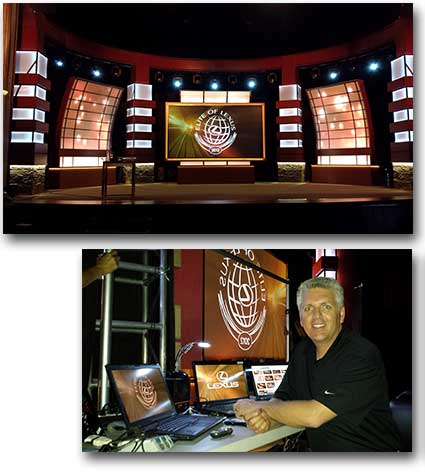
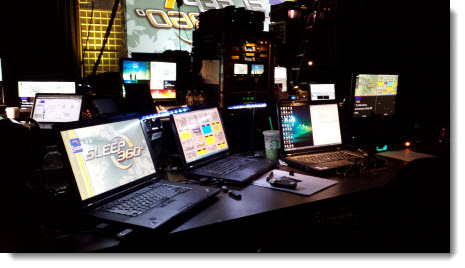
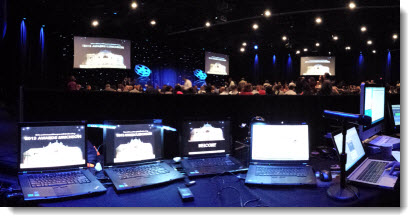
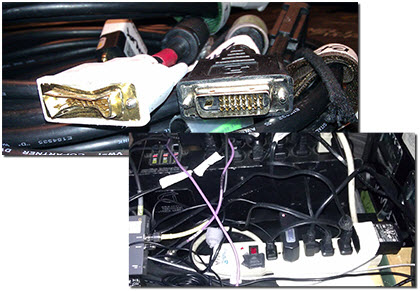
2013 has been a blur so far being at 4 showsites and some personal holidays spread across multiple states (Florida, California, Detroit, Florida) and countries (US, Czech Republic, Germany, Austria). Here is my work area backstage at one of the events (still smiling).

– Troy @ TLC

By |2016-08-16T08:43:48-07:00March 1st, 2013|Personal|

Attention University of Minnesota People – here is a free UofM themed template!

We completed a project recently that involved the University of Minnesota. As part of the presentation project, we developed a great UofM themed template. Because all of the content is clear for distribution, I thought it would be good to make the full template available here.

The template is native to PPT 2010 (.pptx), 4×3 aspect ratio, and has all of the PowerPoint presets customized. Let us know if the template is useful to you!

Download here – 254KB

– Troy @ TLC

By |2016-08-16T08:44:09-07:00February 27th, 2013|Portfolio, Resource/Misc, Templates/Assets|

Why NOT to Use “Play Video Full Screen”

PowerPoint 2013 is now available, and multimedia has gotten even better with it, which I will cover in future posts. But one video feature that has been with PowerPoint at least since PPT 2000 is “Play Full Screen.”

When a video is inserted, one of the options is to make the video scale to fill the screen (VIDEO TOOLS >> PLAYBACK tab >> VIDEO OPTIONS section >> PLAY FULL SCREEN).

I do not recommend using this feature for a number of reasons:
– The video “pops” to full screen, which is not in line with today’s presentations full of smooth animations.
– Low resolution videos will look even lower resolution when stretched to full screen.
– If there is content on top of the video (z order is possible in PPT 2010 and above), the content is covered by the video.
– The video scales to the maximum height or width and use black bars on the top or sides (letterbox or pillar box) if video is not same aspect ratio as the screen aspect ratio (not a bad thing, but may not be desired).
– If the presentation is distributed, it is a very confusing option and may result in unexpected issues (ie. person adds text below the video, but when played it is covered).
– I have experienced this feature cause playback/animation issues.
– Last, I do not see it accomplish anything that cannot be done while developing slides or through animation.

– Troy @ TLC

By |2016-08-16T08:44:30-07:00February 25th, 2013|Tutorial|

Greeting from Microsoft and the MVP Summit

I am in Redmond (Seattle) Washington this week at the MVP Summit. Two highlights of the week are meeting with the PowerPoint Dev team and being a part of feedback sessions and spending time with the PowerPoint MVPs!

(Glenna, Dave, Echo, Ric, Sandy, Troy, Steve, Shyam, Juno)

– Troy @ TLC

By |2016-08-16T08:45:13-07:00February 18th, 2013|Personal|
Go to Top