I have had a lot of email and talking with people/clients about the recently released Service Pack 2 for Office 2007. I believe it is critical for PowerPoint users as it fixes, and adds, a number of key design features.
I pulled this list from Microsoft’s (Knowledge Base) KB article 953195.. It covers all Office applications, but these are the PowerPoint specific items – which I have reworded a few to make them easier to understand.
……………………………………………………………
Better Edit Points: Freeform shapes have usable Edit Points, plus increased interoperability with Office 2003.
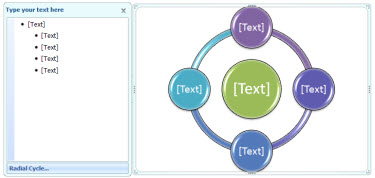
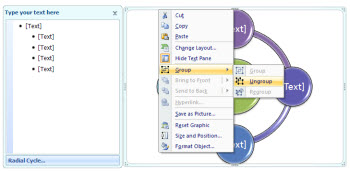
Ungroup SmartArt Objects: Officially it says “A new XML-based representation of each SmartArt graphic in a document is saved with the file to optimize interoperability.” Which I believe is referencing the HUGE improvement that you can now ungroup any smartart object!
Faster File Save: Smarter picture compression in PowerPoint’s XML file format (.PPTX) now saves up to 90% faster than before when the presentation contains a lot of pictures.
Steadier Zoom While Editing: “Some commands, such as deleting the selected object when zoomed in would cause the slide view to snap to the center of the slide. Now the zoomed-in slide view does not move on its own.” This means less scrolling around while zoomed in and editing!
Adjust Lines without Extending to Infinity: Officially stated as “Fixes several issues that involve the object model. These fixes let you better achieve parity with Office 2003 when the object model works with graphical objects.” Which for me means I can resize a line while constraining with the Shift key and actually resize it (not have it zoom off into infinity).
Text Overlaps: Some third-party printer drivers could provide bad information, causing PowerPoint to misalign text. It now detect this situation and uses alternate settings that preserve the proper text spacing.
Vista Preview: PowerPoint is now compatible with the Vista file preview commands.
Image Exports: Images exported from PowerPoint could be corrupt or cropped. This is now fixed and the setting produces a good bitmap.
Slide Thumbnail Highlighting: Colors and effects used to indicate when the mouse was over a slide thumbnail, and when the thumbnail was actually selected could occasionally become confused and might indicate a slide was selected when it was not. These are now clearly defined and update properly.
Saving to .PPT with Styled Title Text: Some of the new text formatting in PPT 2007 has to be represented as a picture when saved to the older .PPT format. Sometimes this would cause both a picture and styled text to be saved when it appeared in a title placeholder, giving the text a jumbled or blurred look. It now detects and displays one element.
Built-in Save As PDF/XPS: Users no longer have to download the add-in separately to have the PDF/XPS option in the Save As menu, it is built into SP2 for Word, Excel, and PowerPoint.
……………………………………………………………
– Troy @ TLC