HAPPY NEW YEAR 2012!!

Created in PPT 2010 in less than 5 minutes – download here. (51K)
2012 is going to be a great year – and the regular blog posts resume this week!
– Troy @ TLC

Created in PPT 2010 in less than 5 minutes – download here. (51K)
2012 is going to be a great year – and the regular blog posts resume this week!
– Troy @ TLC
While on a show in Miami this month (great show with fantastic presentation design requests – more about this next month), the crew dinner was at “Burgers and Beer Joint.” The food was great in a very crowded place and the menu featured the hamburger made with 10lbs of ground beef (plus another 10lbs of bun and condiments). Now that was a presentation!
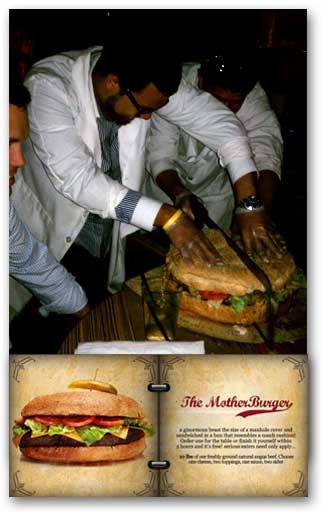
Note: That is an impressive and huge hack saw being used to cut “The Mother Burger” into servings.
– Troy @ TLC
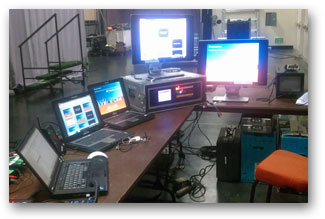
A few weeks ago, I was the lone tech backstage (producer, audio, etc. all front of house). So I handled the graphics computers, video playback and switching (Don’t worry I gave myself “Go” commands to assure everyone stayed in sync).
– Troy @ TLC
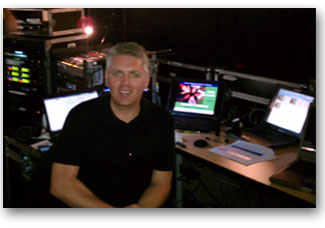
Backstage setup in San Jose (same clothes, same computers, different city and event).
– Troy @ TLC
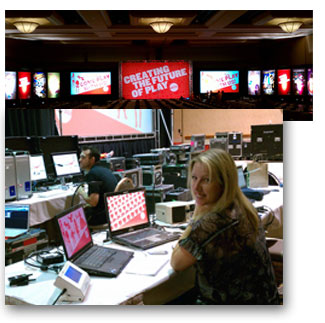
This was a great meeting. Dynamic and animated presentations with minimal “bullets.” Also, I was working the week with Lori in Las Vegas as we each headed up the graphics for different divisions presenting at the same meeting. Here is the staging and Lori backstage (plus, we escaped for a few Vegas shows).
– Troy @ TLC
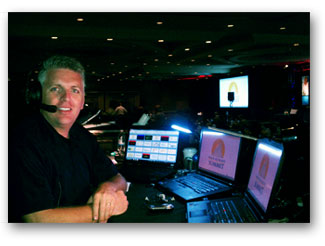
Thought I would include some images of recent showsites from this past month. Here is my setup in Long Beach, CA for a 2 day show.
– Troy @ TLC
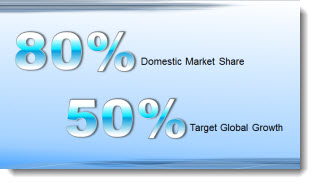
For this slide (see previous post for more info on it), I wanted the numbers to be a visual focal point. I also wanted to keep them as editable PPT text. By mixing the stylized text with more standard text, a nice slide layout was developed. The big number text was created by:
1. Make it big (this text is 125pt).
2. Give it a gradient fill – using colors that coordinate with the template color scheme.
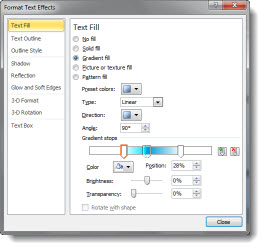
3. Add a subtle outline (stroke) to the text to help it contrast for legibility.
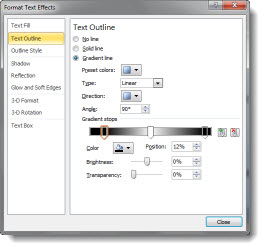
4. Add a drop shadow.
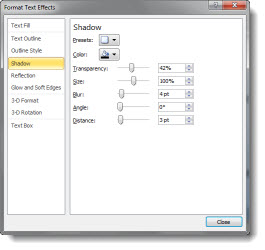
The sample slide can be downloaded here.
– Troy @ TLC
One of the greatest things I hear is something like this “Just make the slides have the key concepts I am talking about.” To me, that means the presenter:
– Knows their talk
– Is a confident presenter
– Will not be reading the slide to the audience
– And has given me freedom to design visual slides (yeah!)
This is a sample slide from a recent presentation TLC Creative Services developed (Note: Corporate template and much of the content adjusted for the sample slide). This minimal content slide reinforced the presenters point, did not distract the audience from the presenter and provided much more memorable speaker support than a list of bulleted text with all the details (that the presenter provided during the talk).
– Troy @ TLC
Received an email that is personally exciting for me this weekend. Microsoft has awarded me as one of their PowerPoint MVPs once again!
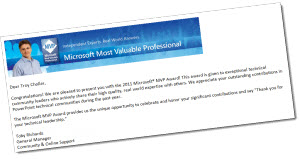
There are around 30 MVPs for PowerPoint and more information on the overall award and program are at Microsoft here.
– Troy @ TLC

PowerPoint To Go (PPT-to-go.de) is a company based in Germany and offers a collection of PowerPoint templates that are free. The main categories are maps and nice looking 3D shapes in colorful layouts.
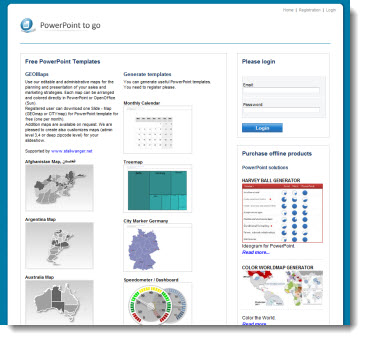
Unfortunately, we were not too impressed with the site. To access the free templates you must go through a registration process – for 1 template per month. While registering, the site timed out twice with a fatal error on the server being reported. It took four log in attempts before successfully accessing the downloads page. So the online experience was far from smooth.
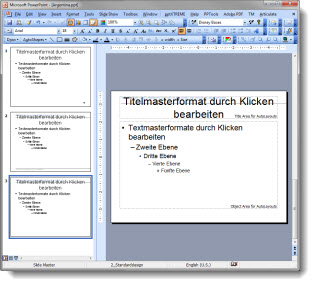
The template downloaded is a .ppt (PPT 2003) and on our systems it opened with a corrupt file warning.

The thumbnail image on the download page was very different (and visually better) than the actual slide:
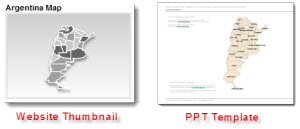
I had expected to see a full PowerPoint template with all of the master slide formatting preset. There is minimal template formatting in place and it is actually more jumbled than the MS default (and uses the German language dictionary).
Many of the thumbnails look great and I would recommend using just the content (map, 3D pyramid, etc.) by importing into your template and not using the PowerPoint to Go file as a template.
– Troy @ TLC