A Final Hello From San Antonio
Going through photos I found this nice one of Nolan Haims, Sandra Johnson, and myself (Troy Chollar) at the 2019 Presentation Summit from our week together in San Antonio, Texas last month.
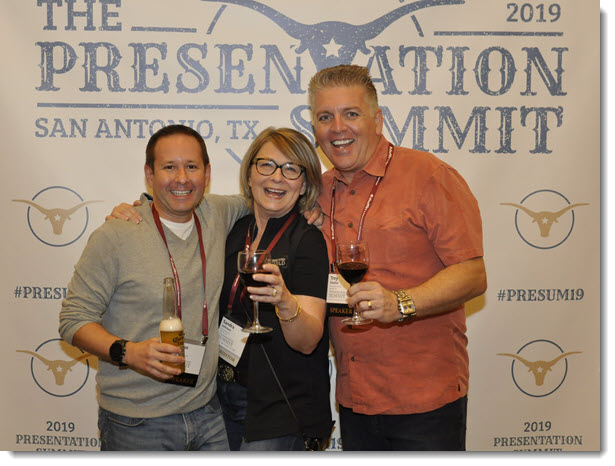

Going through photos I found this nice one of Nolan Haims, Sandra Johnson, and myself (Troy Chollar) at the 2019 Presentation Summit from our week together in San Antonio, Texas last month.
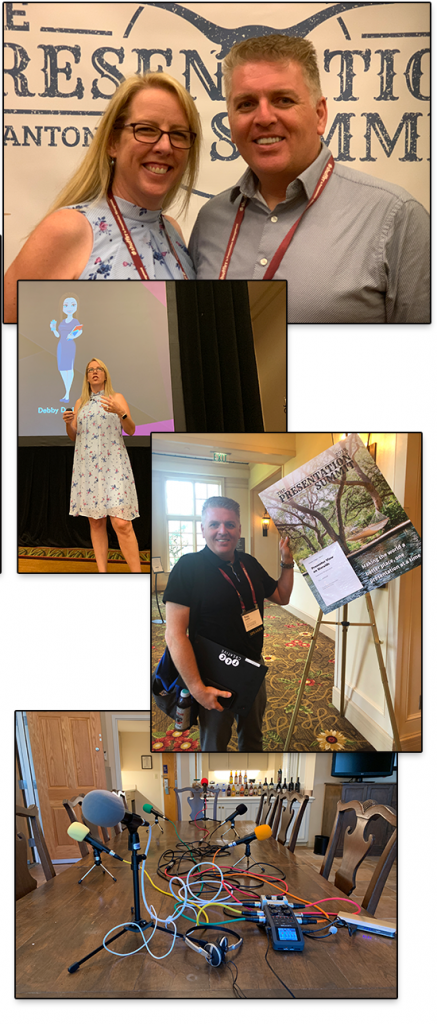
This week is San Antonio, TX at the 2019 Presentation Summit – definitely the place to be for all presentation designers! Lori wowed a full house with her talk on Collaborating with everyone on a design project. Troy had a great walk-through of PowerPoint’s Presenter View from corporate meeting use perspective – and later today is walking through how to design PowerPoint template for Ultrawide screens in his REALLY BIG session. And there is more fun to go!
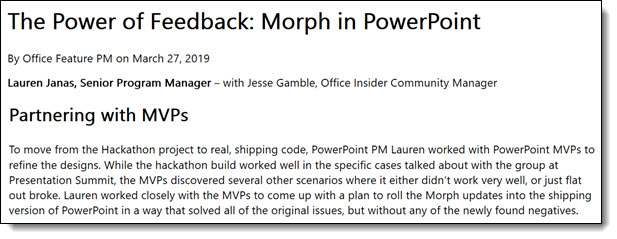
A recent article from Microsoft talks about PowerPoint’s Morph and how internally it continues to improve. In addition, I am often asked what it means to be awarded as an MVP from Microsoft – this article gives a nice callout to how Microsoft interacts with the PowerPoint MVP group for real-world use testing and input on features/bugs/problems/needs. I am happy to report I was part of this discussion – and yes, I had many recommendations on updates that would make Morph even better for our real-life uses 🙂
Full article here.
Troy @ TLC

We all have our own jumble of “resources” we use for presentation design; customize PowerPoint and Keynote ribbon and QAT, favorite websites for images – video – ideas, apps for editing video – creating wordclouds – picking colors from the screen. This month the overall them is “Web Resources”. We (myself and the TLC Creative design team) are pointing out helpful websites we have found that help with design.
Troy @ TLC
Used PowerPoint to create a Memorial Day video as Lori and Troy of TLC Creative Services recognize the significance of why this day is important.
[KGVID]https://thepowerpointblog.com/wp-content/uploads/2019/05/unnamed-file-1.mp4[/KGVID]

New Year and new stuff to showcase! I am taking over the January blog posts with design portfolio samples throughout the month.
Troy @ TLC
Hello December, the finale to 2018!

This month The PowerPoint Blog continues the TLC Creative tradition of our Top 10 for the year on our Facebook page. Here on The PowerPoint Blog we several FREE holiday themed PowerPoint downloads and our design team PowerPoint holiday animation! Over at The Presentation Podcast we first have a guest episode where we talk about presenting like there are no mistakes (a not to be missed episode for anyone that presents!), and then our annual year-in-review conversation. It is a great month to enjoy everything!
Troy @ TLC
Wow, November – 2018 is getting close to being over!

This month I have gathered up PowerPoint formatting tips and tricks from our design team, with a special focus on Master Slide and Master Layout formatting. For The Presentation Podcast we have a conversation about the 2018 Presentation Summit session topics “Filling in Sandy On the Presentation Summit” and a conversation about managing projects and watching for additional add-ons “Scope Creep and the Boiling Frog”.
Troy @ TLC
NXPowerlite is a great app that TLC Creative Services has made use of for several years. The current version, Desktop 8, was the biggest release for new features. I was happily asked to contribute input and ideas as the Neuxpower team was busy strategizing the big release. On a recent Neuxpower blog they talked about the Custom Profiles and to my surprise, I was a part of the blog!
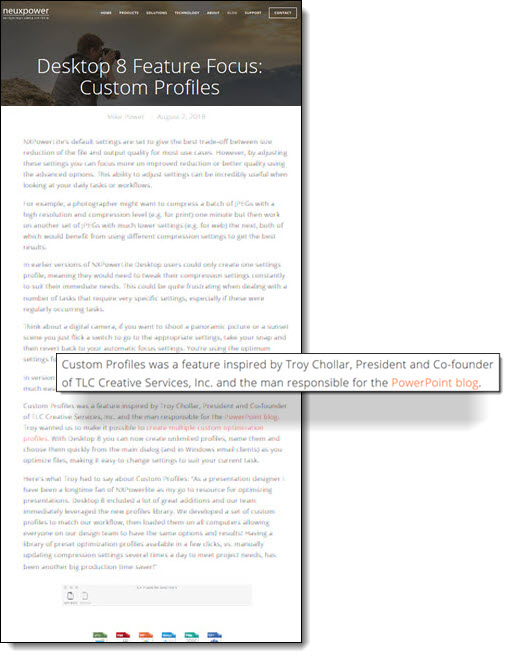
Check out the blog post here.
Troy @ TLC
August is here (amazing)! I lost a week while travelling, but have the balance of August planned out for the blog.

Microsoft has done a lot since the release of Windows 10, which has become my favorite version they have released (and I started my computing journey prior to Windows 95!). Some of the recent fine tuning improvements can directly relate to our presentation world, or being more efficient and saving us time for more presentation design. So if you work on the Windows OS, hopefully a few of these will be new and helpful tips.
Troy @ TLC