Resource/Misc

Really Mobile Presentations with the Logic Bolt Projector Cell Phone!

This may make the ‘elevator speech’ and sales presentations even more engaging. T-Mobile will be carrying the Logic Bolt cell phone which looks to have a fully functional projector built into it!
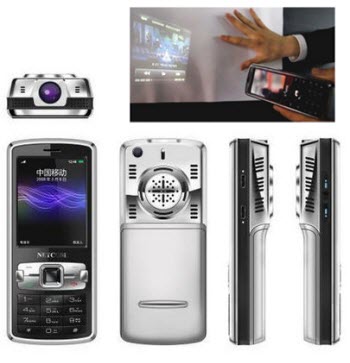
It is being shown at CES this week and features a touch screen interface, quad band GSM, support for Powerpoint, Excel, Word as well as the ability to connect directly to most video sources, and built-in projector that casts images 36-64″+.

– Troy @ TLC
By |2016-11-17T12:04:57-08:00January 13th, 2009|Resource/Misc|

Microsoft CES Keynote(s)

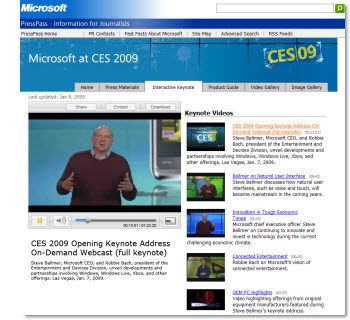
Microsoft is definitely changing the direction and strategies of their software development. I really think the changes will make team projects, asset management and presentations (very excited about the next/future version of PowerPoint!).

Click here to view videos of the major MS Keynote addresses.
27:40 – 44:00 = Demo of Windows 7, Windows Live and Windows Mobile
1:10:00 – 1:19:00 = Overview of key trends and future software demo

And the super-wide, multi-screen staging is really impressive too!

– Troy @ TLC

By |2016-11-17T12:07:13-08:00January 9th, 2009|Resource/Misc|

InfoComm Presentation Survey

Each year InfoComm puts out an online survey where you can compare yourself with others in InfoComm International’s annual Presentation Professional survey.

This year it’s shorter, easier and faster to complete. Whether you’re one of many in a corporate setting, or a one-person shop wearing all the hats, see how you compare in the skills you have and the challenges you face. Best of all, all participants receive a report of the full survey results.

Click here to take the survey.

– Troy @ TLC

By |2016-11-17T12:07:39-08:00January 7th, 2009|Resource/Misc|

Who Is Ric B ???

As we start off 2009 what better time to introduce one of the best people at Microsoft I interact with. For all that use PowerPoint you want to know and acknowledge at least one person at Microsoft – Ric B.

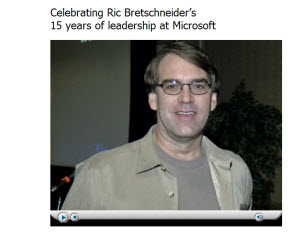
Ric Bretscheider has been at Microsoft for over 15 years with nearly all of that time spent on the PowerPoint development team (starting with the PowerPoint IV – PPT 2007 is version XII/12). He is the Lead Program Manager for PowerPoint and has been a huge influence in listening to end users and steering the program to address our real world needs (and if you don’t like PowerPoint – you would dislike it even more if it were not for the efforts of Ric B! )

Many contributed to his 15 year anniversary with presentations, notes and videos. This one is one of the few that made it to public domain and does a good job of giving a look at Ric B.

Click here to view.

– Troy @ TLC

By |2016-11-17T12:08:18-08:00January 5th, 2009|Resource/Misc|

All 8 FREE PPT 2007 Effects “Templates”

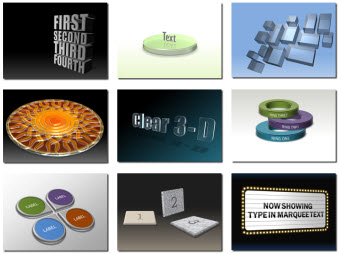
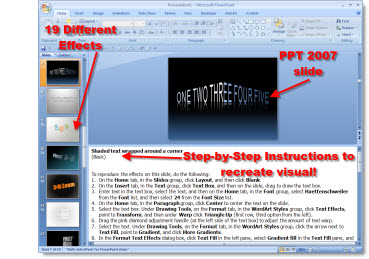
In all Office Online has 8 incredible example templates – each with step-by-step instructions on how to recreate each effect!
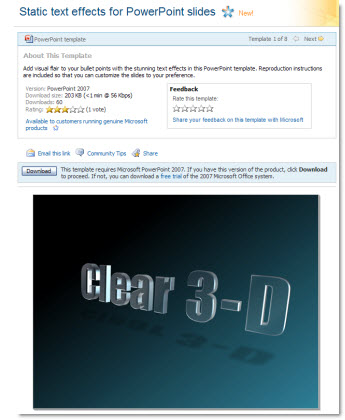
– Static Text Effects
– Static Picture Effects
– Animated Text Effects
– Animated Picture Effects
– Combined Picture and Text Effects
– Animated Hierarchy and Process Graphics
– Backgrounds
– 3D Shapes and Objects

Click here to access them all (note: downloads from Microsofts Office Online site must be done with Internet Explorer). All are the work of fellow PPT MVP Julie Terberg of Terberg Design.

(Note: I am grabbing this image from Ric B’s PPT Team Blog)

– Troy @ TLC

By |2016-11-17T12:13:33-08:00December 22nd, 2008|Resource/Misc, Software/Add-Ins|

PPT 2007 “Text Animations” Template Deck

Animation is one of my strong points and this template presentation has some great ones!

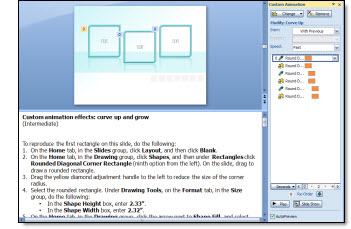
The Text Animations deck on Office Online has 20 slides of text animations – each with step-by-step instructions on how to recreate these great effects.

It is also good to note that most of the animation effects can also be applied to other objects such as autoshapes or inserted images!

Click here to go to the MS Office Online page to download.

– Troy @ TLC

By |2016-11-17T12:14:41-08:00December 17th, 2008|Resource/Misc, Software/Add-Ins|

PPT 2007 “Picture Effects” Template Deck

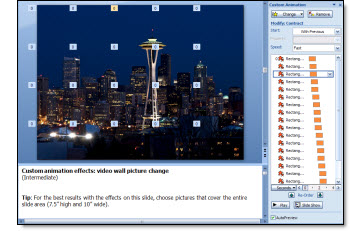
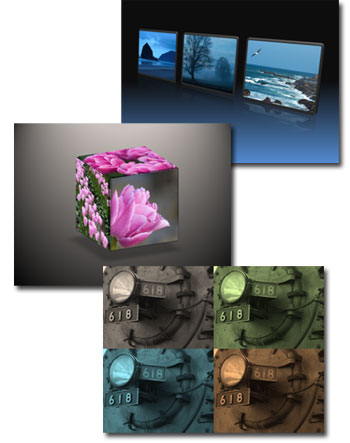
Click here to go to the Office Online page with the download link for this great, and free, PPT 2007 presentation that has 15 picture effects. All effects are created entirely in PPT 2007 and the speaker notes have detailed step-by-step instructions on how to recreate the effects in your presentaitons.

Here are a few samples of the picture effects in this deck:

– Troy @ TLC

By |2016-11-17T12:15:24-08:00December 16th, 2008|Resource/Misc, Software/Add-Ins|

PPT 2007 Visual Themes FREE

Sometimes it is difficult to keep a secret – this is one of those items I was excited about when I previewed them (yeah!) and then was told not to talk about them until Microsoft posted them (ohhh…). Well this week Microsoft Office Online has officially posted a series of PPT 2007 visual elements templates.

These really great ‘presentations’ are a series of incredible visual elements, animations and layouts – all created with PPT 2007 tools. As example one of the template decks shows how to make this graphic entirely within PowerPoint 2007!

Julie Terberg is the designer responsible for all of these effects (also a MS PowerPoint MVP). Check back as each day next week I highlight a different template deck (there are 8 in total).

– Troy @ TLC

By |2016-11-17T12:15:44-08:00December 13th, 2008|Resource/Misc, Software/Add-Ins|
Go to Top