Resource/Misc

Using PPT 2007 Webcast (Nov 18)

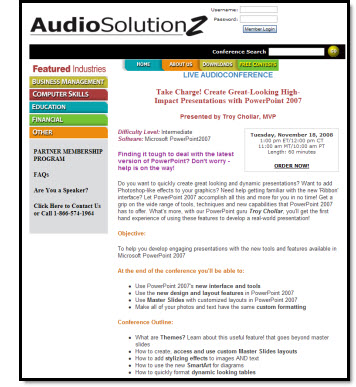
Just some advance notice (got some feedback on giving late notice for my last webcast), that on Tuesday, November 18 I will be doing a 1 hour webinar on developing presentations with PPT 2007.

This is an intermediate level overview of working with the new Ribbon interface, taking advantage of the new graphic features for images-text-charts. All while creating a real-world presentation.

For more details click here.

– Troy @ TLC

By |2016-11-17T12:28:48-08:00October 3rd, 2008|Resource/Misc|

Office 2003 Microsoft Support

OOPS – I HAD A TYPO, WHICH IS CORRECTED NOW (2014, not 2007)
I know there are a lot of people out there still using PPT 2003. This was very evident when talking with people at PPTLive last week. And just as way of record, all of my computers have both PPT 2003 and PPT 2007 installed.

So for all of us PPT 2003 users, here is some important news and dates Microsoft announced last week:

1. Support for PowerPoint 2003 will end October 14, 2008 unless you have upgraded to SP3 (so this means you will need SP3 to install any updates after the middle of this month). SP3 for Office 2003 can be downloaded for free from Microsoft’s site.

2. Support for PowerPoint 2003 is slated to end in April 2014 (so this means no further service packs or updates will be developed and distributed after this date).

– Troy @ TLC

By |2016-11-17T12:29:23-08:00October 1st, 2008|PowerPoint, Resource/Misc|

Office 2007 Feedback Page

Hmmm, so as a Microsoft PowerPoint MVP you would think at least I would know of a Microsoft Feedback Page for Office 2007.

But the truth is I just recently discovered this (along with other PPT MVPs). I can say that development and planning for the next version are underway at Microsoft, and that for previous versions the number of incidents reported or requests received did make a difference in the features updated, added, or removed. So if you encounter a bug or have a feature you would like to see in future versions I am guessing this is your best tool of getting that info to Microsoft!

To view click here.

– Troy @ TLC

By |2016-11-17T12:36:35-08:00September 17th, 2008|PowerPoint, Resource/Misc|

PowerPoint eConvention

So what is an “eConvention”? Well, Shawn Toh of PowerPoint Heaven, also a PowerPoint MVP based in Singapore has created an online convention specifically for PowerPoint designers.

September 1-26 (now) is open for anyone to review the entries and vote. Categories are Animation, Artwork, Game and Broadcast. Some are downloadable presentations, some are viewable on YouTube movies – all are very impressive!

Then on Sept. 27 the eConvention comes to a close with all of the award winners posted.

Check out the entries, and how to submit your own entry, here.

– Troy @ TLC

By |2016-11-17T12:39:57-08:00September 10th, 2008|PowerPoint, Resource/Misc|

Point, Click & WOW!

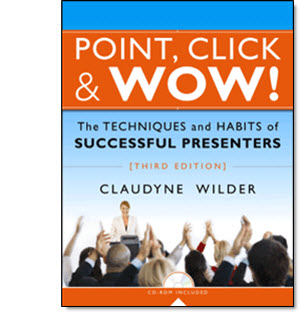
The third edition of “Point, Click & WOW!” is a great resource if you do deliver presentations to an audience of any size. Claudyne Wilder has written a number of excellent books on PowerPoint and presenting, all excellent and provide great insight, support and information that everyone can make use of. And if you happen to be in Boston Thursday, September 18 you can hear Claudyne speak and do a book signing!

Check out the details on her website here (or check out Amazon by searching for the title).

– Troy @ TLC

By |2016-11-17T12:40:23-08:00September 8th, 2008|Resource/Misc|

Vector Cartoon Images

This is a fun resource I discovered recently.

Vector-cartoons.com does require registering and has a weekly download limit. I was able to find exactly what was needed – as a high-quality fully editable vector image!

Note: for PPT download the .wmf version (I downloaded the .eps, modified in Illustrator and then exported as a .wmf).

– Troy @ TLC

By |2016-11-17T12:45:35-08:00August 8th, 2008|Resource/Misc|

PowerPoint For Peace

We often forget as individuals we can do a lot to make this world a better place and spend time waiting for the change to happen. Here is an initiative to prove it to ourselves that we can do as much as anyone to promote peace.

Glenna Shaw and Geetesh Bajaj, both PowerPoint MVPs have started a unique initiative “PowerPoint for Peace”, a Global Community Project. The project just last week and is building a universal presentation that recognizes the contributions and commitments of people from around the World to improve the planet and the lives of our fellow inhabitants.

authorSTREAM.com is being used as a platform and participating is very easy. Just create a single slide that depicts a contribution that helps make the World a better place to live in (must contain your name/group/company and be uploaded using the authorSTREAM link).

See it and participate here.

– Troy @ TLC

By |2016-11-17T12:46:59-08:00August 4th, 2008|PowerPoint, Resource/Misc|

Can You Read This ?

Courtesy of my daughter Kelli, I have this fun and disturbing (I read it without any problem and then asked what was so cool about it…) little note. I will have to find a presentation to use this in!

Can you raed tihs?

I cdnuolt blveiee taht I cluod aulaclty uesdnatnrd waht I was rdanieg. The phaonmneal pweor of the hmuan mnid, aoccdrnig to a rscheearch at Cmabrigde Uinervtisy, it dseno’t mtaetr in waht oerdr the ltteres in a wrod are, the olny iproamtnt tihng is taht the frsit and lsat ltteer be in the rghit pclae. The rset can be a taotl mses and you can sitll raed it whotuit a pboerlm. Tihs is bcuseae the huamn mnid deos not raed ervey lteter by istlef, but the wrod as a wlohe. Azanmig huh? yaeh and I awlyas tghuhot slpeling was ipmorantt!

– Troy @ TLC

By |2016-11-17T12:55:07-08:00June 20th, 2008|Resource/Misc|

Add-Ins Webinar This Friday

I am very excited because I finally finished all of the demo’s for the AudioSolutionz webinar that I am doing in just a few days (hey, I have been traveling almost non-stop for the past 3 months – and it has (almost) all been PowerPoint related shows).

The thing that I really became aware of was the best way to add power to PowerPoint is to know what add-ins are available and to know what they do see them demonstrated. That is the really great part about a live a webinar is that it allows me to do more than make a recommendation, I can demonstrate each add-in with real-world presentation examples.

Click here to get details on the AudioSolutionz webinar. Hope to see many of you there!

– Troy @ TLC

By |2016-11-17T12:55:31-08:00June 18th, 2008|PowerPoint, Resource/Misc, Software/Add-Ins|
Go to Top