The Presentation Podcast Episode 81 – Grids, Guides and Gutters
A new episode of The Presentation Podcast with Troy, Nolan, and Sandy is available today! Episode, 81 – Grids, Guides and Gutters. Listen in on Apple Podcasts, Stitcher, Google Play, Spotify and Soundcloud – just search for “The Presentation Podcast” – or go direct to the episode page here: https://thepresentationpodcast.com/podcast/81
Welcome to July!

We all have our own jumble of “resources” we use for presentation design; customize PowerPoint and Keynote ribbon and QAT, favorite websites for images – video – ideas, apps for editing video – creating wordclouds – picking colors from the screen. This month the overall them is “Web Resources”. We (myself and the TLC Creative design team) are pointing out helpful websites we have found that help with design.
Troy @ TLC
Canva Presentation Animation Explained
Canva adds notices that if the account is upgraded to a “Pro” account, animation features are added. But the animation is not what you expect. Yes, the content on each slide has entrance effects applied. No, you cannot control the animation effects in any granularity.
When logged in to your Canva account and have a presentation open, in the top right of the editable deck, there is a drop down button with ANIMATION as an option.
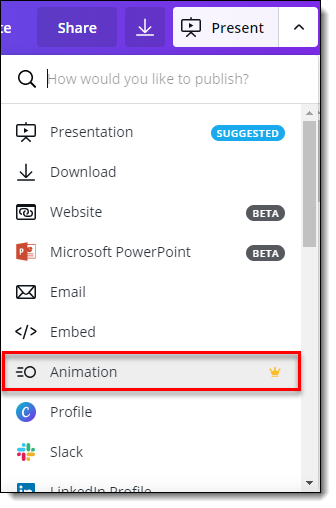
There are seven animation options; Fade, Pan, Block, Rise, Breathe, Slide, Instant. The critical thing to understand is the animation style chosen applies to EVERY object on EVERY slide. There is no granular control over what objects animate (everything does) and no selecting different animation styles, or no animation, for specific slides. There is also no customization of the animation duration/speed or ability to add on-click animations to elements on a slide.
The best way I can describe Canva’s presentation animation is it is a combination transition effect that applies an auto entrance to all elements on a slide.
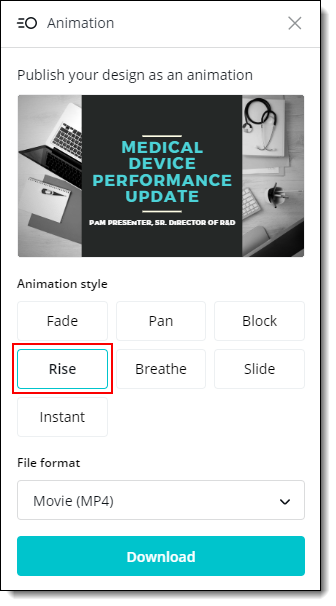
The other critical item to understand about Canva’s presentation animation is an animated presentation is only available when exported as a .mp4 (or .gif). If an edit is made to the presentation, it needs to be exported again to add the animation.
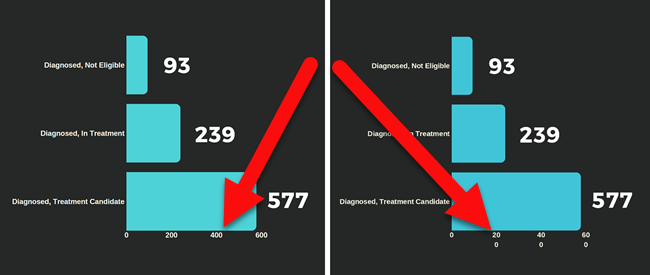
In exporting our sample presentation to view the various animation styling we found a bug that altered the content of our bar chart (if this was PowerPoint I would submit a bug report to the Dev Team). The axis in the presentation itself looks correct but when exported as an mp4 the X axis label text becomes stacked (leaving the data to be interpreted as wrong).
Here is the demo presentation used for testing animation:
FADE Animation
[KGVID]https://thepowerpointblog.com/wp-content/uploads/2019/06/unnamed-file-2.mp4[/KGVID]
BLOCK Animation
[KGVID]https://thepowerpointblog.com/wp-content/uploads/2019/06/unnamed-file.mp4[/KGVID]
RISE Animation
[KGVID]https://thepowerpointblog.com/wp-content/uploads/2019/06/unnamed-file-3.mp4[/KGVID]
Troy @ TLC
Canva Presentations by the TLC Creative Design Team
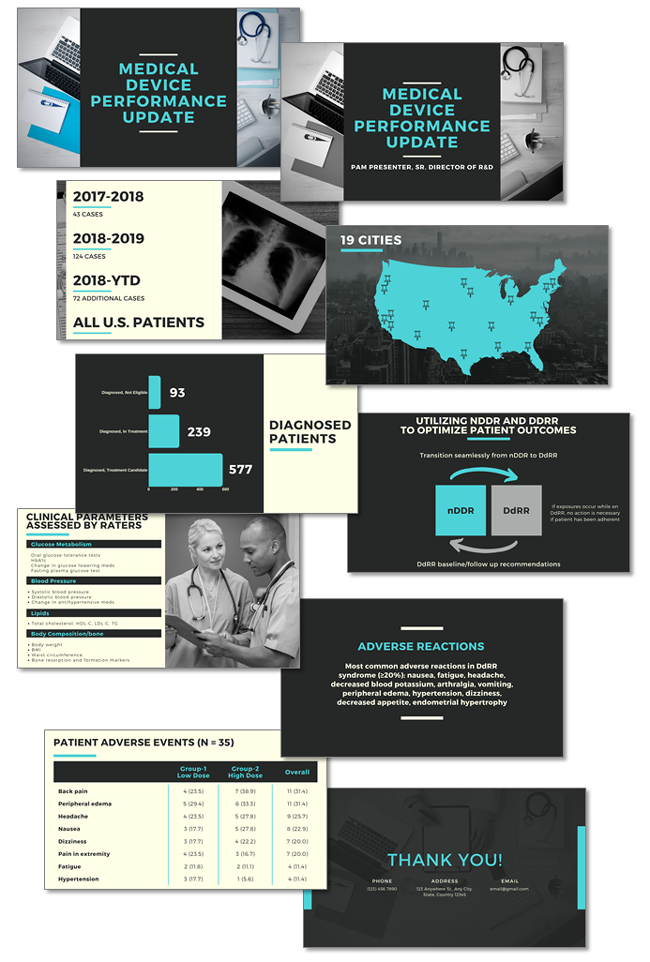
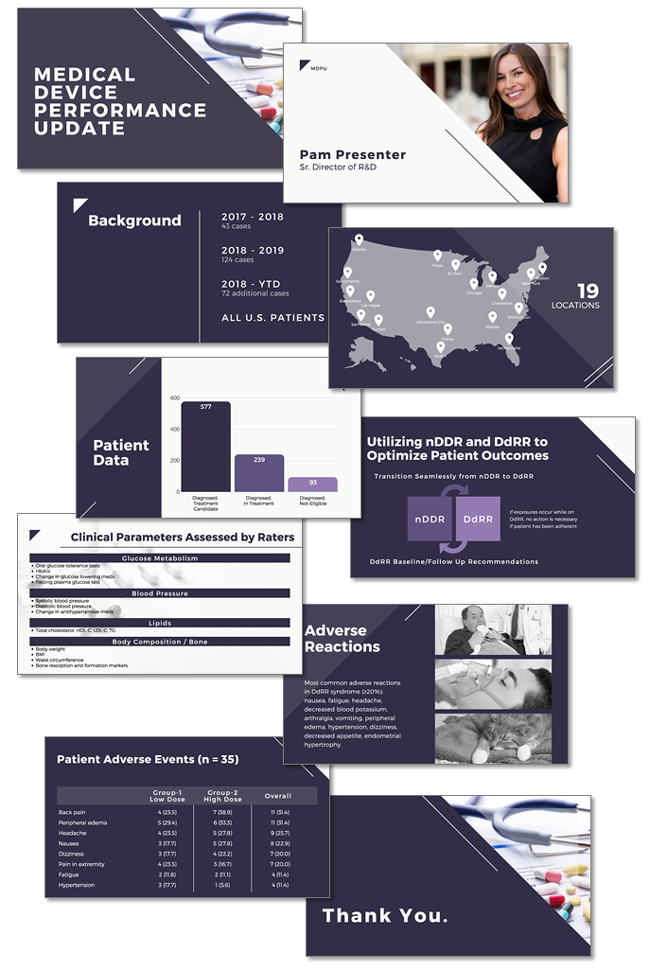
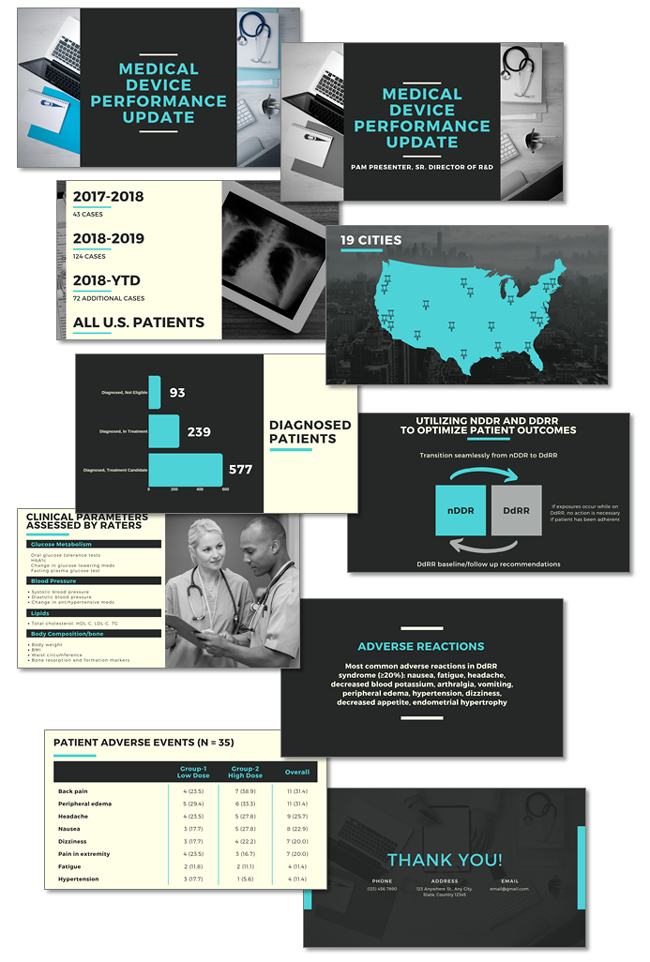
Today I am posting Canva presentations developed by several of the TLC Creative design team, along with their likes and dislikes of working with Canva. The key takeaway is Canva is a capable presentation creation platform and presentation design is not so much about the application used, but how visual design is applied to the content. The below presentations are all unique in visual styling despite everyone working from the same content outline. Reading through the likes & dislikes, the focus is on design limitations Canva currently has (compared to PowerPoint, which has 20 years of refining the application), which require more design time to manually format content to create the desired effect.
Presentations developed by the TLC Creative design team, all entirely in Canva Presentation:
Amber:
Christie:
Jake:

Sara:
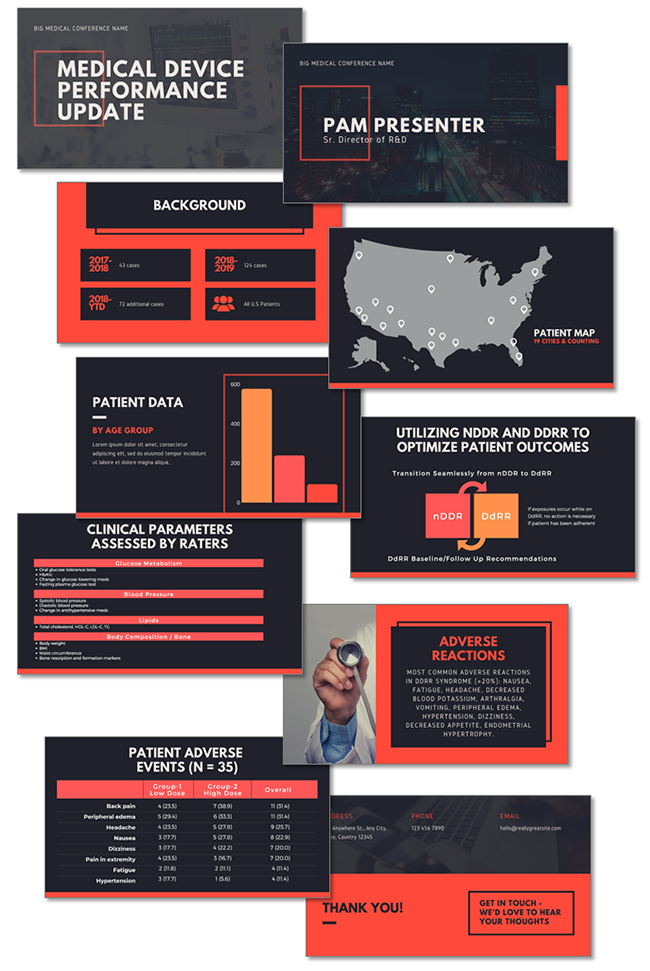
The Good and Bad the TLC Creative design team noted while working on this project:
The Good:
1. Nice selection of ready-made templates
2. Good library of assets, making it easy to drag and drop for your presentation with a lot of free options
3. Web-based, can access designs from any web browser
4. User friendly for first-time use with an intuitive interface
5. Translates to a website seamlessly
6. Can share your slides as a template
7. Great, preset text styling options
8. Exports nearly perfectly to PowerPoint (no animations, poor backend Master Slide & Layouts, but slide level is very good)
9. Animation tool animates all elements on slide with one click (easy to use, nice visual effect, good for non-designers. Beyond the simple 1-click setup animation customization is a negative – not an option)
10. Free version is good enough to use, enough features to not have to go to premium
The Bad:
1. If there is no internet you can’t access and no offline app version
2. No table formatting options
3. Cannot animate individual elements
4. Cannot copy and paste elements from slide to slide in same position
5. The line width can’t be manually set
6. No color picker/eye dropper tool
7. Template does not control font of added text boxes. Every new text box uses the Canva default font
8. Cannot change multiple text box font sizes or font color in one action, have to do each text box separately
9. Cannot have more than 1 font size per text box
10. Limited object grouping
11. No quick ribbon for tools
12. Cannot customize chart styling or separate actions for axis’s (chart styling and options are very limited!)
13. Cannot add text inside shape, must stack separate text box on top of a shape (ugh!)
14. Adding a new page, or changing a layout (which has problems too), does not open to that template, leaving the user to hunt through the template options to find the template (tip: remember the categorie and name of the template selected!)
15. Cannot customize animation per slide, or animation on a slide
16. Master layout place holders are skewed
17. Minimal set of formatting tools
18. Presentation features seem geared more to image/visual heavy presentations rather than data/copy oriented ones
19. Even with premium not all assets are included
20. No image/asset search filter to show just the images included with the plan (do not want to search through 1,000’s of pay images)
Troy @ TLC
Canva Presentation by Troy
As part of a design studio wide project, everyone delved into Canva to develop their own version of a presentation, everyone working from the same 10 slide presentation outline. Canva had good features for presentation design which were intuitive to use, fast processing (Canva is a web-based app, and I was working on a 300mbps fiber optic connection, so a fast response time was expected), and capable software package.
Here is my presentation, developed entirely with Canva. Download the PDF version Here
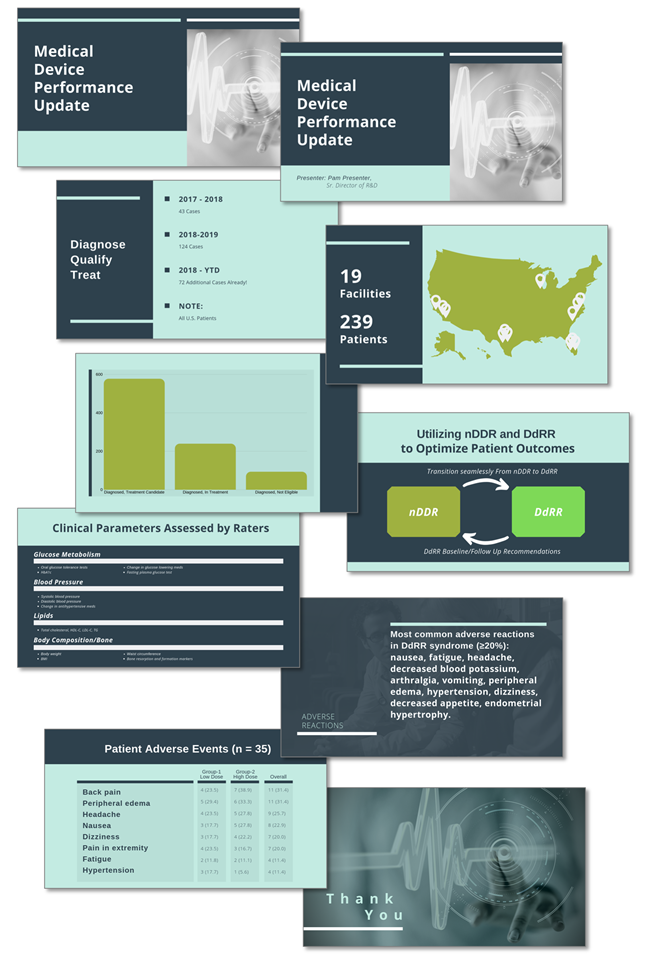
Comparing the presentation design workflow between Canva and PowerPoint (desktop version), I would prefer PowerPoint. Canva has a simple feature set and for a business presentation like this one, it was a source of frustration and lots of extended formatting. A few examples are:
- Canva does not have table formatting. So slides 3 and 9 required a lot of additional formatting time vs. developing same slide in PowerPoint. Slide 3 required additional time to think through a layout for the content that was not a quick table – in this instance the result is visually better than a standard PowerPoint table. Slide 9 was just painful to manually add the 4 column backgrounds, the 4 top dividers and 7 separate text boxes.
- Canva has single text formatting style per text placeholder. This requires a lot of additional formatting time vs. ability to vary text styling. As example, slide 4 needed 4 text placeholders vs. 2 I would have used in PowerPoint.
- Canva has limited bar chart styling and formatting options. Slide 5’s bar chart worked well for this presentation, but I had to make some concessions on the overall design to stay within the Canva options. There are only 4 bar chart styling options and complex data will quickly go beyond the Canva capabilities.
On the praise side, the web-based Presenter View capability is really fantastic coding. The variety and depth of “templates” is very impressive (although they do not meet my definition of what a full template is). The variety of font options, color scheme options, and sharing options all are impressive.
I am certain the future will have requests for developing presentations in Canva and from this internal project, our design team is ready to take on those requests and develop professional slide decks.
Troy @ TLC
Canva 101
Canva Overview:
- Launched 2013 (Beta) and full release 2015
- Based in Sydney, Australia
- Free and paid/”Pro” subscription options (Pro account ~$15/month)
- Pre-formatted templates for social media images (eg. Instagram, Facebook, Twitter). Pre-formatted templates for eBook and kindle book covers, business cards, brochures, flyers, and presentations. All templates take advantage of built in design tools for layout and design including font, colors and a built in extensive stock photo/asset library.
(example of image and graphic asset searches)
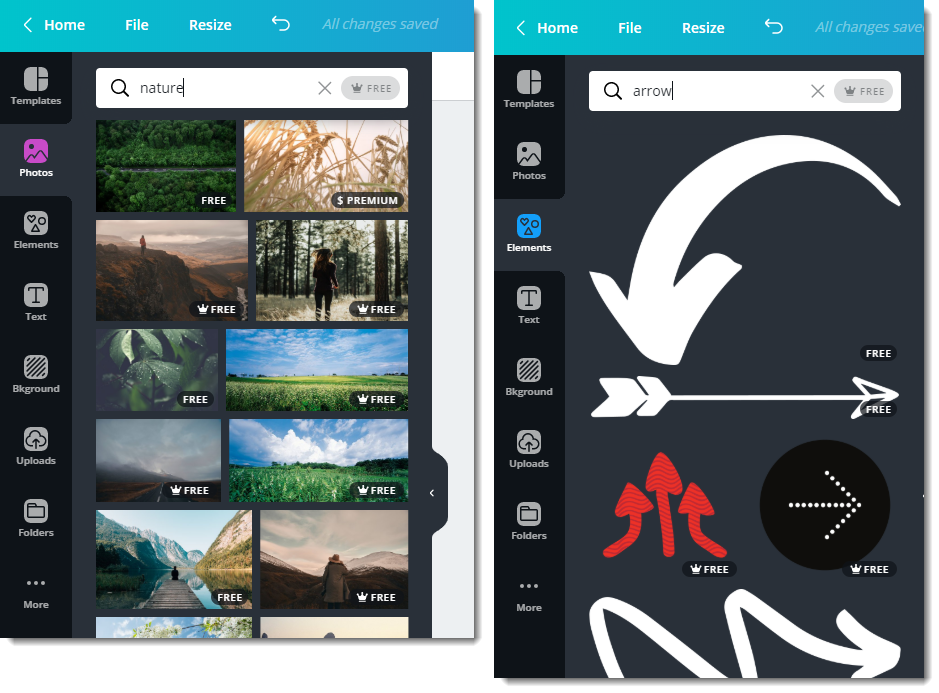
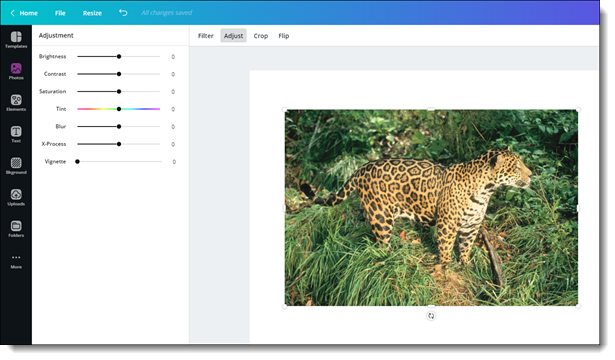
For all design types, Canva has a good set of image tools for basic photo editing; tint, saturation, brightness, contrast, crop, resize, flip, etc.
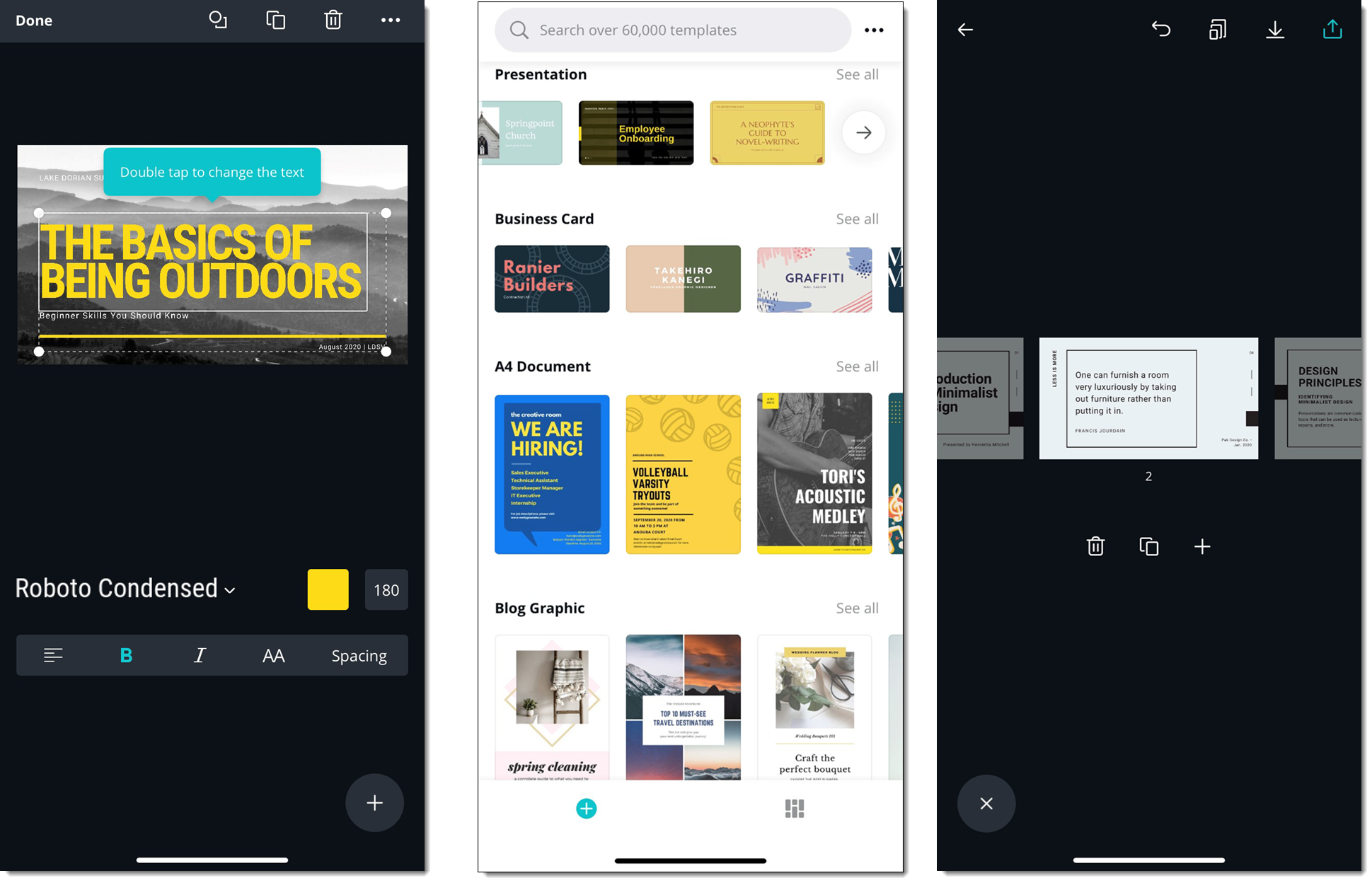
A key advantage of Canva being a web based app is it can be used on Windows and Mac, in any of the major web browsers, and a robust mobile app for work on Android and iOS devices.
I am going to focus on Canva’s Presentation capabilities over the next series of blog posts, so check back!
Troy @ TLC
The Presentation Podcast, Episode 80 – Should You Use Canva for Your Presentations?
A new episode of The Presentation Podcast with Troy, Nolan, and Sandy is available today! Episode, 80 – Should You Use Canva for Your Presentations? Listen in on Apple Podcasts, Stitcher, Google Play, Spotify and Soundcloud – just search for “The Presentation Podcast” – or go direct to the episode page here: https://thepresentationpodcast.com/podcast/80