
Online Time Calculator
This one of those great, free, online apps that just makes life easy for certain projects.
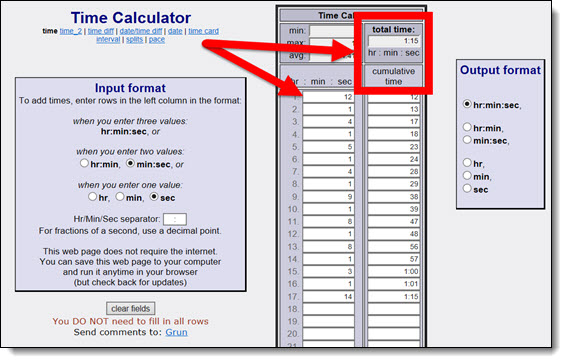
There is not much to the webpage (in design or content) – which means no annoying ads. So, what would this simple online time calculator app be good for? – Math! For example:
You have 9 videos and need a total run time – drop in the 9 times and it provides a total. Reorder to get the best combination to have a break at the 10 minute mark. If you have 9 presenters, 90 second transitions, a 2:00 minute opening video, and anything more – drop in the times for each and get a total run of show. If you have 10 autorun slides, each with a 1 second transitions, and you look at the animation pane for the animation duration – drop in all the times and you get a total presentation duration.
This is a simple and good resource to have when needed. I recommend bookmarking the Time Calculator webpage for any future needs.
-Troy @ TLC
NXPowerlite Black Friday 50% Off Deal

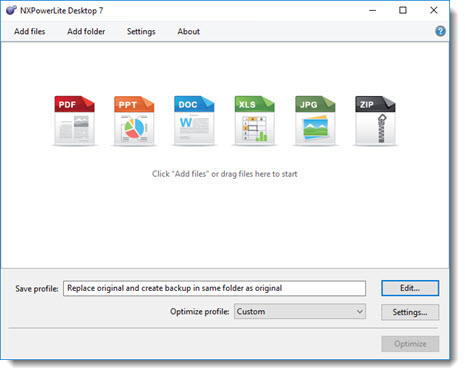
TLC Creative Services has been a long-time user of NXPowerlite to quickly optimize presentation files to manageable sizes – without losing image quality (see this post on the TLC’s custom NXPowerlite settings). Microsoft’s internal image compression has improved a lot over the past few generations of PowerPoint, but I still find 3rd party tools do a better job. No sponsorship here, just letting everyone know that the NXPowerlite Black Friday sale is a good deal to take advantage of if you do not have an add-in to optimize presentation files.

The Windows Desktop version is regulary $50. Purchase Friday, November 25th at 50% off. $25 is a great value and a smart addition to any designer’s toolbox. Go here for the Neupower sale page.
-Troy @ TLC
Free Thanksgiving Themed PowerPoint Template
Everyone have a great Thanksgiving week! Here is a full featured PowerPoint template developed by the TLC Creative design team, and FREE to download!
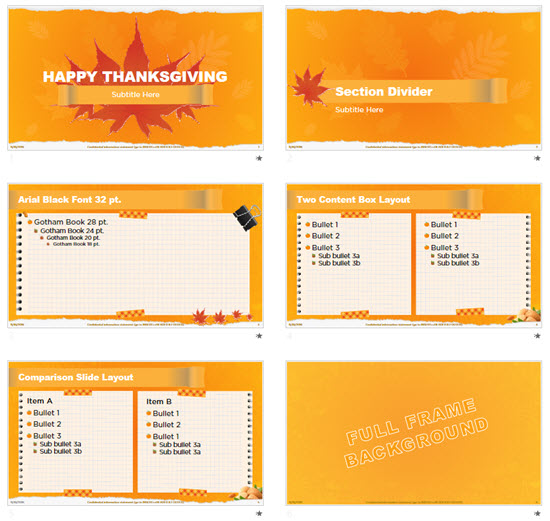
Download here.
-Troy @ TLC
PowerPoint Change Shape
All PPT shapes are vector (meaning they can be resized with no quality loss and are very small in file size). One great feature of PowerPoint (that has been in many versions but hasn’t been discovered by everyone), is the ability to change shape to any other shape – AND maintain all format styling and animation!
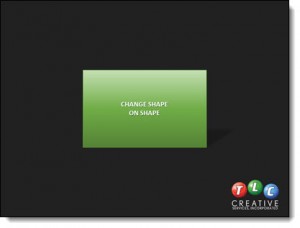
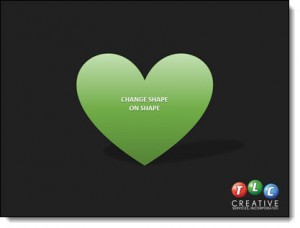
Here is an example, a rectangle with gradient fill, text styling and cast shadow.
1. Select any shape on a slide.
2. Go to the FORMAT TAB.
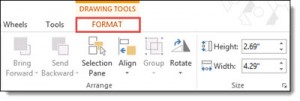
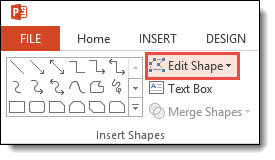
3. Click the EDIT SHAPE drop down menu.
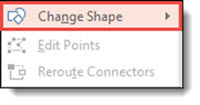
4. Select the CHANGE SHAPE menu
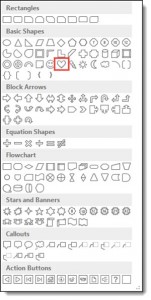
5. From this PPT shape gallery, select the new desired shape – for this example, we are choosing the heart shape.
6. The rectangle changes to a heart shape – and the color file, drop shadow, gradient, text font-color-styling and animation are all still there!
-Troy @ TLC
The Presentation Podcast Episode #18 Released Today!
A new episode from The Presentation Podcast with Troy, Nolan, and Sandy is available today! Check out their latest discussion on “Conversations From The Microsoft MVP Summit” and add to your favorite Podcasts on iTunes, Google Play, Stitcher, SoundCloud and more at The Presentation Podcast.
PowerPoint Animation Thanking U.S. Veterans!
Here is an animation developed using only PowerPoint, and exported as a video (using PowerPoint’s video export). Thank you to all that serve and have served in the U.S. armed forces!
[KGVID]https://thepowerpointblog.com/wp-content/uploads/2016/11/unnamed-file-1.mp4[/KGVID]
Good Bye Microsoft MVP Summit
I am heading home from a great 5 days at Microsoft as an invited guest at the 2016 MVP Summit. Each day was spent on the Microsoft campus in Redmond, WA in conference room meetings seeing the future of PowerPoint and providing input on the current version needs, feedback on concepts and giving examples of real-world use of the application the very dedicated dev team works on. Here are a few photos of the week:
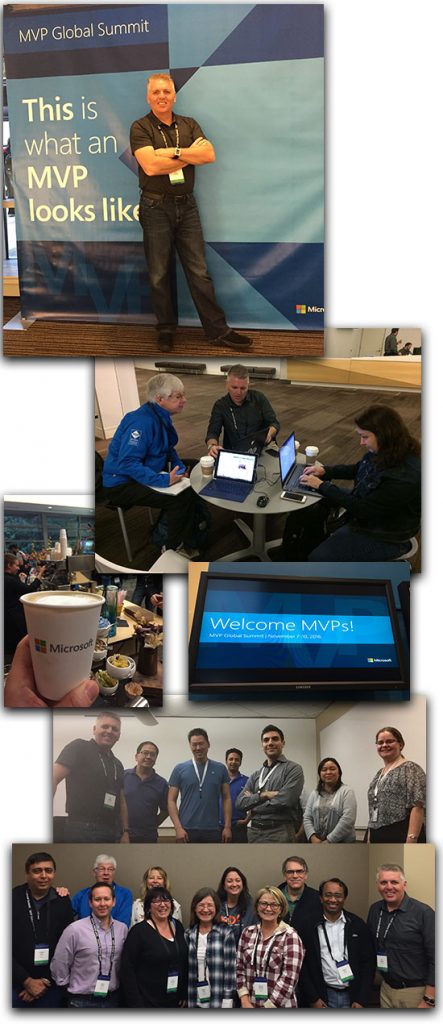
(Top to Bottom)
- Fun photo opportunity at the main conference center.
- Comparing PowerPoint notes and files with PowerPoint MVPs Steve Rindsberg and Heather Ackmann.
- Multiple espresso bars for the event were fantastic!
- Some of the signage found across the Microsoft buildings
- Troy with a number of the amazing PowerPoint dev team
- 11 of the 15 North America MVPs for PowerPoint were here!
-Troy @ TLC