
The Presentation Podcast Episode #39 Released Today!
A new episode of The Presentation Podcast with a dozen great presentation industry experts gathered for a presentation conversation. Available today! Check out the latest episode #39 The Presenters Gather at The 2017 Presentation Summit Conference!
Add us to your favorite Podcasts on iTunes, Google Play, Stitcher, SoundCloud and more at The Presentation Podcast.
Alternatives to PowerPoint
In the most recent episode of The Presentation Podcast, episode 38 “Alternatives to PowerPoint,” my co-hosts and I talked through presentation software options other than PowerPoint. On a related note, I spent this week at The Presentation Summit conference in Florida. The conference is focused on the presentation industry as a whole, not specific software, and there are some interesting parallels from what I saw at the conference and the podcast discussion.
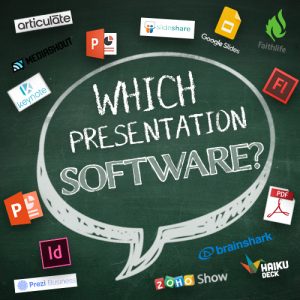
Throughout the podcast, Nolan Haims, Sandra Johnson and I (Troy Chollar) discuss a lot of apps and when other software can be a good option. PowerPoint is the software we reference as the benchmark. Ironically, at The Presentation Summit this week, Microsoft was the only presentation software represented (they came with a team of 6 Project Managers and Developers – which is a fantastic opportunity for anyone in the presentation industry to have direct access and conversation with the people responsible for PowerPoint!). The product expo had many great companies represented: slide management, hardware, add-in coders, AR and VR (amazing stuff!), and more. But Keynote, Prezi (who have been at the conference in the past), Haiku Deck, Adobe, Google, and other presentation creation apps did not have a presence.
Another interesting parallel that I noted was that for a conference full of professional presentation designers, there was continuous excitement over discovering new features and ways to use PowerPoint. That excitement of discovery ties in directly with a new LinkedIn an article that I posted, “The ‘New’ PowerPoint” about how people do not realize features that have changed and been added, literally making PowerPoint a new software app compared to previous versions.

The key takeaway is: yes, there are other presentation software options available. However, those other options do not have a large user base or large profile at presentation industry events. Microsoft’s PowerPoint continues to be the industry standard for presentation software – and there are plenty of new features to make it better than the “old” PowerPoint.
– Troy @ TLC
The Presentation Podcast Episode #38 Released Today!
A new episode of The Presentation Podcast with Troy, Nolan, and Sandy is available today! Check out their latest discussion on “Alternatives to PowerPoint.”
Add us to your favorite Podcasts on iTunes, Google Play, Stitcher, SoundCloud and more at The Presentation Podcast.
The Presentation Podcast Episode #37 Released Today!
A new episode of The Presentation Podcast with Troy, Nolan, and Sandy is available today! Check out their latest discussion on “Project Action List To Do BEFORE Opening PowerPoint.”
Add us to your favorite Podcasts on iTunes, Google Play, Stitcher, SoundCloud and more at The Presentation Podcast.
PowerPoint Tips, Tricks, and Hacks from 29 Experts
Bryan Jones of eLearningArt just published a new online article (also downloadable as an ebook) that I one of the many wonderful contributions. “I asked the world’s leading PowerPoint experts the following question: What’s your single best PowerPoint tip, trick, or hack? …You’ll see responses from some amazing PowerPoint gurus…”
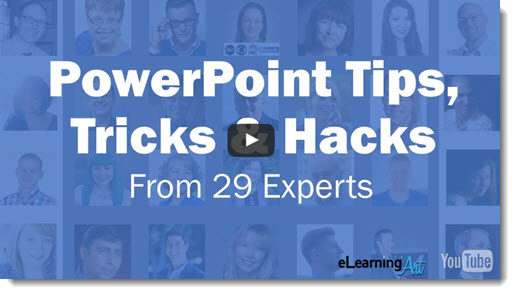
See #16 for Lori’s tip, TLC Creative Services co-founder, “Convert text to an image if the custom font might not be installed.”
And #18 for my tip “Leverage ‘Presenter View’ and ‘sections’ when there are multiple presenters”
Read through all the tips here.
Troy @ TLC
The Presentation Podcast Episode #36 Released Today!
A new episode of The Presentation Podcast is out today! Check out the latest discussion with special guest Echo Swinford on “The Presentation Guild.”
Add us to your favorite Podcasts on iTunes, Google Play, Stitcher, SoundCloud and more at The Presentation Podcast.
The Presentation Summit – Next Month!
Where are you going to be at the end of September? If you are involved in the Presentation Industry (designer, speaker, coordinator, trainer, etc.), I recommend attending the only conference exclusively focused on Presentations!

No, this is not a paid endorsement. I have attended and been an invited presenter at almost every Presentation Summit since it began. And I truly believe this is a conference of peers, learning, sharing and having a great time. So if you can make it there, I highly recommend it.
And I am just a happy attendee this year. Sorry, no sessions on animation, multimedia or design from me (not that I am at a loss for session ideas!). But I need to leave the summit early for an international project. So, this year there are few great things:
- TLC Creative Services’ amazingly talented Co-founder (and my lovely wife), Lori Chollar, will be at the Summit with everyone.
- I have no stress or schedule for presenting – so please say hello, show me your great work, or ask any technical questions – I am completely free to talk and enjoy being with so many great presentation industry people (at least Sunday through Tuesday morning)!
Hope to see you in Florida next month at the Presentation Summit!
Troy @ TLC