
“FPO” – What Is It?
It may be the print design background or work with ad agencies, but I use “FPO” in presentation proofs all the time.
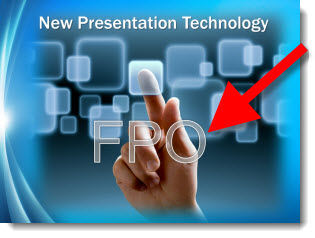
FPO = For Position Only
“FPO” is used for temporary or unapproved images. The images are usually low-resolution comp images from the image resource (ie. istockphoto, Dreamstime, etc.). Its purpose is to show the proposed layout and receive client approval on the image before purchasing. When approved, the FPOs are replaced with the high-res images.
– Troy @ TLC
Classic TV Commercials for Your Presentation – Free!
Integrating videos into a presentation is now a reality with the upgrades to computers and the better multimedia handling of PPT 2010. Using a nostalgic (ie. old) television commercial is a fun and unique video element. The Internet Archive has a collection of over 300 classic TV commercials and public service announcements to download for free.
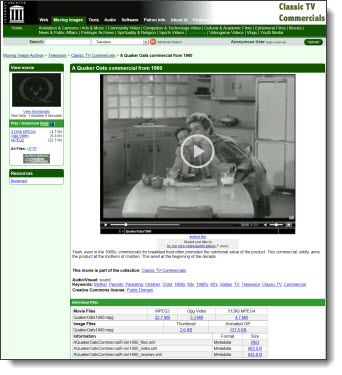
Click here to search for a commercial.
– Troy @ TLC
My IP Address Shows What?
This is a pretty amazing use of technology. An IP address (Internet Protocol Address) is unique to every web enabled device. When you log onto the internet, you provide some details about yourself, such as the country and region you are in. But this website overlays that information on a Google map and shows where you are!
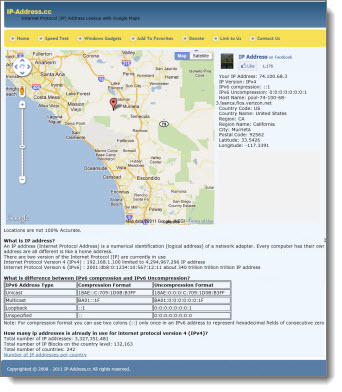
Click here to go to IP-Address.cc to see where you are with the IP address lookup.
– Troy @ TLC
Best Travel Site for Flights – Hipmonk.com
Completely off topic, but I have been using the hipmonk website for the past few months and it is GREAT for all of the travel planning I do.
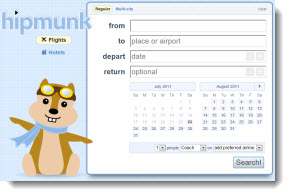
Clean and streamlined interface, instant results, and results that are functional! If you are planning a trip with airline flights, check this out – and no I am not a spokesperson for it, just really happy to find things that make my life easier.
Troy @ TLC
Website Mockup in PowerPoint
Some projects are perfect for PowerPoint even if they have nothing to do with a presentation. As example, I have completed dozens of website mockups for the sales team at TurnTo. Using a combination of SnagIt, Photoshop, and PowerPoint I can quickly develop an animated mockup of a webpage experience that provides an example of how the TurnTo technology could be implemented on a website.
[youtube src=”https://www.youtube.com/embed/PEbDbBjE72U?rel=0″]
This video shows a PowerPoint presentation that is a mockup of a demo webpage – all with no HTML/CSS coding. Just one example of using PowerPoint outside of the presentation world and allowing me to work smarter and providing faster and more economical results for clients.
– Troy @ TLC
TLC Sample Presentation
[youtube src=”https://www.youtube.com/embed/AtGcUZI3WL8?rel=0″]
All was developed in PowerPoint: animation, transitions and music syncing; then, exported to video using the PPT 2010 Create a Video feature.
– Troy @ TLC
3 Questions At The Start of Every Project
With every presentation project for a corporate event, my first 3 technical questions are:
– What version of ppt?
– What is the projector and scaler resolution?
– What is the screen size (screen does not always match projector aspect ratio)?
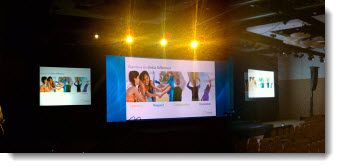
Based on these answers, I am able to begin developing presentation templates, images and content.
– Troy @ TLC