
Office Twenty-Ten The Movie
I really have no idea what the purpose of this video is – but it is dynamic and a new direction for the Microsoft Marketing!
[youtube src=”https://www.youtube.com/embed/VUawhjxLS2I?rel=0″]
– Troy @ TLC
Slot Machine Animation
I am continuously wanting to share my presentation work, but continuously held back by the fact that client files are not released. So I pulled from recent projects a dozen dynamic animated slides, ‘cleaned’ them of all client reference and will be posting them for download!
Here is a really fun animated slide that uses only PPT animations and images prepp’d in Photoshop to create the slot machine effect.

Download the full PowerPoint 2007 file, that has sound and all animations accessible with this link (.pptx and 650K)
– Troy @ TLC
Guest Author 7-31-09!
As things evolve I am very excited to have a guest author doing the final post of July! Julie Terberg of Terberg Design and a Microsoft PowerPoint MVP will be sharing a great post this Friday – don’t miss it!

Mac Office 2008 SP2
At the beginning of this week Microsoft released Service Pack 2 (SP2) for Mac Office 2008. If you use a Mac for your presentations, this is a definite update to download and install.

It promises speed, stability, compatibility improvements, and a new tool called Document Connection for accessing SharePoint collaboration. Adds custom path animations (and play PPT Windows motion paths), default theme support and it is a 300MB download… which is download using AutoUpdate.
– Troy @ TLC
Sneak Peak at PPT 2010!
Being a Microsoft PowerPoint MVP is very cool – but it is difficult keeping things to myself, honor the many NDA’s, and simply say “I think the next version of PPT is going to be really good.” Well, the Microsoft Team Blog had a post last week with an embedded video that shows a lot more than I am currently permitted to talk about – and check back for more posts as they seem to be finally revealing to everyone some of the really really exciting things coming soon! So if you want a sneak peak head over to “The PowerPoint Team Blog” here.
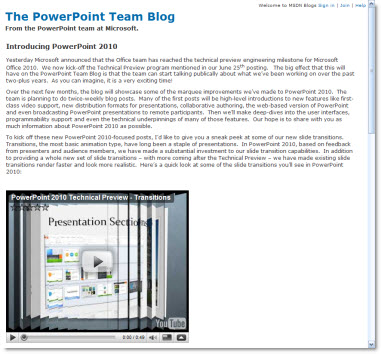
You can also see some videos of all the Office 2010 products at the Microsoft Office 2010 website (the PowerPoint video shows, or hints at, some of the really great new multimedia features). The link is here.
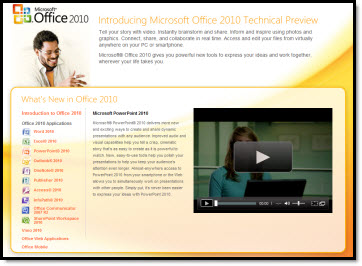
– Troy @ TLC
Inspect Document (Presentation Notes)
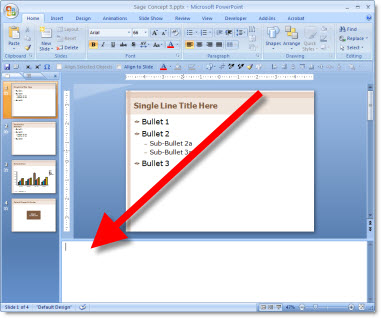
For presentations that are being distributed many problems have occured with recipients reading through the Presentation/Speaker Notes that someone forgot were a part of the presentation – oops…
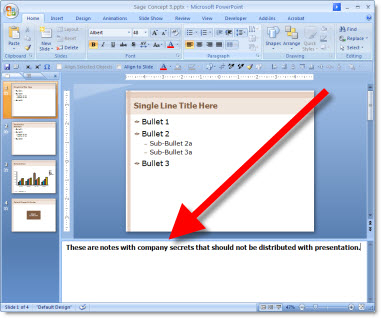
The Document Inspector’s ‘Presentaion Notes’ feature solves this problem with a few clicks. Open the Document Inspector (OFFICE BUTTON >> PREPARE >> INSPECT DOCUMENT) and choose the PRESENTATION NOTES option.
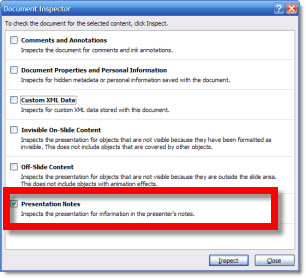
Run the inspector, click the button to remove any and all notes in the speaker notes area and check the slides to see all is removed!
– Troy @ TLC
Inspect Document (Off-Slide Content)
The Document Inspector has a new feature which I find most helpful when I know a presentation is going to be printed or converted to PDF. The OFF-SLIDE CONTENT tool is a great check for slides that have items outside the slide and will not be included in a printout or PDF.
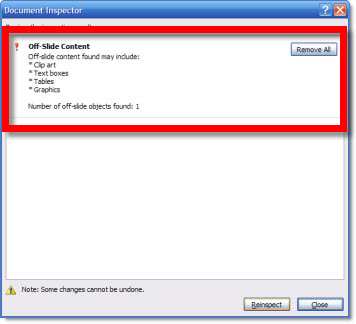
Here is my sample slide – the slide is blank, but an object (circle) is off the slide in the edit area.

Open the Document Inspector (OFFICE BUTTON >> PREPARE >> INSPECT DOCUMENT) and selct the OFF-SLIDE CONTENT OPTION.
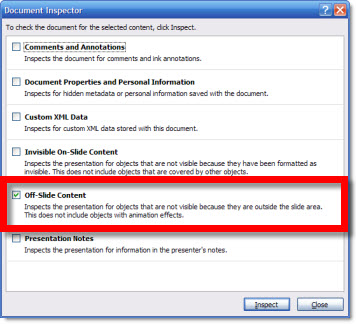
The report will show each slide that has content that will not show up on a printout or PDF.
– Troy @ TLC