
Zero-Day Exploit Patch for PowerPoint
Tuesday Microsoft closed a critical PowerPoint hole that that has been under attack since last month, which seems to have been directed at corporate computers to gain access to data. It did not affect PowerPoint 2007, but the patch is for PowerPoint 2000, XP, 2003, 2007, the PowerPoint Viewer, Office Compatibility Pack and Works. No Mac patch yet.

How big a deal was this? It was only the fourth time in the past 4 years that Microsoft has released just one security bulletin. To patch your computer, Run Windows Update (or you can wait for it to be part of an upcoming Automatic Update).
– Troy @ TLC
Alternative to Bullets
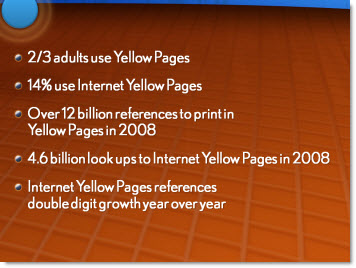
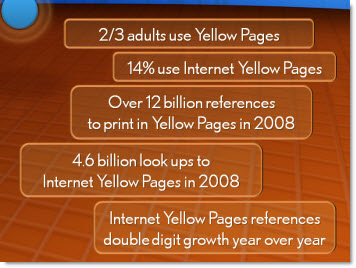
Here is an example from a recent project that shows an alternative to a list of bulleted text. The overall presentation we images and key words only. This part of the script was a quick recap of these sound bites – to quick for visuals, but a bulleted list was not a good option because it was just not dynamic enough.
Here would be the ‘standard’ slide:
Here was my layout:
– Troy @ TLC
Using and Animating Vector Images (3)
Sorry – blog post removed at request of telmetrics.
Using Vector Images (2)
Sorry – blog post removed at request of telmetrics.
Using Vector Images (1)
Sorry – blog post removed at request of telmetrics.
Backstage in San Diego
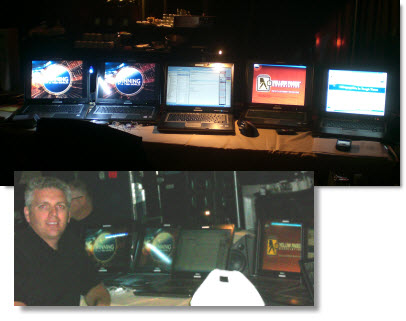
Just a quick picture of my backstage setup at a recent meeting – and one with me next to computers.
– Troy @ TLC
Oversize Slide For Notes
Hollywood is all about ‘smoke and mirrors’ – making things appear much more than they are. With corporate events the staging, custom lighting, multiple computers and projectors all allow me to do more than the standard presentation.
This project was a very widescreen aspect ratio (2:55 to 1), which meant custom projection screens. I took advantage of this with an oversize slide with the live content letterboxed top/bottom.
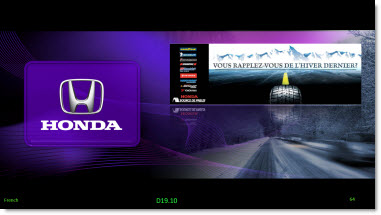
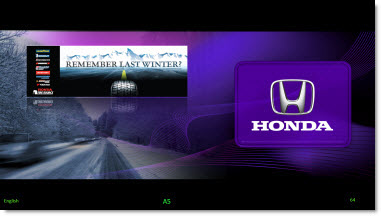
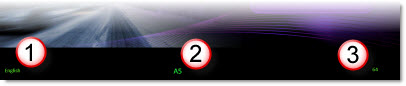
I then used the extra black area at the bottom for my notes. This was important because if you look at the images above, the left screen was in French and the right Screen was in English. The notes on the bottom allowed me to quickly identify
(1) the proper language template was being used
(2) what script line was being referenced with the slide
(3) what slide I was on (this was setup with the auto page number)
– Troy @ TLC