
More Show Photos
Here are photos from another show last month. This one was a bit more eleborate staging – and yes the logo on the left is in French. Left screen was French content, Center screen images, Right screen English content.
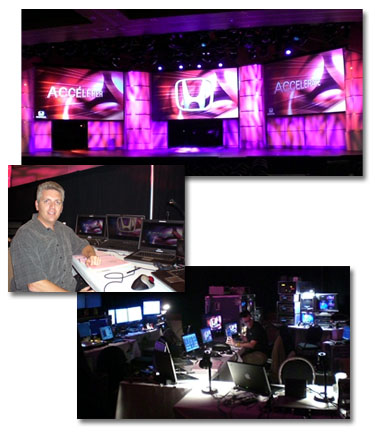
– Troy @ TLC
Recent Show
The past few months have been busy with lots of travel to shows. Here are a few quick photos from 1 of the 5 meetings/shows I handled the PowerPoint graphics for last month.
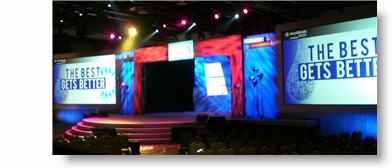
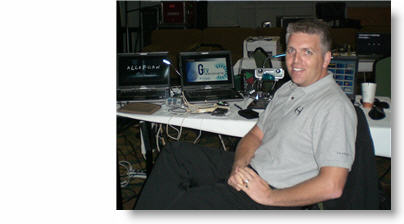
– Troy @ TLC
iSpringPro FREE Today!
It is not often that I have 2 posts in a day – but this offer is time sensitive as it expires today! The website “Giveaway of the Day” has an offer to download and install a full function version of iSpring Pro for free – regularly $199.

iSpring is a PPT-to-Flash conversion add-in. It adds a tool bar to PPT and from my initial tests does a good job of capturing animations and visual effects (note: I have not fully tested the iSpring software, but it has been on my radar for awhile. I actually downloaded demo version of software last month, but did not have time to run through my standard series of test files to really evaluate it).

So if you are interested, you can have it for free. NOTE: it must be downloaded AND installed before the Giveaway of the Day deal ends today (approx. 15hrs from this post). Click here to go to download page.

– Troy @ TLC
Google Search Puts ThePowerPointBlog.com at #1!
So I have not delved into the world of SEO (search engine optimization), but I received a great email that said I should go to google and search “powerpoint blog”. I did and am amazed, and humbled, that ThePowerPointBlog (at least today) comes up as the #1 spot!
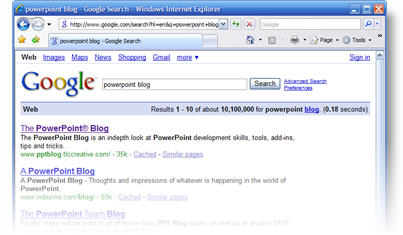
This is obviously because of all the great people viewing the site and great sites that link to it – thank you!!
– Troy @ TLC
PPT2007 Effects Respect .PNG Transparency
A great thing about all of the wonderful visual effects of PPT 2007 is that they respect the transparency/alpha area of a .png image. As example here is a quick sample image. In photoshop I dropped out the background around the little computer guy and saved out the image as .png with transparency.

For this example I added the background image behind part of the computer guy to show the transpency area.
Then I selected the computer guy image and applied a nice PPT 2007drop shadow.

Note the drop shadow contours to the computer guy image, not the rectangle shape of the placed image!

– Troy @ TLC
More Edit Room In PPT2007
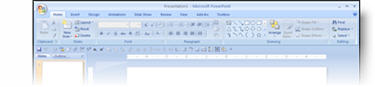
If you find the Ribbon taking up to much space, space that would be better used viewing your slides as you edit, there is a great option. Here is the standard Ribbon view.
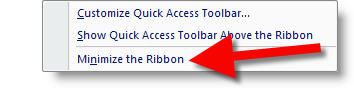
Right-click to the right of the tabs along the top and there is a “Minimize Ribbon” option.
The result is the ribbon disappears and frees up a lot of editing area.
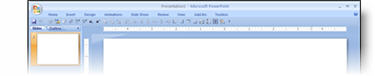
When you click on any of tabs the ribbon appears. Click away and it disappears again!
– Troy @ TLC