Master Slide “Slates”
Everyone is familiar with a movie scene slate:

It is used during filming to allow the editors to identify everything. It is not intended for the audience to see, just the behind the scenes people. Well I use similiar idea when developing presenattions. These are hidden slides that are not designed for the audience.

These are used for speakers, videos, or anything special such as sound effects, stage direction, etc.
– Troy @ TLC
Good PPT Article All Should Read
Last week a great article on PowerPoint presentations came out on bMighty by Nilofer Merchant (most likely posted many other places as well). 
The article is “Strategy Matters: Eight Great PowerPoint Myths” which you can read here. It has a good message – don’t use animation for animation, don’t use too much content on a slide, and the presentation is to support the speaker who is to convey the message to the audience (not read the slides or let the presentation tell the story).
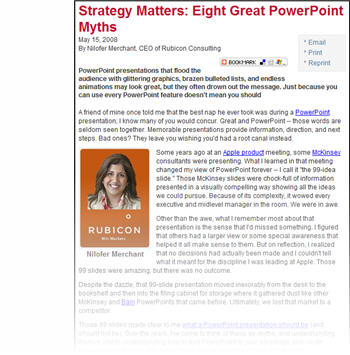
My only caution is that the author is not overly objective about the proper use of animation (myth #5) and draws the line on its use by throwing it out… maybe she has seen to many bad presentations.
– Troy @ TLC
Preserve Master Slides (2)
As follow up to the previous post. If you have several master slides that do not have the thumbnail icon such as this:
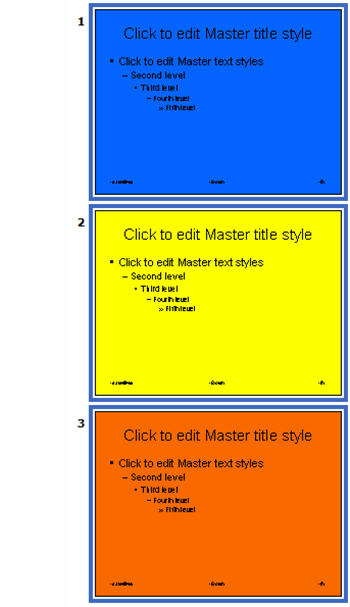
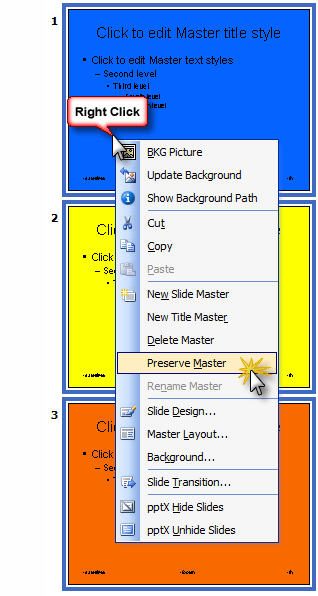
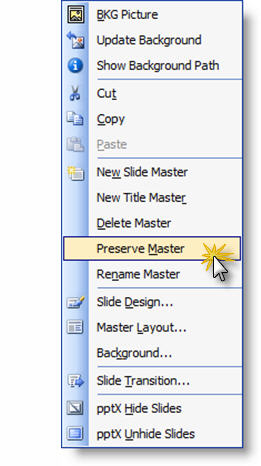
You can select them all, right click any of the selected, choose ‘Preserve Master’:
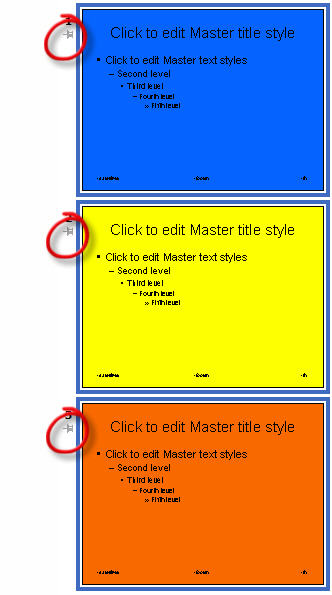
All of the selected master slides have the thumbtack icon applied simulataneously:
– Troy @ TLC
Preserve Master Slides
Multiple master slides are fantastic! But every now and then you have a presentation with multiple masters and go to use one that you know is a part of the file and it’s not to be found – ahhh! Well you can prevent this from happening by first assuring that all master slides are set to be preserved – which is another way of saying ‘do not delete, even if not used’.
Here is my sample presentation with 3 master slides:
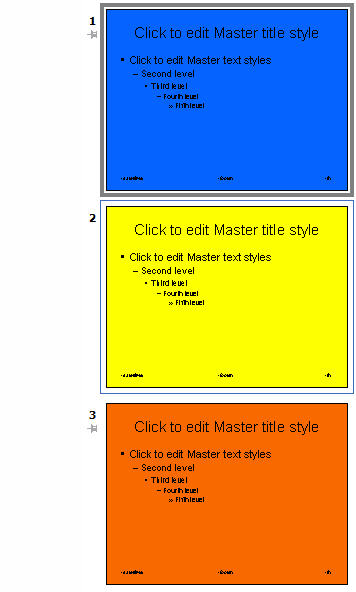
Notice that master slides 1 and 3 have a little thumbtack icon:

This indicates the master slide is preserved and will not be deleted unless you specifically remove it (that is good!). There are 2 easy ways you can preserve a master slide and add the thumbtack icon to it.
1. Use the ‘Preserve Master’button on the master slide toolbar:

2. Right click the master slide and from the pop up menu choose ‘Preserve Master’.
– Troy @ TLC
Free iStockphoto images!
Yes it’s true, if you have PowerPoint – or Word – or Excel, you can get free iStockPhoto images. That rarely used clipart feature has some new tricks. When you search for images the results may be istockphoto images. You can see all of the istockphoto images by just searching for “istockphoto”.
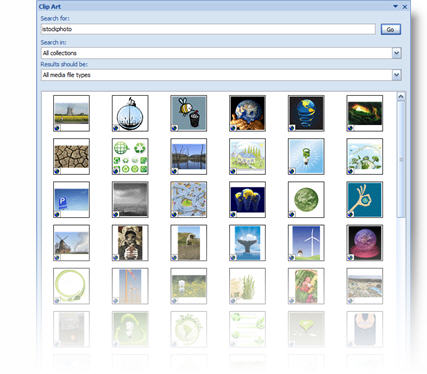
Note: images are istockphoto’s screen resolution version (ie. low res) and raster (no vector/emf).
– Troy @ TLC
Line Spacing PPT 2003 vs 2007
The new line spacing tools were a bit confusing until I figured out how to correlate the new layout to the more familiar PPT 2003 tools.
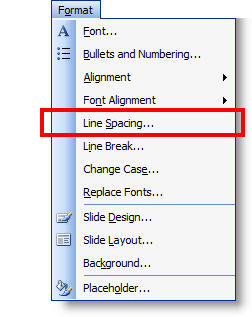
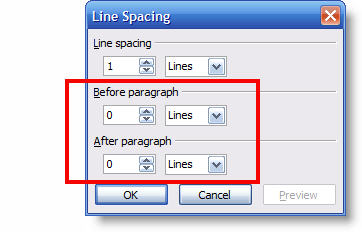
To access line spacing tools in PPT 2003 – go to FORMAT >> LINE SPACING.
To access line spacing tools in PPT 2007 – go to the HOME tab >> PARAGRAPH section >> LINE SPACING button.
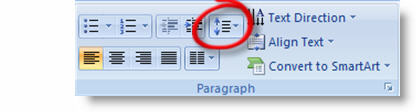
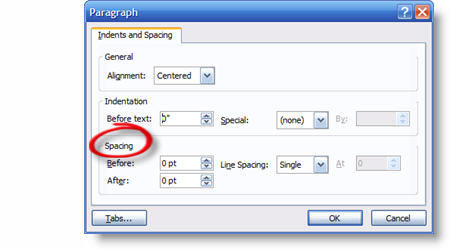
In PPT 2003 there are 3 options: Line Spacing – Before – After. In PPT 2007 there are a number of tools combined into one interface (which is good).
All 3 of the PPT 2003 options are in the lower section. Using the BEFORE and AFTER tools are intuitive and work the same in both versions. But LINE SPACING offers a number of options:
For me the key was figuring out that MULTIPLE is the same as PPT 2003’s LINE SPACING tool.
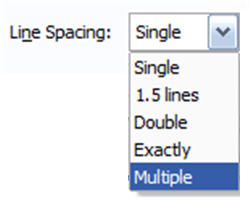
To use, select MULTIPLE. The “at” number is the same as the number in PPT 2003’s tool.

The confusing part is the default number in this box is 3, which is much larger than the typical .5 to 2 range. Adjust to something like .9 and you should see results you are expecting.
– Troy @ TLC