
Reflections….
One of the current design crazes is the subtle mirrored reflection of an image. With PowerPoint 2007 you can be a hip and trendy designer effortlessly with its built in reflection features!

There are a number of preset reflections which vary the intensity of the reflection as well as the distance between the bottom edge and start of reflection.
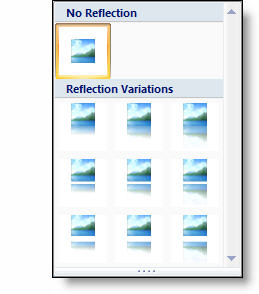
– Troy @ TLC
Bevelled Edges (Yeah!)
Here again, is a great feature that eliminates time spent in Photoshop prepping images! A variety of bevel effects can be applied to any image – here are two:


A variety of bevel effects can instantly be applied with the presets:
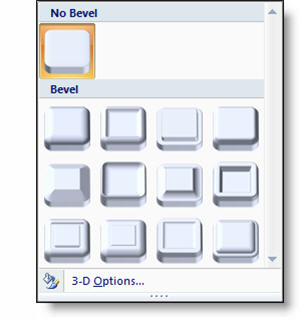
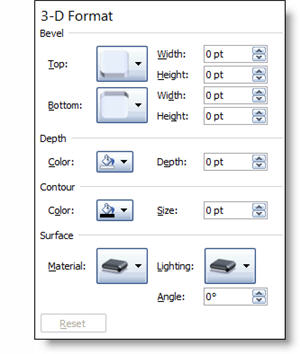
I am going to cover the advanced settings in detail a bit later, but the bevel feature really lends itself to using the advanced settings, which is the menu opened when the “3D Options” is selected. It offers lots of customization options:
– Troy @ TLC
It’s All Aglow
A glow is similiar to a drop shadow – soft feathered edge, any color, etc. The difference is a glow uniformly goes around the entire image vs. offset on 1 or 2 sides. Here is our sample image with a blue glow applied.

– Troy @ TLC
Shadow Presets
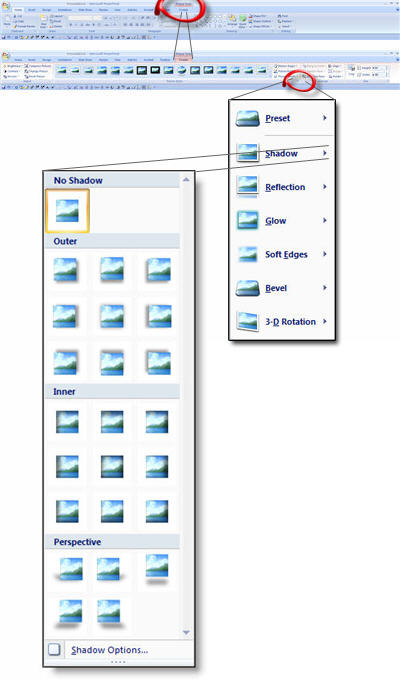
One of the great decisions on the Microsoft design team was to make most features have a set of presets – the most common ways to use that feature (of course the better would be to allow the user to also develop and add their own creations to the presets).
To access the shadow presets:
Select an image >> go to the FORMAT tab >> PICTURE EFFECTS >> SHADOW
– Troy @ TLC
Real Shadows!
As shown a few posts ago on text, PowerPoint 2007 has vastily improved drop shadows! Now we are able to create a nice “photoshop” feathered shadow. Here is our sample image with drop shadow applied:

This is a true soft feathered edge shadow:

With this one feature I have eliminated lots of time preparing images in PhotoShop!
– Troy @ TLC
Another Info/Download Page for Office 2007 SP1
Here is an alternate page on the Microsoft site for info and download of the newly released Office 2007 Service Pack 1 (SP1). Click here.
– Troy @ TLC
Office 2007 SP1 Released
Service Pack 1 for Office 2007 has been released ahead of schedule!
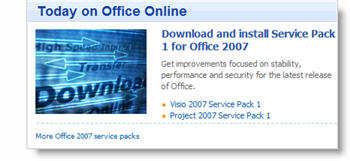
It should remedy some issues, especially if running Vista and Office 2007, and has a number of performance and stability updates. Microsoft’s info and download page is here (although it is officially released you may have to wait a bit longer as the download page on Microsoft’s website seems to be down for the moment….).

– Troy @ TLC