
PowerPoint 2007 for Dummies
As mentioned, I have been entrenched in two large projects that are being developed in PowerPoint 2007. There are tons of great features in the version – and there are tons of old-and-new annoyances, bugs, etc.
I could either fumble through many of the new features, or I could use some of the great resources that are available to all. Over the past few weeks I have referred to “Cutting Edge PowerPoint 2007” from the “For Dummies” series many times.
This great book is written by fellow PowerPoint MVP Geetesh Bajaj. Not really advocating this book over any other, but I am saying everyone – myself included – has some great resources available.
– Troy @ TLC
NXPowerlite Soon for Office 2007
Over the past few days I have been testing a beta version of the next NXPowerlite. Tommy over at Neuxpower Solutions contacted me at a perfect time, as I have been working exclusively in PPT 2007 for two large projects and have plenty of test subjects.

NXPowerlite is compression software for PowerPoint, Word and Excel files. I have been using this software for at least 3 years, so it has a proven track record with me. Version 3.5.1(beta) works with the new .xml format of Office 2007 files (ie. pptx, docx, etc.). The results have been great. One file produced an error, but they are still working out the kinks of embedded objects. The rest of my files did as promised – they got small, without visible quality loss. As example:
File 1: lots of large images and several charts created within Powerpoint. Original 20.8MB, after compression (at the ‘excellent’ level) 12MB.
File 2: LOTS of large images. Original 146MB, after compression 44MB!
When I hear the new product is available I will let you know. In the mean time, you can get the details about NXPowerlite here.
– Troy @ TLC
What is it; Macromedia or Adobe Flash?
Mergers and acquisitions even effect the most seemly stable companies. So the question came up that a client could not find the Macromedia Flash Player, would the Adobe Flash Player work?
Both are the same thing. The Flash format was developed by Macromedia, hence – Macromedia Flash (player). Recently Macromedia was purchased by Adobe and now the Macromedia Flash products have been rebranded Adobe Flash.
– Troy @ TLC
Animation Contest Showcase
Received an email from PowerPoint MVP, Tohlz (Shawn)of PPTHeaven about a PowerPoint Animation Contest held by Korea’s PowerPoint Expert Club.
Shawn has posted the 1st and 2nd place presentations on his site. These are worth the effort to download and look at – lots of great animation effects!
Click here to download and view the winning entry by Coolguy7.
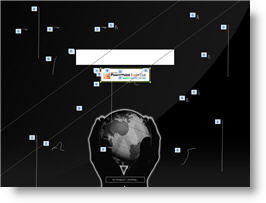
(Note: image shows all of the animations on slide)
Click here to download and view the 2nd place entry by Zzagdol.

– Troy @ TLC
More Office 2003 Menus in Office 2007
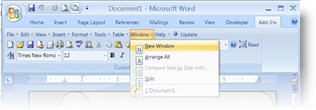
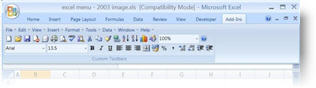
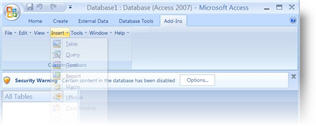
As a follow-up to the previous post. The same developer has add-ins to bring back the familiar Office 2003 menus to Office 2007 application for several applications:
Word
Excel
Access
– Troy @ TLC
Put PPT 2003 buttons and menus back in PPT 2007
Okay, the time has finally arrived. I am doing a major project in PowerPoint 2007! It is not that I have a problem with PPT 2007, I just have not had a client request. So up until now I have actually used PPT 2007 more when it was in Beta that after its release. Well, like many I am finding it somewhat tedious to learn where everything is in the new interface. I am also working under some tight timelines, so I do not have the luxury of learning at a leisurely pace. So for me a short term solution has been to add back some of the familiar PPT 2003 tool buttons.
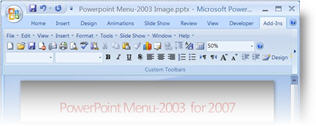
This is a limited interface – it does not give you all of your customized layout from PPT 2003 (I wish!), but it does give a familiar look and feel to things. This is a free add-in that can be downloaded from here.
– Troy @ TLC
Organize and Enhance Movies in Presentation (3)
To add a professional touch to the aesthetics I create a feathered edge rectangle in Photoshop and save it as a .png with a transparent background.

I make sure it is sized just slightly larger than the movie image/placeholder and then send it BEHIND them. This provides a great aesthetic to the slide by adding some depth to the movie and making it float a bit off the background.

– Troy @ TLC