
Rename Master Slides
Things can get confusing working with a presentation that has multiple masters. Especially if the Master Slides are very similiar (eg. One with a primary bullet, one without). The solution is to name the Master Slides to something meaningful. I have added a tutorial on renaming PowerPoint Master Slides here.
Troy @ TLC
PPT + .png transparent images = ugly print
If you have ever printed a presentation that contained a .png image with transparency the results were certainly less than desirable. Here is the printed slide with a number of transparent .png images – not so good…
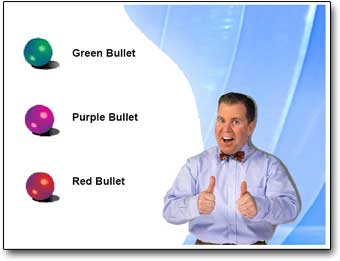
Note the jagged edges around the 3D spheres, Missing portion of background, solid/jagged dropshadow around the person.
○ The solution is a few easy steps and provides ‘picture’ perfect printouts.
○ Go to SAVE AS and export all slides to .JPG images. It is a good idea to save all of these to a new folder (Note: For higher quality images I use the PPTXtreme Import/Export add-in for this process. I export slides at 1600×1200 pixels for better quality).
○ Create a new presentation
○ Import all of the .jpg images/slides using the Photo Album feature, PPTXtreme’s Import/Export add-in, or Shyam’s Image Importer add-in.
○ Print
Here is a slide that was exported as a .jpg, then placed on a slide and printed
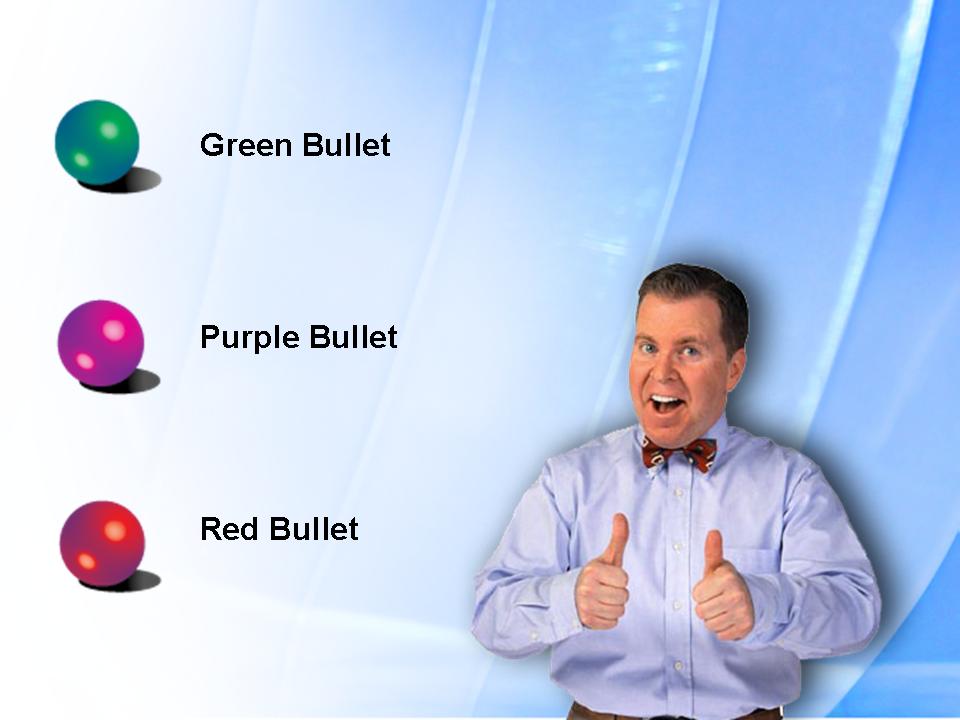
Side Note: If you delete all slides from real presentation, do a SAVE AS, then insert all of the .jpg slide images the master slide, header/footer and properties information will be preserved.
Troy @ TLC
MS Tutorial on Header/Footer’s
Microsoft has some great content on their website. Here is a good example that was recently added, a tutorial on using header and footers. https://office.microsoft.com/training/training.aspx?AssetID=RC011217001033
Troy @ TLC
Movies and PowerPoint (updated)
I recently corresponded with PowerPoint multimedia expert Austin Myers (creator of the highly recommended PFCMedia add-in). He was kind enough to review my quick FAQ on movies and PowerPoint and provide some additional information. I have updated the page with his detailed insights, get it here.
Thanks Austin!
Troy @ TLC
It’s official – “Office 2007”
What has been referred to as “Office 12,” the next version of Office has been officially named. And the new name is: “Office 2007“.
ZDNet has a good article providing the details on what bundles will be, some of the new options and of course the official name. Check it all out here.
Troy @ TLC
Olympic Medal Count
We, the USA, are doing great so far in this winter Olympics. Check here for an up-to-the-minute medal count.
Troy @ TLC
Even better, Google Earth view of the Olympics
One step better than yesterday’s post is to actually view the olympic venues through Google Earth. Check out an overview of it here.
Troy @ TLC