The PowerPoint® Blog

I work with PowerPoint on a daily basis and I am very honored to be a Microsoft PowerPoint MVP. We have a talented team of presentation designers at TLC Creative Services and ThePowerPointBlog is our area to highlight PowerPoint tips, tricks, examples and tutorials. Enjoy! Troy Chollar

What is the MVP Summit?

A few asked about the event at Microsoft. It is a fantastic privelege to spend a few days on the Microsoft’s Redmond campus for the MVP summit. There were over 1,500 Microsoft MVPs attending. There are 34 PowerPoint MVPs globally and 13 of us were able to accept an invitation from Microsoft to meet and talk about the future versions of PowerPoint.

Here is the press release:

1,300 of the world’s top leaders from the technical community will spend four days at the Microsoft Corporate headquarters in Redmond, Washington this week for the 2010 Most Valuable Professionals (MVP) Global Summit.

Microsoft’s MVP Award Program is in its 17th year, with MVPs representing 96 countries, speaking 37 different languages and spanning 94 Microsoft technology areas.

The Summit gives Microsoft’s product groups an extraordinary opportunity to listen to their MVPs during more than 700 sessions throughout the week.

Summit brings together some of the top leaders within global technical communities,” said Toby Richards, general manager, Community and Online Support for Microsoft. “I always look forward to this week and am extremely excited to engage with technology’s best and brightest and discuss what’s on their minds.”

– Troy @ TLC

By |2016-09-16T08:58:29-07:00March 1st, 2010|PowerPoint|

Microsoft MVP Summit 2010

Had a great time at Microsoft last week. I went directly from the Microsoft campus to a show in Los Angeles and am just now getting the opportunity to look at photos and reflect on the great things discussed.

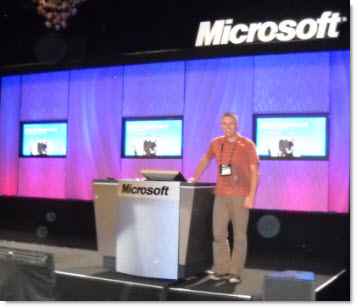
I did take the opportunity to jump up on the main stage (after the sessions) – which is pretty unusual as I am usually behind the staging running the show.

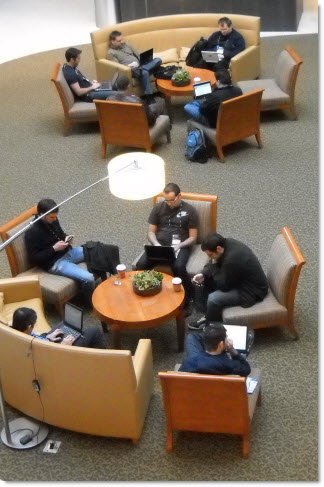
And if you have wondered what a hotel lobby would look like with hundreds of Microsofts MVPs it would look like this – everyone using the wifi! And that empty chair was mine…

– Troy @ TLC

By |2016-09-16T08:59:19-07:00February 27th, 2010|Personal|

Template Note on PPT 03 vs 07

This great tip is from MS PPT MVP Sandy Johnson at The Presentation Wiz. In talking about developing presentation templates Sandy mentioned a disclaimer type slide she includes at the beginning of all templates to help the user understand there are some challenges in using PPT 2003 templates in PPT 2007 and vice-versa.

Here is the slide included in her templates:

This template has been created in PowerPoint 2003 and is designed to utilize 2003 design features. While presentations created using this template can be viewed in PowerPoint 2007, note that if our presentations are edited in 2007, some of your Slide Master features will be lost.
To that point, we strongly encourage the PowerPoint template best practice of always starting new presentations with a “fresh” Slide MASTER template (vs. reusing an old presentation).
Thank you.

This is a great idea and service to everyone that uses the template. Look for a various to be included in all of my PowerPoint templates from now on.

– Troy @ TLC

By |2016-09-16T08:55:03-07:00February 25th, 2010|Tutorial|

List of What’s New In PPT 2010

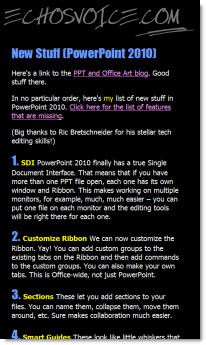
Fellow PPT MVP Echo Swinford has the most comprehensive list of new features (and a few now missing) at her site, echosvoice.com.

This is the most comprehensive compilation list I have seen with 60+ features listed. If you have been using PPT 2007 for a while, or recently moved it it, this has lots of good information on features you may be overlooking. Here is the link.

– Troy @ TLC

By |2016-09-16T08:59:50-07:00February 22nd, 2010|Resource/Misc|

2010 Olympic Torch

Working at different locations around the world have different rewards. This week the reward was working in the Olympic host city, Vancouver, and being able to hold the Olympic torch as it climbed to the top of Grouse Mountain where my meeting was staged.

– Troy @ TLC

By |2016-09-16T09:00:54-07:00February 14th, 2010|Personal|

(Guest Post) Joey Asher and Balou

Continuing the dog theme in posts lately, this one is great – and it relates to presentations. Meet Balou and Joey Asher (Balou is on the left).

Joey (Mr. Asher) is the president of Speechworks and Balou is his black-lab mix that was adopted at a PetSmart rescue day last year in Sandy Springs, Ga. And today’s post is a guest spot by Mr. Asher and Balou.

—————————

This is Joey Asher and I know if Balou could only talk and use PowerPoint, I’m sure he’d be a great public speaker. That’s because he understands how to connect with people. It’s about connection not perfection, and Balou understands that you can do a lot wrong if you establish great rapport.

Balou makes lots of mistakes. He eats the insoles out of shoes, chewed the upholstery on our nice living room sofa. And I won’t bother describing the “gift” he left for us in the basement on Thanksgiving. But we forgive Balou’s mistakes because we love him. When I’m working at the kitchen table, he sits at my feet. When my kids come home from school, he runs to the window and starts barking for joy. And he does this hilarious thing with this ratty stuffed panda where . . . Well you get the idea.

Like Balou, great public speakers understand that you can overcome mistakes with connection. They’re not worried about forgetting a point, using an awkward phrase, or having their hair out of place. They know that if they connect with the audience with energy, eye contact and stories, all will be forgiven.

Balou displays lot of passion, and if Balou were a public speaker, his best trait would be his passion. Balou has no trouble expressing his excitement. When I’m about to take him for a walk and he sees me grab his leash, he goes berserk. He leaps, twirls, and sneezes repeatedly (Sneezing is how Balou shows excitement). That excitement is contagious and endearing. Great speakers also show passion.

Balou makes great eye contact, and to connect with people, you need great eye contact. If I say, “Hey Balou”, he looks up at me. If he wants to go outside, he looks at me and barks. When I come home from work, he shows he’s happy to see me by looking right at me and wagging his tail. Similarly, great speakers understand that eye contact is critical.

Balou just loves you, because Balou understands that you win affection by showing affection. We love Balou because he loves us and shows us in dozens of ways. The same is true with great speakers. They show their affection for their audience by addressing their key concerns rather than giving a generic speech. They leave plenty of time for questions. They then answer those questions with a helpful, sincere tone. Audiences return the love that you give.

I guess I shouldn’t be too surprised that Balou knows how to sell himself so well. His livelihood depends on it.

Thanks,
Joey Asher, and Balou

———————–

I have not met Mr. Asher, but I like his approach to presentations. I read his newest book “How To Win a Pitch: The Five Fundamentals That Will Distinguish You From The Competition” recently and found it full of great tips and analogies for presenters of every type. More of his wit and insights are at his website, www.speechworks.net.

– Troy @ TLC

By |2016-09-16T09:01:54-07:00February 12th, 2010|Resource/Misc|

Webex + PPT = Add-ins Not Working

If you use Webex, and have installed the Webex PPT add-in (to convert presentations to be uploaded), you may find that some of your add-ins don’t work.

Apparently the Webex installer is very clever and smart, but too clever and smart for some addins. It uninstalls all (or a lot) other add-ins, then reinstalls after it is installed. Most add-ins are okay with this, but many of the more robust ones cannot simply be removed and replaced, they access other files that this process breaks.

Webex does make upgrades to its software and I have been told by at least one add-in developer they are working on fixing things… but just last week it rendered a few add-ins broken on a new system I was building.

So no solution or work around, but now we all know.

-Troy @ TLC

By |2016-09-16T09:02:16-07:00February 10th, 2010|Resource/Misc|

PowerPoint Heaven’s eConvention

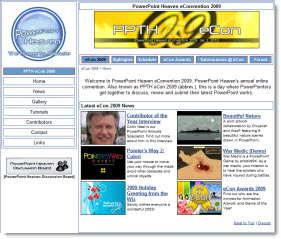
I am bit late in posting about this inspiring event that fellow Microsoft PowerPoint MVP Shawn Toh “Tolhz” from Singapore hosted on his website back in December. The eCon Awards are for PowerPoint Animation, Artwork, and Game of the Year. This year there are also a number of entries from PowerPoint communities from China.

I pride myself on developing presentations that have people questioning if it is PowerPoint being used, through creative layout, lots of custom graphics and of course animation. But I am inspired by downloading and viewing the entries at the eCon! Preview, download and be inspired here.

– Troy @ TLC

By |2016-09-16T09:02:49-07:00February 8th, 2010|Resource/Misc|

Need to Access a Mac Hard Drive ?

We live in a cross platform work environment with Windows computers and Mac computers. But they do not necessarily work together 100%.

Mac sytems do not like Windows NTFS hard drive format. They can read, but cannot write to them.

Windows systems do not like the Mac ‘macdrive’ format. It cannot read or write to them… And this is a problem when someone hands you a USB drive and says “My presentation is on this.

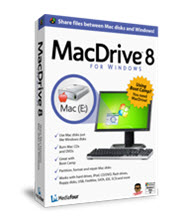
MacDrive by MediaFour is a Windows computer best friend in this situation. It seamlessly recognizes macdrive formatted hard drives and they work just as any other drive, all accessed from Windows Explorer.

Just one of those software items needed to be ready for everything.

– Troy @ TLC

By |2016-09-16T09:03:15-07:00February 4th, 2010|Resource/Misc|
Go to Top