I work with PowerPoint on a daily basis and I am very honored to be a Microsoft PowerPoint MVP. We have a talented team of presentation designers at TLC Creative Services and ThePowerPointBlog is our area to highlight PowerPoint tips, tricks, examples and tutorials. Enjoy! Troy Chollar
Windows 10 Focus Assist
Focus Assist is basically a “Do Not Disturb” mode for your computer. Focus Assist allows you to avoid distracting notifications. I find it most helpful for presenters to keep notifications for email, Skype messaging and other unwanted pop-ups from displaying while presenting. Focus Assist is the new name for an earlier Windows 10 feature previously called “Quiet Hours”.
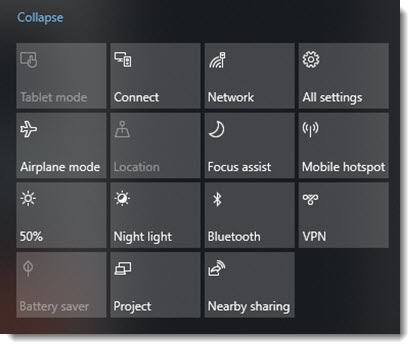
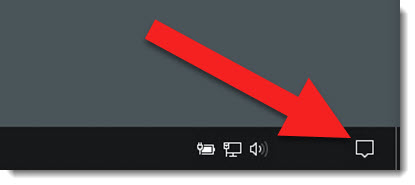
There are a few ways to access Focus Assist, my preference is through the notifications button in the lower right task bar to access the action center. When the icon is grey, Focus Assist is turned off.
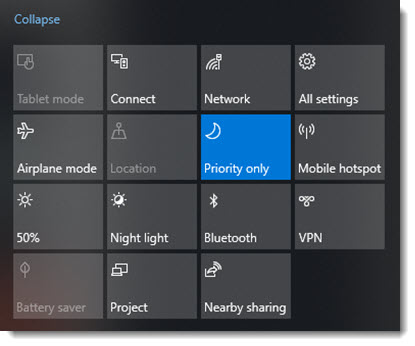
The first click turns on Focus Assist in the Priority Only notifications mode.
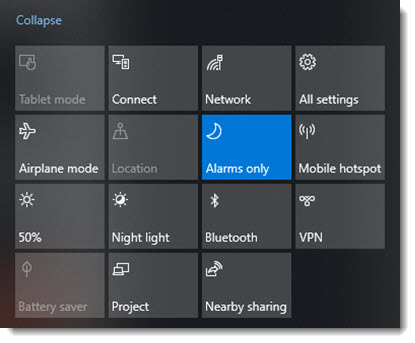
Click again and it toggles Focus Assist to the Alarms Only notification mode.
Right-click the Focus Assist tile any time to open the Windows 10 Settings in the Focus Assist options.
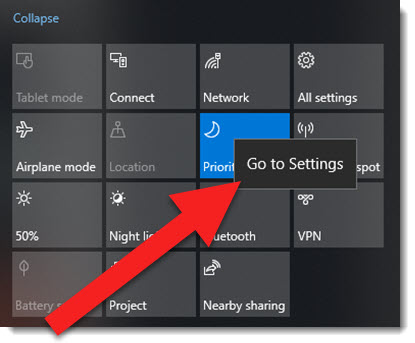
The Focus Assist settings area has a lot of options and access to the customization options.
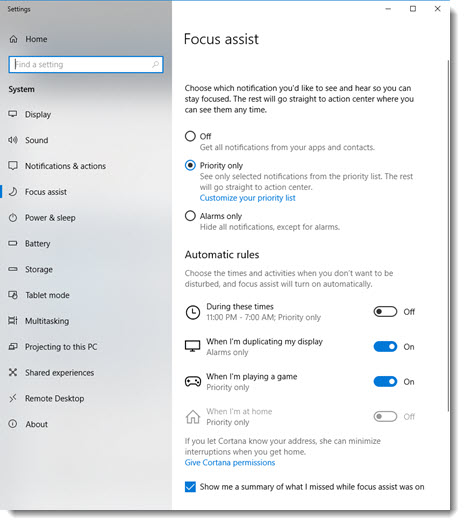
Focus assist has 3 levels, off and 2 on options:
- Off
- Priority only
- Alarms only
In the priority only option, there are options to create custom lists of what is allowed and not allowed. The APPS section is the most important to a presenter. I created a list to basically not let any app interrupt me while presenting (NOTE: unfortunately Focus Assist only can control Microsoft Store apps. I am hoping that Microsoft is able to expand this list anything installed on the computer!)
One of the shortsighted features is the DUPLICATING MY DISPLAY rule. This rule turns on Focus Assist automatically when your display is duplicated, theoretically while you are presenting. But, the rule cannot be modified to work with an extended desktop configuration and presenting with Presenter View.
If you present, or just need ‘do not disturb’ times, look into the features available with Windows 10 new Focus Assist.
Troy @ TLC
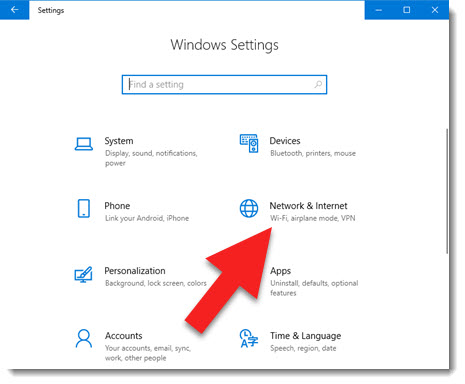
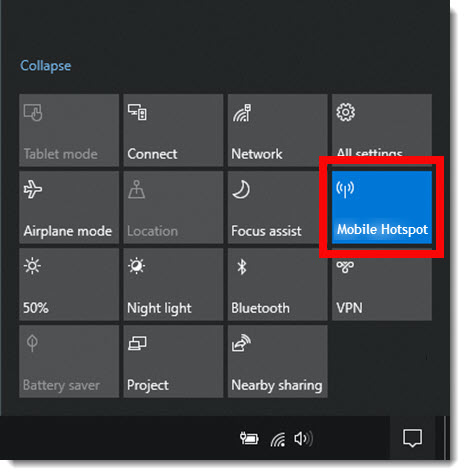
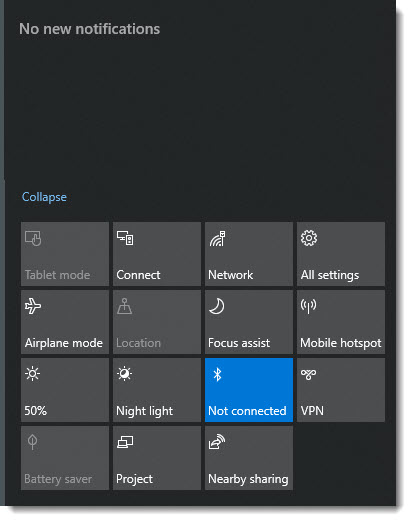
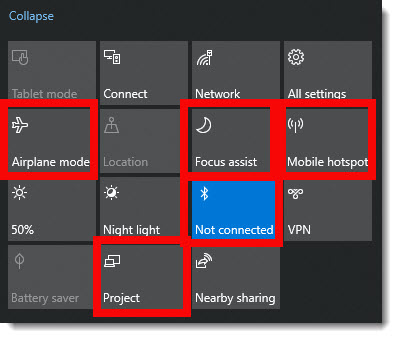
 Airplane mode is just like on your phone, WiFi – Bluetooth – and other features are all turned on or off with a single click. We run Airplane mode note only when flying, but often on our show computers where we do not want anything interfering with that computer displaying presentation graphics to the world.
 Project is just another way to open the video output selection pane, it is the same as Windows + P (for Projection).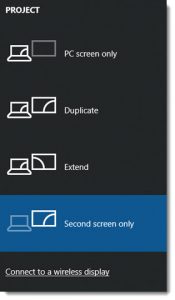
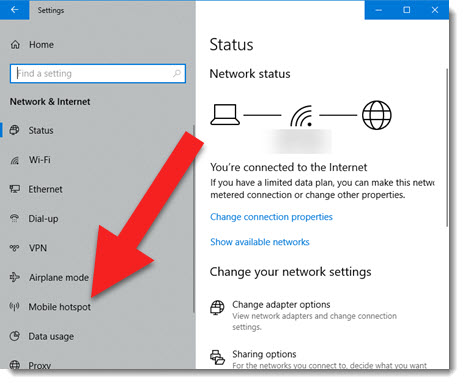
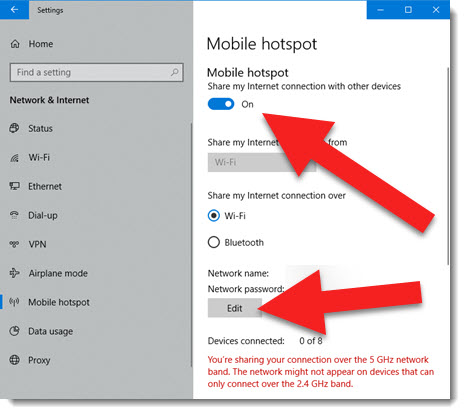
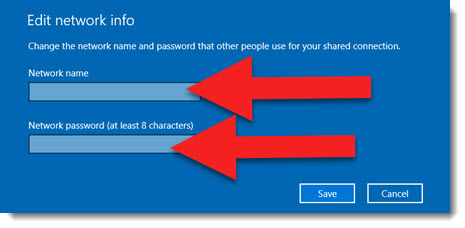
 Mobile hotspot is one of the best features of Windows 10. Easily share that computers internet with other devices – and the internet connection can be wired or wireless that it shares!
 Focus Assist is new, and it has some great features for presenters. Stay tuned, this feature has its own blog post this month.
 Bluetooth is used a lot, mostly to turn it back on after clicking the Airplane mode button and wanting my Bluetooth mouse back!