Unsplash – Free Images (that are great!)
In a recent podcast, my co-host, Nolan, made a comment about a project where the client wanted to release a presentation project to the general public. Nolan’s point was that the presentation could not use standard royalty-free image resources but needed Creative Commons images. Just this week, Christie, a member of our design team, sent me a link to an image site she found. Her notes were: free, high-quality, easy search, lots of options. After looking at the Unsplash.com site, I agree, the images are high-quality, creative and the site has a good search option (often a limitation of many free image sites). And to Nolan’s point, all images are under Creative Commons licensing and would work great for a presentation design project where the ability to freely distribute the file is needed.

What makes unsplash different from other image sites is that it does not actually own the images. Unsplash is a community with photographers submitting images, all of which must meet the Unsplash criteria (quality, licensing, file size, free). It was founded in 2013, based in Montreal, Canada. I am surprised that I have not run across it sooner.
On the quality side, one of the requirements is that photos are at least 3MB and 2048 by 1536 pixels in size – which is great for presentation use! The licensing is near perfect. This is just the first paragraph of the Unsplash License: “All photos published on Unsplash can be used for free. You can use them for commercial and noncommercial purposes. You do not need to ask permission from or provide credit to the photographer or Unsplash, although it is appreciated when possible.”
I will not be giving up our subscription to Adobe Stock or Getty, but, for certain projects, we have added Unsplash to our list of resources. In looking at images on the site, I found the “Black” and “Photos for Parent Bloggers” collections to be great, curated images within a theme.
Tip: After selecting a collection or doing a search, click the small grid layout icon to see images in a more friendly grid layout.

To download:
- Search for an image
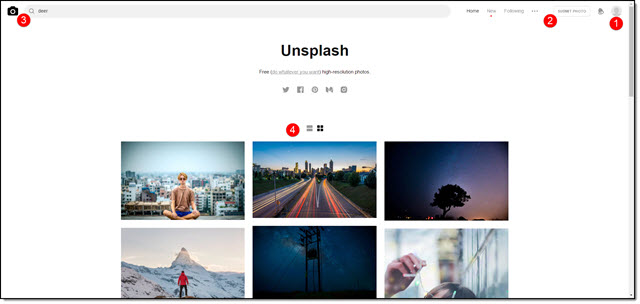
- Click on the image
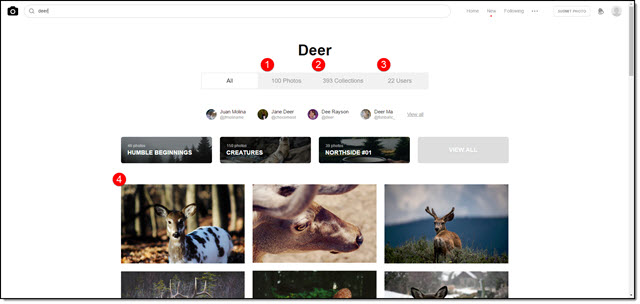
- Use the save options in the upper right (or save to collection if you have signed up with a free membership) or the download icon if viewing as a thumbnail grid
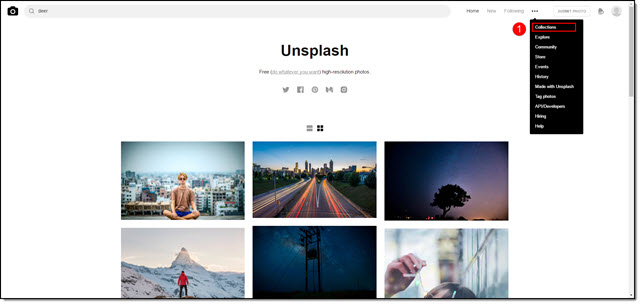
- Use image in project!
Troy @ TLC