Resource/Misc

Add-Ins Webinar This Friday

I am very excited because I finally finished all of the demo’s for the AudioSolutionz webinar that I am doing in just a few days (hey, I have been traveling almost non-stop for the past 3 months – and it has (almost) all been PowerPoint related shows).

The thing that I really became aware of was the best way to add power to PowerPoint is to know what add-ins are available and to know what they do see them demonstrated. That is the really great part about a live a webinar is that it allows me to do more than make a recommendation, I can demonstrate each add-in with real-world presentation examples.

Click here to get details on the AudioSolutionz webinar. Hope to see many of you there!

– Troy @ TLC

By |2016-11-17T12:55:31-08:00June 18th, 2008|PowerPoint, Resource/Misc, Software/Add-Ins|

Guy Kawasaki Lists ThePowerPointBlog!

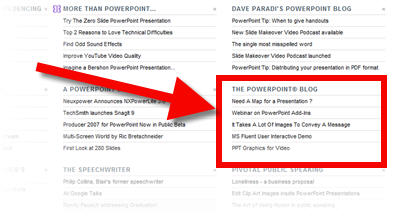
It’s always a good day when you are added to a noted technology evangelist’s website! In this case I was just sent an email saying they found my blog from a link on Guy Kawasaki’s AllTop website.

Click here to go to the site. It does has a big collection of presentation specific blogs and websites.

– Troy @ TLC

By |2016-11-17T12:55:59-08:00June 16th, 2008|Resource/Misc|

Webinar on PowerPoint Add-Ins

This is a bit informational and a bit self-promotion – on Friday, June 20th I will be speaking for AudioSolutionz (a division of Eli Research) on what PowerPoint add-ins I use daily. I will also be overviewing a number of add-ins out there as well as an open Q&A session (about add-ins).

Click here for the Audio Solutionz page with all the details (and fees).

– Troy @ TLC

By |2016-11-17T12:57:35-08:00June 9th, 2008|Resource/Misc|

Free PowerPoint Webcast Hosted by Microsoft

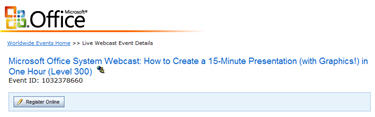
Microsoft recently announced a webcast they are hosting with my friend and author Cliff Atkinson as the speaker. They summarize it as “learn the tips and tricks you need to complete a Microsoft Office PowerPoint 2007 presentation in record time”.

When: June 12, 2008
Time: 9:00am PST
Cost: Free!
More Info: here (note: to register you will need a Windows Live/Hotmail account to login)

I am on showsite that day, but if schedule allows I’ll be there!

– Troy @ TLC

By |2016-11-17T13:00:00-08:00May 30th, 2008|Resource/Misc|

Good PPT Article All Should Read

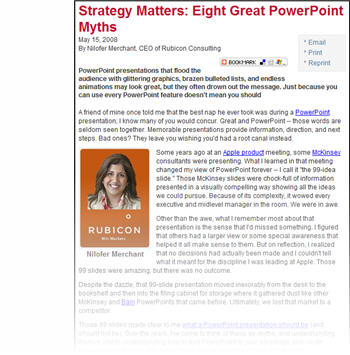
Last week a great article on PowerPoint presentations came out on bMighty by Nilofer Merchant (most likely posted many other places as well).

The article is “Strategy Matters: Eight Great PowerPoint Myths” which you can read here. It has a good message – don’t use animation for animation, don’t use too much content on a slide, and the presentation is to support the speaker who is to convey the message to the audience (not read the slides or let the presentation tell the story).

My only caution is that the author is not overly objective about the proper use of animation (myth #5) and draws the line on its use by throwing it out… maybe she has seen to many bad presentations.

– Troy @ TLC

By |2016-11-17T13:01:45-08:00May 23rd, 2008|PowerPoint, Resource/Misc|

Free iStockphoto images!

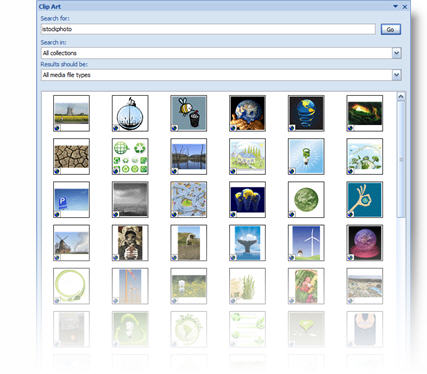
Yes it’s true, if you have PowerPoint – or Word – or Excel, you can get free iStockPhoto images. That rarely used clipart feature has some new tricks. When you search for images the results may be istockphoto images. You can see all of the istockphoto images by just searching for “istockphoto”.

Note: images are istockphoto’s screen resolution version (ie. low res) and raster (no vector/emf).

– Troy @ TLC

By |2016-11-17T13:03:07-08:00May 17th, 2008|PowerPoint, Resource/Misc|

Gmail’s PPT Viewer

Ever been on a computer that did not have PPT installed (it’s rare, but does happen). You can install the PPT Viewer from Microsoft or if the presentation is simple you can just send it to a gmail account.

Within Gmail (Google’s email application) an email with a PowerPoint presentation can now open PowerPoint attachments as slideshows, without having to download anything. Just click “View as slideshow” next to the .ppt attachment you want to preview. It only views the legacy format .ppt, so no PowerPoint 2007 (.pptx) presentations yet.

– Troy @ TLC

By |2016-11-17T13:05:47-08:00May 7th, 2008|PowerPoint, Resource/Misc|

Trouble with Flash Player…

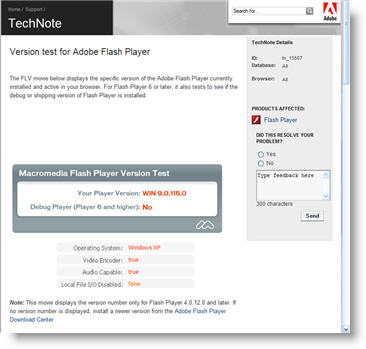
So I recently went through some issues installing a PowerPoint add-in. It relies on Flash, but did not recognize it was already installed. In troubleshooting I found a couple of nice tools from Adobe and lots of information on the Flash Player.

For me it turned out that I needed to register the flash player with the add-in, which was a solution provided on their website. But should you need to take further steps here are a few useful tools:

What version is installed?
– Click here to go to this website and it will run a system check and tell you exactly what version and build of Flash player is installed on your computer.

How do I remove it?
– Click here to download Adobe’s Flash Removal Tools.

– Troy @ TLC

By |2016-11-17T13:12:14-08:00April 7th, 2008|Resource/Misc, Software/Add-Ins|

Vector Magic (Update)

A few weeks back I posted a tutorial on the Vector Magic website/application (converts raster artwork to editable vector graphics). There are lots of visitors to ThePowerPointBlog, and I am sure many went and checked it out – but don’t blame me…

Vector Magic has gone from free to a pay system… Still an incredible application which can easily compete with, and in many aspects out perform Illustrator C3’s vectorize feature. Everyone just has to pay now.

– Troy @ TLC

By |2016-11-17T13:29:38-08:00March 24th, 2008|Resource/Misc|

The ABC’s of Monitor Sizing

I have recently been on a computer buying spree again. There are more HD shows than I have computers (hey, it is a legitimate reason – although Lori thinks it’s another excuse). When looking at the specs for laptops you need to know what the screen resolution is by its reference code – so here they are:

XGA = 1024 x 768
WXGA = 1280 x 800
WXGA+ = 1440 x 900
SXGA = 1280 x 1024
SXGA+ = 1400 x 1050
WSXGA = 1280 x 854
WSXGA+ = 1680 x 1050
UXGA = 1600 x 1200
WUXGA = 1920 x 1200

– Troy @ TLC

By |2016-11-17T13:22:46-08:00March 3rd, 2008|Resource/Misc|
Go to Top