Resource/Misc

Article on PPT and Sales Presentations

Ran across this well written article about PowerPoint and sales presentations. The content really applies to any speaker support presentation.

I have never heard of Reliable Planet, but they definitely allowed one of their writers to hit the mark with an accurate and well written piece. Worth reading and bookmarking.

– Troy @ TLC

By |2016-11-17T16:08:51-08:00June 24th, 2007|Resource/Misc|

PPT and Vista’s Active Thumbnails

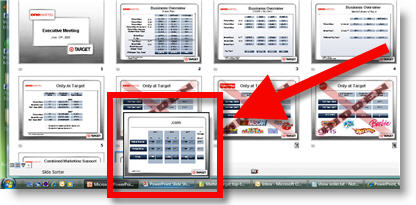
I often run PowerPoint with an extended desktop setup with PowerPoint in the design or slide sorter view on the local monitor and presentation/slideshow on the external monitor. One of the downsides of this setup is that if I cannot see the external monitor/projector I do have an indicator of what slide I am actually on.

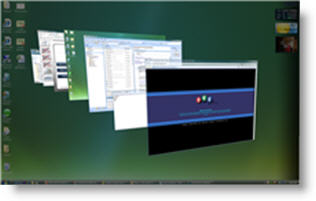
Windows Vista has some neat features, and some frustrations. Everyone has seen how Vista provides live thumbnails of all open applications and windows. Here is one example:

I can also use these active thumbnails to show me exactly what slide is active on an external monitor! By rolling over the ‘Slide Show’ tab it pops up a live thumbnail of the current slide. What’s even more hip is that the thumbnail will also show the animations in real time.

– Troy @ TLC

By |2016-11-17T16:08:05-08:00June 20th, 2007|Resource/Misc, Software/Add-Ins|

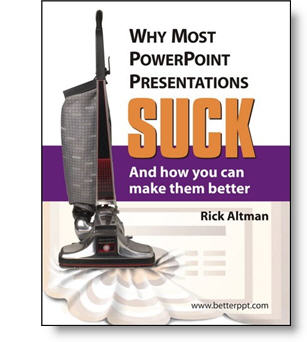
New Book – “Why Most PPT Presentations Suck”

I received an announcement about a new PowerPoint book recently that I felt was newsworthy. I have known the author, Rick Altman, and believe this will not only be informative but very fun read (much as the title implies).

The problem exists, not because PowerPoint is hard,” Altman says, “but because it is easy. Most people learn PowerPoint in one day and then rarely seek further training. They know enough to get into trouble but not enough to get out of it, or avoid it in the first place.”

More info can be found at the books website, betterppt.com

– Troy @ TLC

By |2016-11-17T16:03:31-08:00June 2nd, 2007|PowerPoint, Resource/Misc|

PointClips.com = Great PPT Images

Jeff Koke of PointClips recently emailed me a few samples of their PowerPoint images. Pointclips offers “hand-crafted artwork and icons, built in PowerPoint.”

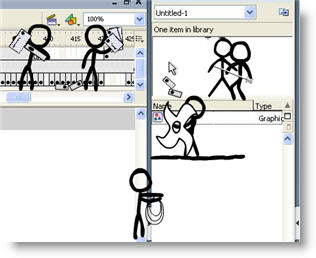
What impressed me was that not only did I see good quality, but that all were made of grouped vector images (autoshapes) and could be resized and even re-colored as needed! Sure you could (maybe) create all of these images yourself, but why spend hours doing so…

The left image is from PointClips free downloadable sample. On the right is a number of the elements ungrouped – all editable autoshapes!

Individual images for $5 and collections of 50 images for $99. Check them out here.

– Troy @ TLC

By |2016-11-17T15:59:28-08:00May 17th, 2007|Resource/Misc, Software/Add-Ins|

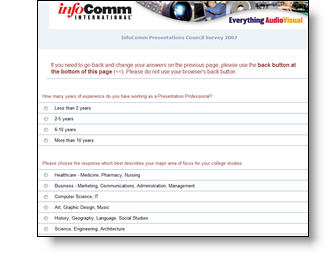
Informm Presentation Professional Survey

Infocomm is doing a follow-up to last years survey where they collected input from presentation professionals. I entered my info, which took about 6 minutes and the best part is this year they are making the results available to all that participate (must enter an email address at end of survey).

Click here to go to the survey.
Note: All submissions due by May 19th.

– Troy @ TLC

By |2016-11-17T15:57:04-08:00May 7th, 2007|PowerPoint, Resource/Misc|

Knowledge Does Not Equal Design

I had a recent conversation while updating a series of presentations that I found very insightful. The conversation was along these lines:

Client – Thank you for updating all of our presentations, making them look consistent and just ‘better.’

Troy – Thank you for the opportunity to assist.

Client – I can see the ‘graphic designers touch’ over what our engineers do.

Troy – Well, after I actually figure out and interpret what the intended message of the slide is, my biggest goal is to bring focus to it.

Client (and this was the key to the whole conversation) – You know, our people have taken lots of classes on how to use PowerPoint, but there is a big difference between knowing how to add things to a slides, and knowing how to design a good layout.

Over the next few days I will pull some before-and-after examples that focus on redesigning the visual layout of the slide.

– Troy @ TLC

By |2016-11-17T15:41:49-08:00February 23rd, 2007|Personal, PowerPoint, Resource/Misc|

Projecting with a Mirror

When space is limited things can get interesting. For this meeting rear projection was required, but there was less than 10′ behind the screen. Enter “the mirror.” This very specialized projector mount allowed the projector to be mounted at a near-vertical angle to shoot up to a large mirror, which then ‘projected’ onto the screen.

– Troy @ TLC

By |2016-11-17T15:29:33-08:00January 8th, 2007|Personal, Resource/Misc|

Looking for the (Lorum Ipsum) Words To Say?

When developing a presentaion the real text is often not available for the first proof. So what do you do? I add “greeking” or lorum ipsum text.

Should you need some professional greeking text all you need to do is head over to www.lipsum.com and use the quick wizard to create the amount of text needed. Then just copy and paste into the presentation. And as a bonus you can also read the history of Lorum Ipsum text!

– Troy @ TLC

By |2016-11-17T15:29:15-08:00January 6th, 2007|Resource/Misc, Software/Add-Ins|
Go to Top