
PowerPoint Document Portfolio Sample
Adobe InDesign is our preferred layout application for print design projects. But it is not a widely used application in Office environments. Microsoft Word can be difficult to work with in documents that need to be flexible with content layouts. Design project requests for a “PowerPoint Document,” a PowerPoint file designed specifically for PDF or laser print output (not slide shows), continue to grow. And applying our formal print design background helps these documents stand out from “standard” Word and PowerPoint styling and be a visually “professional” print design piece.
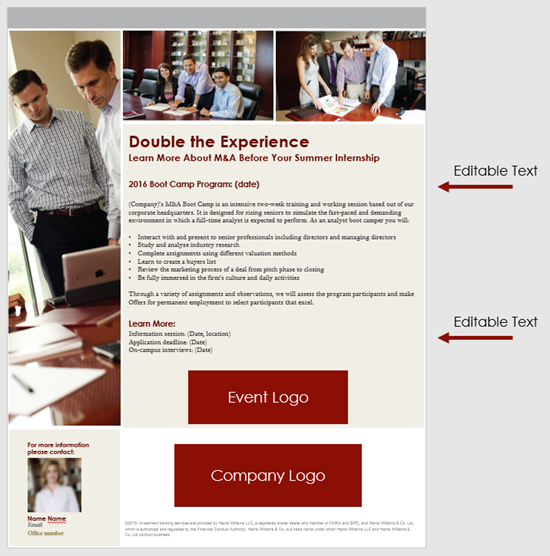
This single sided print piece (client content removed) is an example of a PowerPoint Document design project.
- Letter size page (8.5×11″)
- Portrait orientation
- Clean, easy to read and professional print layout (content flow, smaller font sizes, alignment, etc.)
- Off-slide indicators of editable text areas end user can modify
- Customize PowerPoint template attributes to help maintain corporate branding guides (customized color scheme, default fonts, default shape attributes, etc.)
-Troy @ TLC
iPhone Hotspot Fix for Windows 10
With continuous travel, I use my iPhone Hotspot option to get my laptop online quite often – it is often faster than the hotel or airport WiFi and keeps me from paying ridiculous $20/day internet fees. Recently, something went awry and the connection would not connect – very frustrating. I tested with 3 different Windows 10 computers, all 3 did not connect. Then, I tested with an iPad, which connected fine. So I identified that the phone Hotspot works and it was not one specific computer, so it had to be with the iPhone setup.

After doing some online research and more testing, I solved the issue. Windows 10 does not allow any special characters in the phone name. In my case, the phone name was “Troy’s iPhone.” As soon as I removed the apostrophe (special character), every computer was able connect to the iPhone Hotspot. My phone is now simply named “Troy.”
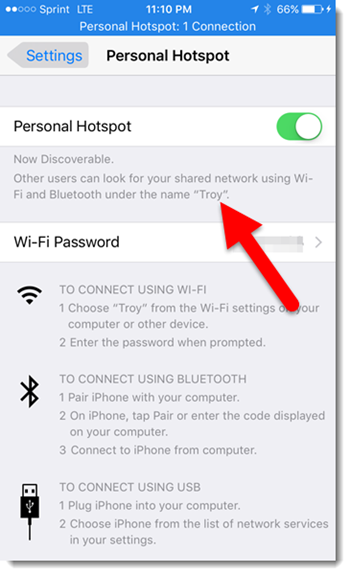
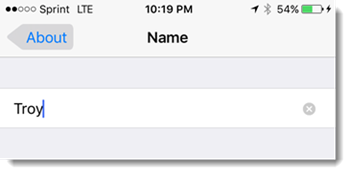
To change an iPhone name, go to SETTINGS > GENERAL > ABOUT > NAME (this does not affect iTunes account in recognizing iPhone).
– Troy @ TLC
Engaging Guest Speakers
We design great speaker support presentations. But it is not always about the (great) graphics. Sometimes the most engaging presentations are just a presenter on stage presenting.
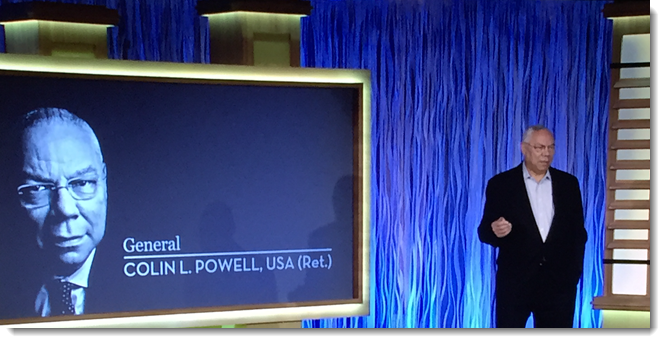
Corporate meetings have guest speakers. Being the Presentation expert behind the curtain means we get a VIP seat to see and hear many of today’s engaging speakers, bands and entertainers. In 2015, General Colin Powell stands out as a memorable presenter, not for any presentation graphics, but just for being a fantastic and engaging speaker. This is Gen. Powell’s only slide and my view of the stage. It was a great hour of presentation!
– Troy @ TLC
Presentations that Curve
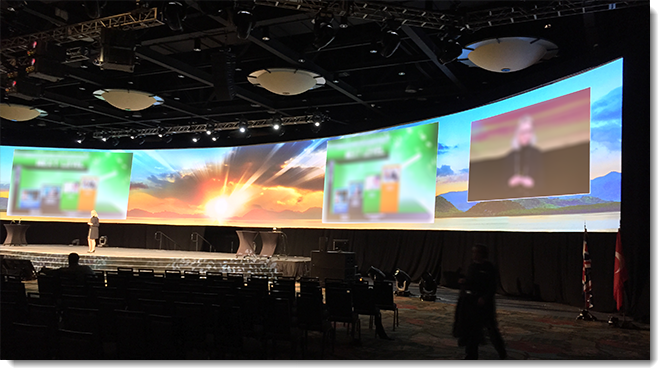
PowerPoint does not have anything to do with the physical curve of the presentation. Instead, the curve is done by all the great AV crews that we have the opportunity to work with. The 16×9 presentations are nicely designed, but have no special setup.
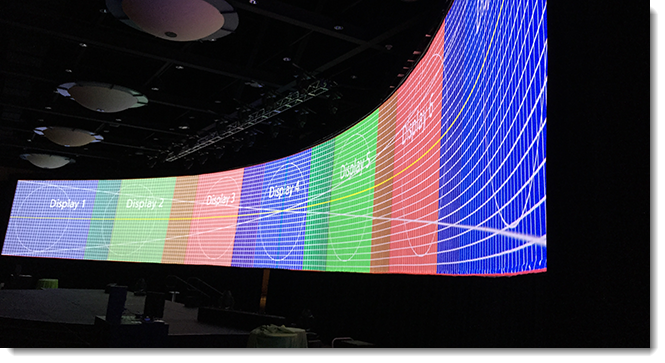
The Ultrawide background is a custom PowerPoint template setup to match the projection pixel count with images and content strategically designed so as not to interfere with standard 16×9 slides and IMAG areas. TLC Creative Services plans with production companies in advance to ensure all layers are coordinated. These are the presentation design projects that our team really enjoys!
– Troy @ TLC
Motion GFX for a Custom Podium
As a design project for an awards show, TLC Creative was asked to develop a video loop to play on a custom podium that has a 16×9 monitor in portrait – very cool! We story-boarded the visual concept and motion effects (using PowerPoint as the storyboard canvas), then after client approval we moved into Photoshop, Illustrator and video editing (Premiere and After Effects), using elements from two provided event collateral pieces and a lot of creativity. The final piece was designed to coordinate with the event theme, have subtle motion that would not be distracting, work with the staging and seamlessly loop for the duration of the event. The full loop was several minutes, here is a 30 second clip of the animation.
– Troy @ TLC
Toyota Presentation- Before and After
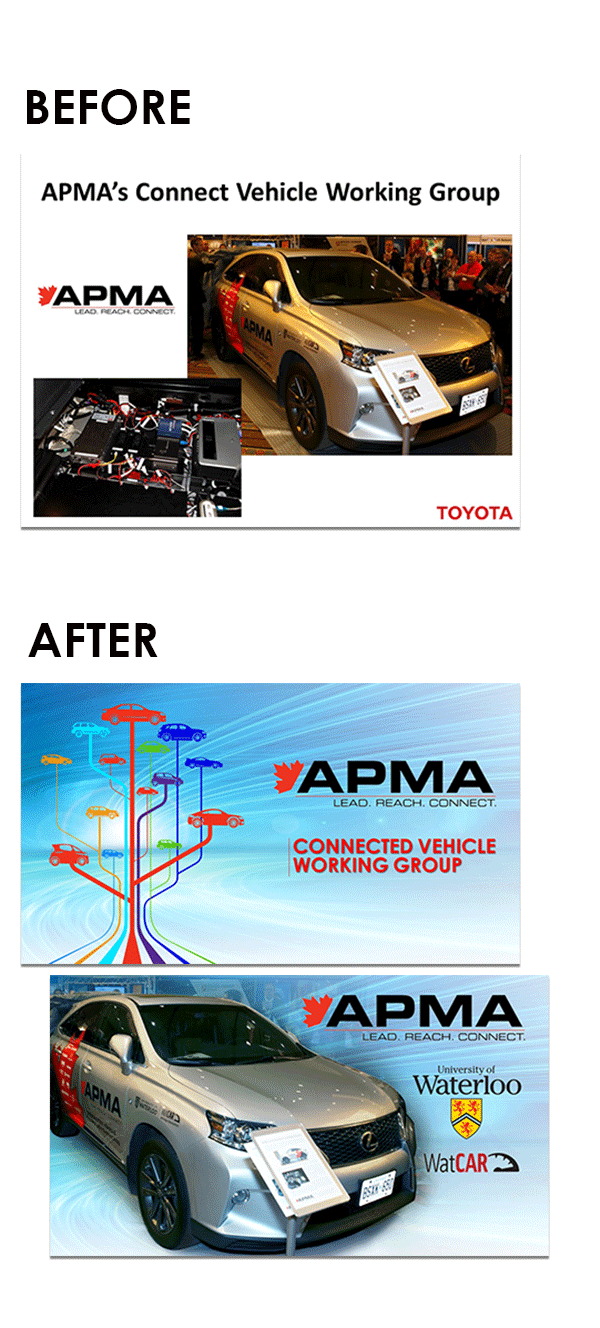
Here’s another great client and example of a provided slide vs. the presentation makeover slides that were used in the final presentation. In this instance, after reading the script, we opted to divide the single slide into two more visually dynamic slides and take a long section of talking and break it into two visuals.
– Troy @ TLC
WWE Collector Poster Series
This is a print design project that spanned much of last year where we developed a collector series of large (24″x36″) posters featuring classic WWE superstars. Definitely makes things fun at TLC Creative when you walk around and have one designer working on a presentation about life saving medical treatments and the next designer developing a larger than life Hulk Hogan! Hope you were able to get to the 4 special WWE live events and collect all 4!!

– Troy @ TLC