
Office 2016 for Mac – Available!
Office for Mac 2011, the current version, has been in existence for 4.5 years. That is a very long time between upgrades. But Microsoft has (finally) released Office 2016 for Mac – and it is a very good upgrade.
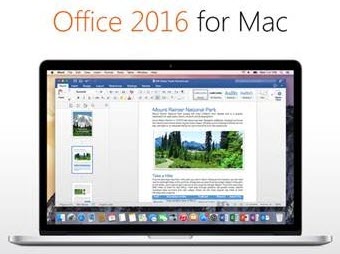
If you are an Office 365 subscriber, Office 2016 for Mac is part of the subscription and an easy upgrade. If you are a retail or corporate licensing client, you may have a few months until Microsoft has it available to you.
I have been fortunate to be running the beta version for the past few months and have found Office 2016 has good parity with Office 2013 for Windows (not perfect, but much, much better). The interface uses the Ribbon styling (although not all buttons and options are in the same place or available) and the functionality is near identical. The ability to move presentations between platforms has never been better (again, not perfect, but a huge step forward). This is a major undertaking by the Microsoft Mac Office team (completely coding a new version of Office) and I expect Office 365 subscribers to have a steady stream of refinements rolled out (which is great!).
– Troy @ TLC
Adobe Stock Image Service
For TLC Creative Services’ design projects, we have multiple stock asset subscriptions for images, video, music, etc. I recently noticed Adobe has a new stock image option called “Adobe Stock.” Being an Adobe Creative Cloud subscriber, I was excited that this may be a new CC benefit – which it is, and is not.

Adobe Stock is a new service that offers royalty-free, high quality photos and graphics. Currently Adobe lists a library of 40 million “world-class, curated images and graphics.” The image selection is very high quality, but many images are the same (or very close) to those found on other services (which is not necessarily bad). I was hoping to find it an included option with Creative Cloud subscription (wishful thinking), which it is not (reality). It is a separate paid service that can be added to a Creative Cloud subscription.
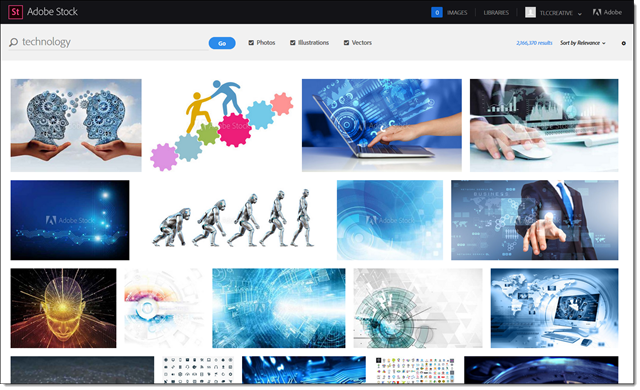
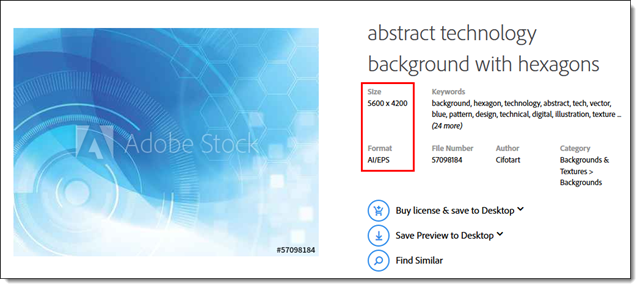
One interesting difference from other services is there is only one size available, BIG. File formats are .jpg or .eps. The other big differentiator from other services is images can be managed directly from Photoshop, Illustrator, and InDesign using Libraries. Watermarked preview images are saved directly to your Adobe CC account’s library as they are added to work. If you decide to purchase, it can done directly inside the app AND the watermarked images are automatically updated to the high res, non-watermark version (which is a pretty fantastic feature!).
Cost:
- $30 monthly for 10 images. Unused images will rollover for up to 120 images. Additional images cost just $2.99 each.
- The other plan available is $200 a month for 750 images.
Will we be adding Adobe Stock to TLC Creative Services’ options? Not immediately. The cost (for the 750 images per month) is competitive with what we are currently using. When subscription services are up for renewal, Adobe Stock will definitely be one of the options to consider.
– Troy @ TLC
PowerPoint for Print Poster Design
“PowerPoint Documents” is our internal term for using PowerPoint as the design tool for print/PDF documents. These do not use slide transitions, animations, or other “presentation” features. This example is a part of previous post project (sync’ing narration to animated slides), where in addition to the presentation design we developed a 24″x36″ poster that visually coordinated with the presentation design.
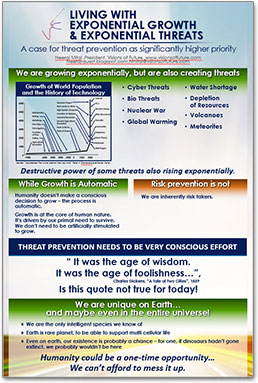
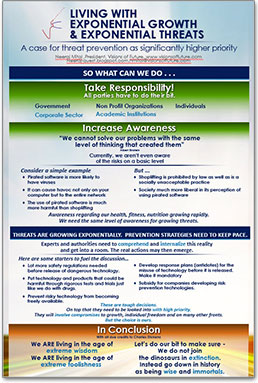
Note: Typically we would design this in Adobe InDesign for assure print quality, full bleed design, etc.
The request was to develop in a PowerPoint so edits could be completed by the client for each talk. We setup with a custom page size, optimized the graphics for the larger slide size, added the requested content. The end deliverable was the 2 posters, 2 slides in a PowerPoint document. The client was able to revise content, create PDFs to send out or print (and we included print quality specifications regarding PDF from PowerPoint resolution).
– Troy @ TLC
Talk Narration in the Presentation
With audio being so easy to embed into PowerPoint, we are having many clients request we create a version of the presentation with their talk embedded into the slides.
PowerPoint does have audio recording features, but we opt for pre-recorded audio that is recorded distraction free of the slides, higher audio quality and we can edit in an audio editing program. We also develop 1 audio file per slide (if a client provides one audio file for the entire presentation we chop it into multiple files using Adobe Audition, or directly in PowerPoint by trimming the file to each slide needs).
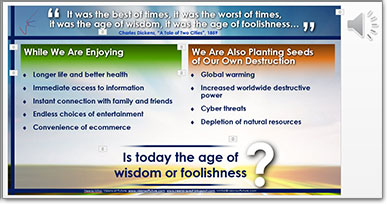
For this specific project, we were provided individual audio clips for each slide. We sync’d the animations to the audio narration, which is a great end result, but a tedious process of listening and re-listening to the entire audio file while adjusting the animation timing to get everything perfect (an animation timeline feature I would really like to see the Microsoft PowerPoint team update!). Slide transitions and all animations were set to automatic.

We provided 3 deliverables for this project:
1. Editable PowerPoint, with on-click animation and transitions.
2. Editable PowerPoint presentation with audio narration embedded and animations & transitions set to auto.
3. A video version of the presentation (exported direct from PowerPoint).
– Troy @ TLC
2015 4th of July PowerPoint Template (Free Download!)
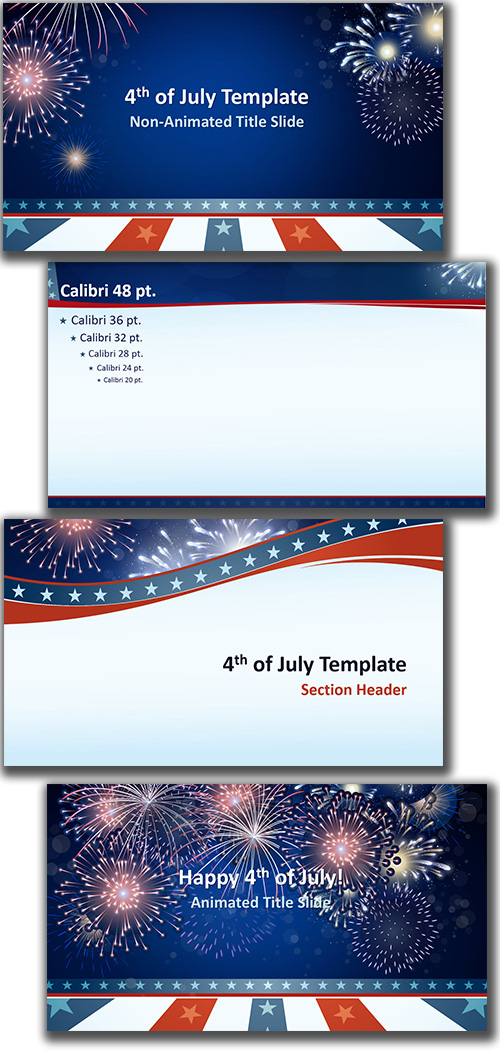
To everyone in the U.S.A. – Happy 4th of July! Here is a full featured Americana themed PowerPoint template (designed by staff designer: Cara), that features animated fireworks layouts. This template is free for all to download and use!
Download (4.2MB)
– Troy @ TLC
TLC Creative Services Receives “Best Of” Award
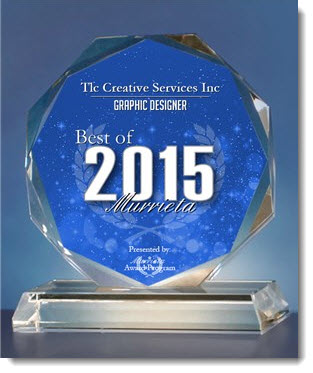
It is small and for local businesses. But not that small of an area, TLC Creative Services is in a small city of 100k, bordered by cities of another 200k. I know there are not a lot of graphic design companies in our area, but we are very proud to receive one of the BEST OF 2015 awards!
– Troy @ TLC
PowerPoint vs. Word vs. InDesign – Which Should I Use?
Every program has strengths and weaknesses. Below is what the TLC Creative Services design team views as the strengths and weaknesses of designing for print among the 3 major applications we use. So here is how Microsoft Word, Adobe InDesign and Microsoft PowerPoint fight it out in the boxing ring:
Adobe InDesign 
– PRO: Professional desktop publishing software that has the highest level of control of layouts, print specific output, multipage control, unlimited master layouts with finite control, and no size or resolution constraints. Excellent image control and color use tools (in RGB, CMYK, Spot, etc.).
– CON: large learning curve, specialty software that costs more (and usually not provided across corporate users).
Microsoft Word
– PRO: Installed on virtually every computer (and many tablets & Smartphones). Very good control over text flow, line wraps, and text across multiple pages. Good output to print needs. Easy and professional table and chart creation. Very good color use tools (if setup in document template correctly).
– CON: No bleed or printer crop marks, limited (or difficult to setup/use) multiple master layouts, difficult working with inserted graphics/tables/charts that do not align to column layout.
Microsoft PowerPoint
– PRO: Installed on virtually every computer (and many tablets & Smartphones). Great multiple master layout capabilities, great layout customization per page, excellent image control. Easy and professional table and chart creation. Very good color use tools (if setup in document template correctly).
– CON: Limited to low resolution output (it does not matter if you have a high res 300DPI image, it is output the same as lower res images). No bleed or printer crop marks (although, there are tricks to manually adding – but it is not like InDesign’s automatic features).
AND THE WINNER IS…. 
There is no clear winner. Everything depends on what application you use most, what application you have installed and what the final print document is going to be used for. But for TLC Creative Services, the order is:
1. InDesign: This is the industry standard, the best option for print layout projects, and we have a professional team of designers that know this application. This is our go-to application when we are working with print-houses, publishers, etc.
2. PowerPoint: We are presentation design focused, so we know PowerPoint. PowerPoint’s multiple master layouts and flexible per page layout options are wins for us in developing custom layouts, similar to how we approach layouts in Adobe InDesign. We use PowerPoint for print-to-PDF (where a PDF document is the final “print” piece) because it allows clients the flexibility to update documents on their own.
3. Word: The few advantages Word offers (multipage text flow, image wrap, etc.), do not win over the flexible nature of PowerPoint – unless it is client request.
Up next, some examples of PowerPoint-to-Print projects.
– Troy @ TLC