
Showsite in Napa, CA
Always fun to travel to wonderful places, even if I am seeing the inside of a ballroom 90% of the time. Last month, I spent a few days in Napa, CA at a wonderful winery and resort, handling the presenter presentations and overall show graphics.
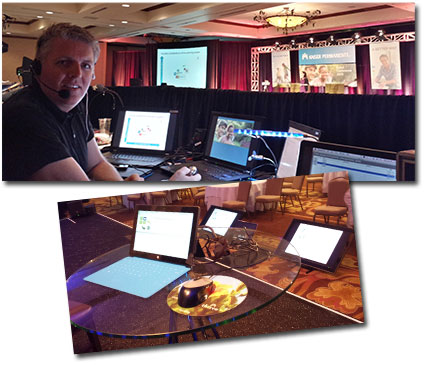
In addition to a number of great presenters and designing the master show presentation, I was able to make use of my Surface Pro for a presenter that needed to interact with a small set of slides and a number of web demos. The Surface performed great, was very low profile to not distract or block the presenter and was easy to setup.
– Troy @ TLC
PowerPoint Animation Jitters Update
This is a quick (and great!) update to last week’s post “Stop PowerPoint from Getting the Animation Jitters!“
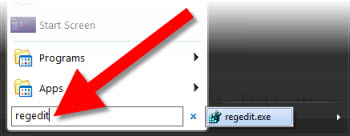
The incredibly talented coder, Chirag, quickly put together (in his words) “a very simple and small utility… that toggles the (regedit) setting when you execute it. When it states that sprite clipping is disabled, you get smooth animations. Ensure that PowerPoint is not running when you execute this utility.”
I have not tested, partly because I have manually updated all computers at TLC with the registry update. Download the free utility – https://www.officeoneonline.com/download/SpriteClipping.exe (61KB).
– Troy @ TLC
Help – Cannot Move/Delete/Rename/etc. PowerPoint File!
Have you encountered this error dialog:
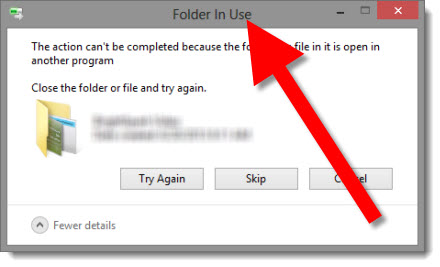
In this case, I was moving a project folder. I had just finished editing a presentation, closed the file and PowerPoint. But I was unable to move the entire folder. Frustration!
Often, PowerPoint is still open as a background application even though it has been closed. Why – I do not know, but it definitely causes lots of user frustration.
Solution:
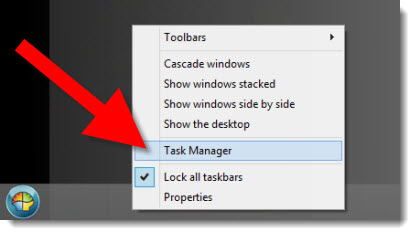
1. Right-click on the bottom task bar and select TASK MANAGER
2. Scroll down, past the active Apps into the BACKGROUND PROCESSES and look for MICROSOFT POWERPOINT (it will be the same name with all versions of PPT).
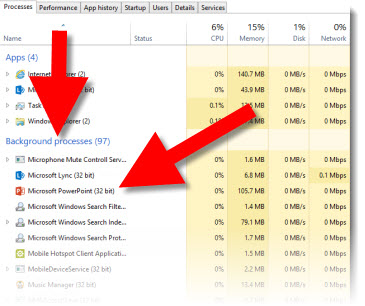
3. Select it and click END TASK.
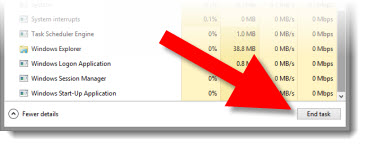
4. Now click TRY AGAIN on the error dialog and all should do as you wanted (move, delete, rename, etc.).
– Troy @ TLC
Incredible Travel Humidifier!
Okay, so this has nothing to do with presentation design – but with being on the road 200+ days per year handling presentation projects I spend a lot of time in hotels. One common thing is they all are over air conditioned, do not have windows that open, and are incredibly dry. I recently purchased this portable humidifier and it does a great job of adding some moisture to a hotel room!

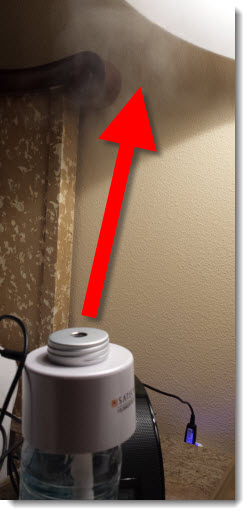
The design is inspiring, being a large cap that fits on top of any water bottle – and it is USB powered!
– Troy @ TLC
Add Twitter Feed To Slides
We were recently at a show to handle the presentations, and the presenter encouraged the audience to tweet about the conference daily events. During the break, we were asked to show the twitter feed. Advanced planning is great – this was not it.

We used Visibletweets.com to provide a solution. Visibletweets.com is a Flash based website with no download (other than the Flash player if not installed). On the website, you are prompted to type in a hash hag, search a term, or use someone’s twitter id.
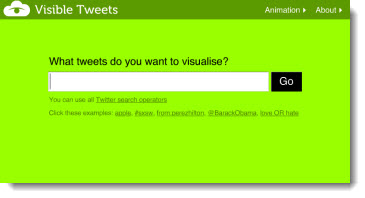
Then one tweet at a time fills the page, each animates to the next. There are 3 types of animation to choose from: Letter by Letter (which is our favorite), Rotation, and Tag Cloud.
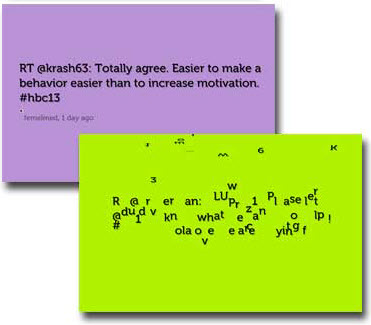
If you use the option to run the show in the web browser full screen, the background automatically changes colors.
There are 3 options for using visibletweets.com during a presentation.
Option 1: Run the website from a backup computer (with internet access) and toggle it to the screen.
Option 2: Have a link to the website on a slide and use it to switch from presentation to web browser (going back to the presentation requires using ALT+Tab or closing the web browser – so not as seamless and elegant).
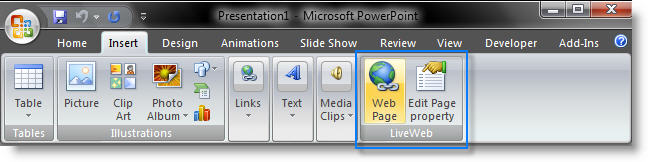
Option 3: Use Shyam’s LiveWeb add-in to display a webpage directly on your presentation slide (this is a FREE add-in that can be downloaded here).
– Troy @ TLC
Stop PowerPoint from Getting the Animation Jitters!
Long scrolling animations worked great back in PPT 2003. But with the new .xml format (.pptx) came a new render engine for animations and it caused these same animations to stutter and “jitter” as they played.
You can fix these with a registry edit (Note: the registry controls the computer and in general mistakes in here can be very bad).
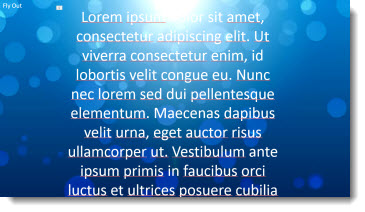
First, download this test file and run (download here, 3.7MB). Take note of how smooth, or jittery, the text animation is.
Close PowerPoint.
To update a computers PowerPoint settings:
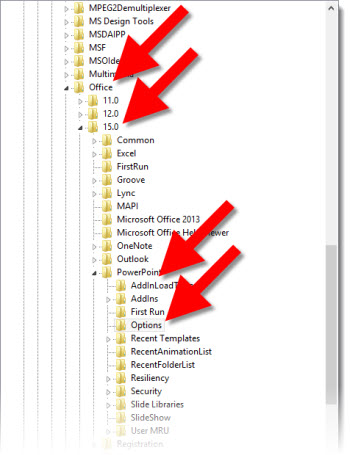
1. Start >> search bar “regedit”
2. Go to Hkey Current User>>Software>>Microsoft>>Office>>15.0>>PowerPoint>>Options
– Note: This is the path for PPT 2013. For PPT 2010, it will be “12.0” vs. 15.0.
3. In the right section, right-click and select NEW >> DWORD (32-BIT) VALUE
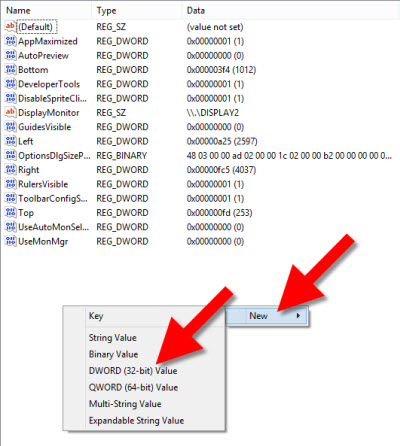
4. Name it “DisableSpriteClipping”
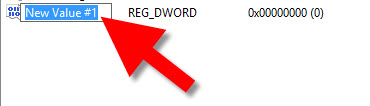
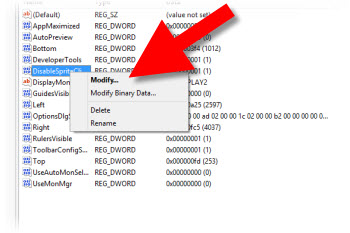
5. Find the new entry and right-click and select MODIFY
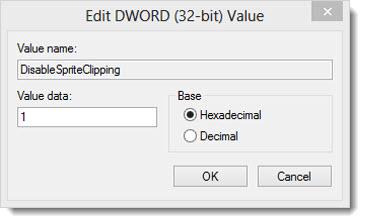
6. In the VALUE DATA box, enter “1” (BASE can be Hex or Dec) and click OK
Start PPT and run the test file again. Take note of how smooth, or jittery, the text animation is.
Many thanks to Steve Rindsberg of PPTools for making me aware of Microsoft’s Chris Maloney’s shared bit of coding that works wonders for anyone fearful of animation jitters!
– Troy @ TLC
Happy 4th of July 2013!

Have a great 4th as we celebrate the start of the USA! Staff designer, Josh, created this great patriot slide for the occasion. The background and fireworks were developed in Photoshop and the 3D text in PowerPoint 2013.
Download slide here.
– Troy @ TLC