
Activision Template
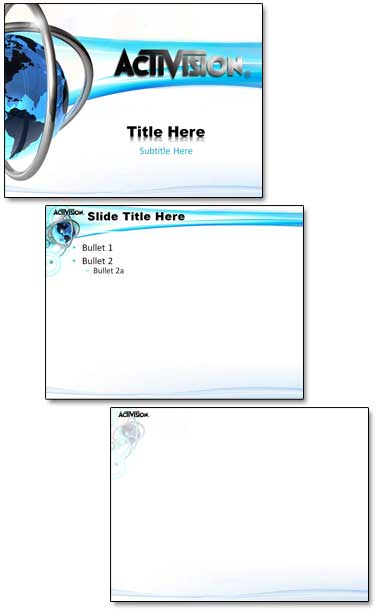
For me, diversity of clients is what keeps a designer continually engaged in the design process (and also from being ‘bored’). Here is a template developed for a company (Activision) in the video game industry. Developed for PPT 2007 with 3 different backgrounds, customized text (you can see the reflection effect on the title slide text), custom bullet art elements, etc.
– Troy @ TLC
View The Citi Group Email Policy Training Presentation
I stumbled on this presentation posted online.
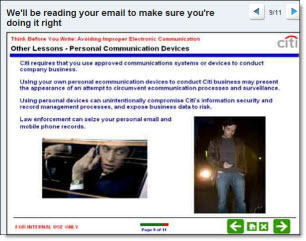
It is the internal training presentation for Citi Group on email security and communication. The content is interesting. The slides – standard corporate stuff with to many words, limited formatting and dropped in rectangle .jpg’s.
View it here.
– Troy @ TLC
A stack-O-Computers For The Show
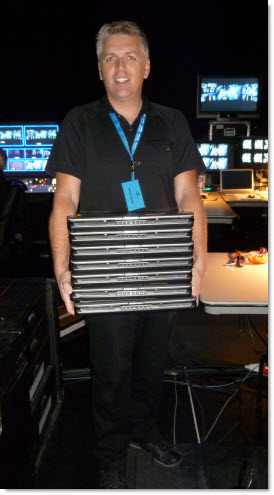
Here was my morning activity for a recent show. Bring out the multiple show computers (all running PPT 2010), connect, test output and work. Powerful laptops are big, but I wouldn’t try carrying a stack of desktop computers!
– Troy @ TLC
Sample Slide – U.S. Population Growth
I needed a slide that showed the 5 states with the most population growth over the past 5 years. The original slide had a standard bar chart, which told the statistics but was not very compelling.
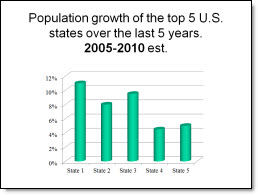
I recreated this slide with a map of the U.S. highlighting the top 5 states. I used the 3D tools in PowerPoint to make the states ‘pop’ out of the map and applied a custom gradient fill to each. I also applied a 3D rotation to the state name and percentage text with a white glow to allow the text to be easy to read.

Note: all data in these slides is sample data (eg. I made it up, while I waiting for real data from the client).
– Troy @ TLC
Perception Slide
From a project, this slide was about how co-workers perceive the actions of different departments within their own orgranization. The title was shortened to a simple statement of “Public Perception”. The 4 wordy bullets of text eliminated and replaced with a single image that the presenter was able to talk to and use to set the stage for a quick story and explanation of the point being made.
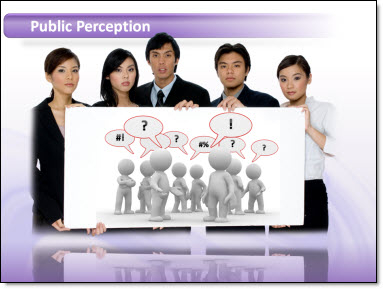
The image was developed from a few Royalty Free images (from Thinkstock.com) that I modified in Photoshop before adding to the slide.
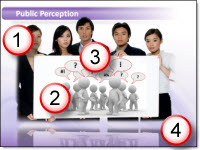
1. Group image holding blank white sign that I dropped out the background from and saved as a .png with transparency (note the middle guys head is able to overlap the title bar)
2. 3D rendering image of a generic group of characters (in this case representing the ‘other’ departments).
3. The speech bubbles and talking symbols where added in PowerPoint. The speech bubbles an imported .emf I created in Illustrator and the text as stylized PPT text.
4. The reflection is from PPT
– Troy @ TLC
3D vs Flat .JPG Sample
I had a series of slides with a dominant visual of reports, articles and other “Flat” content. Here is a sample showing the inserted .jpg of the Sustainability Report.

Rather than leave the slide with just an inserted graphic I used the 3D Rotation in PPT to add some perspective and a more dynamic slide layout.

I then used the eye dropper tool to pickup the 3D attributes and apply the same effect to each the image on each slide.
– Troy @ TLC
Celebrating 4th of July!

– Troy @ TLC