
Sponsor An Event The Easy Way
This is from a real presentation, but it was a demo of marketing options (and not a Microsoft project). So the real work was in PhotoShop and then used the final image as one of many in the presentation.
Original image:
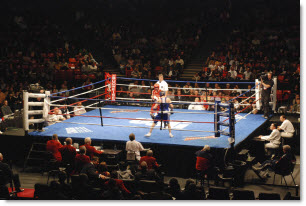
And with a bit of PhotoShop time – a new sponsor!
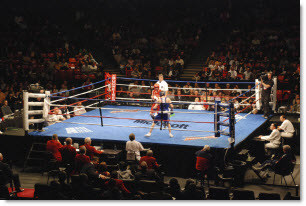
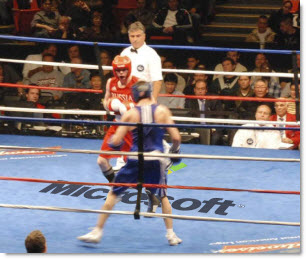
– Troy @ TLC
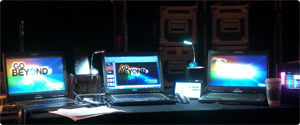
Backstage at my ‘Office’
Sorry for the lapse in posts. I am on my 4th city/show this month – and 2 to go…
Here is my “office” backstage:
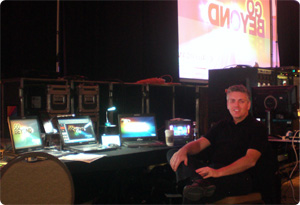
And my view of things:
– Troy @ TLC
Adjusting Bad Line Breaks
Here is a graphic from a recent client presentation (as sent to me – but with some text ‘removed’).
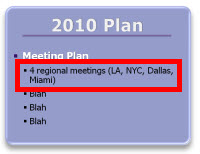
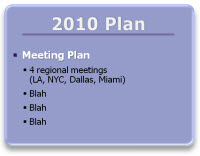
A simpe line break, soft-return (shift-return) grouped the topic/cities onto a single line which is much easier for the audience to interpret quickly.
– Troy @ TLC
PowerPoint has been used for only 3 Billion Minutes…
At CES this weekend Neowin.net shared some statistics it obtained about Office 2010 beta and Office 2007 use (saying data was created from a Dec ’09 beta survey and from Office’s anonymous reporting).

o 41 billion minutes in Outlook
o 31 billion minutes in Word
o 18 billion minutes in Excel
o 3 billion minutes in PowerPoint
o In October 2009, US online PC users spent more time in PowerPoint than in Halo 2 on the PC
Not sure how to quantify the numbers, but they are interesting and amusing. There are some more listed here.
– Troy @ TLC
RIP Office 2003
Over the weekend Microsoft officially pulled the plug on sales (and downloads) of Office 2003.

The lawsuit against Microsoft about the use of some XML code in Word has ended distribution of it. Bcause Word cannot be distributed and the Office suite has Word – cannot be distributed (only Word is the program in question). Here is a good summary article about the lawsuit.
Like a good movie trailer for a bad movie, the title is more appealing than the full show. Office 2003 is not really gone, just the current version. An alternate version with the questionable code removed will be in circulation, which should be identical to even the most knowledgeable Word users.
– Troy @ TLC
Trump Did Not Say “You’re Fired!” (Yeah)
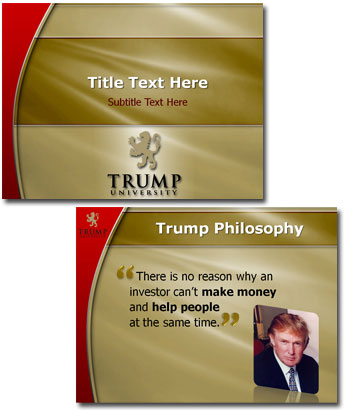
One of the Trump University groups needed a new template to consolidate their presentations onto for a consistent and professional look. The entire project went great, although I kept hearing the famous ‘You’re Fired’ running through my head…
The final template that was approved focused on rich-elegant-professional look. Here is the Title and Content slide layouts from the template:
– Troy @ TLC
Customizing SmartArt – Shadows
SmartArt is a great solution for converting text to visual elements. For a recent project I modified a simple timeline SmartArt (Closed Chevron Process) with customized drop shadows to add some visual interest to the slide.
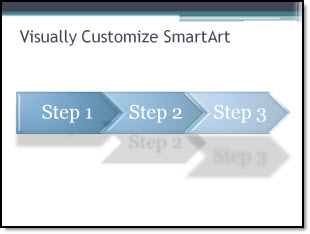
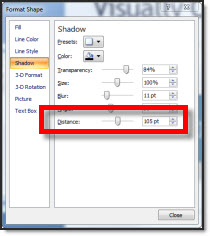
All was accomplished by adjusting the shadow distance for each of the 3 elements.
Download the slide here.
– Troy @ TLC