
Just To Make You Laugh (A Lot!)
– Troy @ TLC
Group to Adjust Line Length in PPT 07
Okay so the ‘little’ bug in PPT 2007 is driving you crazy! The fix is on the way with SP2 for Office 2007 (really), but you need to adjust the length of your straight lines today.
Here is a PPT 07 line

To adjust length AND maintain same angle you hold down the SHIFT KEY + CLICK on end of line and it zooms out to infinity

One solution is to duplicate the line, group the 2 lines together, then adjust the length of the group

The original line stays in the same position, the length was adjusted, the angle was maintained! Now ungroup and delete the duplicate line leaving you with the adjusted line (made shorter in this example)

– Troy @ TLC
Really Mobile Presentations with the Logic Bolt Projector Cell Phone!
This may make the ‘elevator speech’ and sales presentations even more engaging. T-Mobile will be carrying the Logic Bolt cell phone which looks to have a fully functional projector built into it!
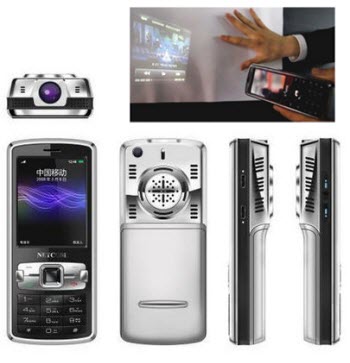
It is being shown at CES this week and features a touch screen interface, quad band GSM, support for Powerpoint, Excel, Word as well as the ability to connect directly to most video sources, and built-in projector that casts images 36-64″+.
– Troy @ TLC
The 2009 Christmas Lights
Christmas is a big deal around our house – full of family events, traditions and lots of decorating!
But this is the weekend the holiday lights come down (there’s no snow in Southern California, so no need to wait until March)… 🙁

– Troy @ TLC
Microsoft CES Keynote(s)
Microsoft is definitely changing the direction and strategies of their software development. I really think the changes will make team projects, asset management and presentations (very excited about the next/future version of PowerPoint!).
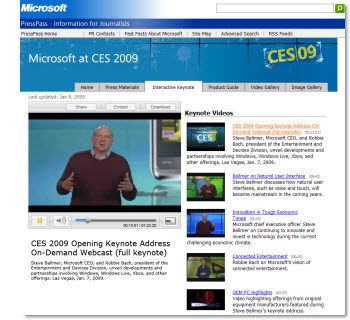
Click here to view videos of the major MS Keynote addresses.
27:40 – 44:00 = Demo of Windows 7, Windows Live and Windows Mobile
1:10:00 – 1:19:00 = Overview of key trends and future software demo
And the super-wide, multi-screen staging is really impressive too!
– Troy @ TLC
InfoComm Presentation Survey
Each year InfoComm puts out an online survey where you can compare yourself with others in InfoComm International’s annual Presentation Professional survey.
This year it’s shorter, easier and faster to complete. Whether you’re one of many in a corporate setting, or a one-person shop wearing all the hats, see how you compare in the skills you have and the challenges you face. Best of all, all participants receive a report of the full survey results.
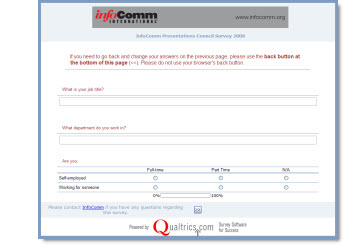
Click here to take the survey.
– Troy @ TLC
Who Is Ric B ???
As we start off 2009 what better time to introduce one of the best people at Microsoft I interact with. For all that use PowerPoint you want to know and acknowledge at least one person at Microsoft – Ric B.
Ric Bretscheider has been at Microsoft for over 15 years with nearly all of that time spent on the PowerPoint development team (starting with the PowerPoint IV – PPT 2007 is version XII/12). He is the Lead Program Manager for PowerPoint and has been a huge influence in listening to end users and steering the program to address our real world needs (and if you don’t like PowerPoint – you would dislike it even more if it were not for the efforts of Ric B! )
Many contributed to his 15 year anniversary with presentations, notes and videos. This one is one of the few that made it to public domain and does a good job of giving a look at Ric B.
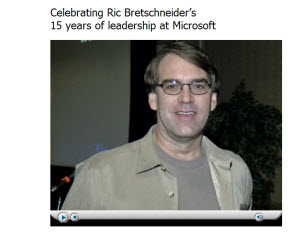
Click here to view.
– Troy @ TLC