
Pictures of Earth, or your house, in Presentations
I have seen a huge increase in the use of aerial photography in presentations. Of course this is from the availability of services such as Google Earth, Microsoft VE and others.
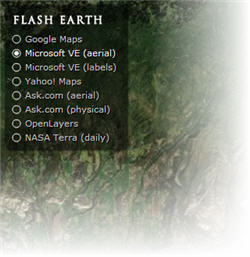
Here is a great website that lets you find a spot on earth and then move between a number of online mapping systems to see how each looks. Check out Flash Earth by clicking here.
– Troy @ TLC
PowerPoint Gets The Blame with Full Screen Videos
PowerPoint seems to cause the problem, but it is really video card settings that make your movie playback at full screen.
(on pre-Vista OS) go to START >> DISPLAYS >> SETTINGS tab >> ADVANCED button >> depending on graphics card find the settings for THEATER MODE (usually buried a few buttons down). If it says play movies full screen, that is what PowerPoint looks at and does… I recomend changing THEATER MODE to ‘standard’ so there are no surprises.
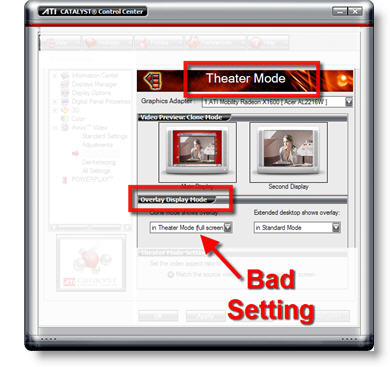
– Troy @ TLC
PowerPoint Gets The Blame with Widescreens
There are times when it looks like PowerPoint is to blame, but in reality it is a computer OS setting that is making PowerPoint appear to behave badly. An example of this that comes up often is running a presentation on a widescreen monitor.
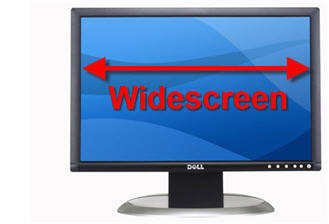
Recent Post on the PowerPoint Forum:
I have a widescreen monitor powerpoint distorts graphs. The font becomes much larger and squished together. How do I stop the powerpoint from changing things?
My Response:
(on a pre-Vista OS) Go to START >> CONTROL PANEL >> DISPLAY >> SETTINGS tab >> ADVANCED button >> depending on which video card, find setting for MAINTAIN ASPECT RATIO. Now 4×3 presentations will display with black bars on the left/right so nothing is distorted on a widescreen monitor.
– Troy @ TLC
Video Tutorial on PowerPoint Photo Crop Tool
For a recent client I supplied the PowerPoint template and a quick video tutorial on using PowerPoint’s Crop tool to provide some tips on how best to insert a series of photos. Now for your viewing pleasure I have uploaded that tutorial to one of my servers for all to enjoy!
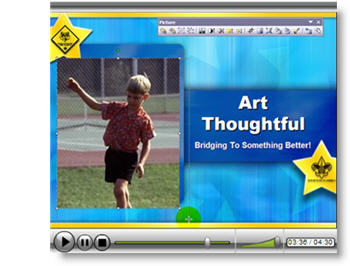
Note: This was unscripted and created in just a few minutes, so it is definitely lacking much of the polished professional touches that go into real projects… Click here to view.
– Troy @ TLC
The Online Presentations Are Coming!
There is a growing demand for online presentations. I have been very busy over the past year converting PowerPoint presentations to Flash and streaming movie formats for online use. This is great stuff, but definitely not the solution for the average user. Well here is a hint that the average user may be getting some tools to make their own online presentations in the near future. Click here to read about it.

– Troy @ TLC
Do You Use PPTs Native Org Chart Tools?
I know a lot of presentations need organization charts. I know a lot of people design their org charts with PowerPoints native org charting tools. I also know a lot of people that are very frustrated while editing these org charts!
Thanks to “Mary” who replied to a post on the MS PowerPoint Forum and provided a link to a great tutorial on ways to modify PPT developed org charts. Click here to open the “Add a second top-level box to an org chart in PowerPoint” tutorial on the Microsoft website.
– Troy @ TLC
Morning Nutrition Is A Must
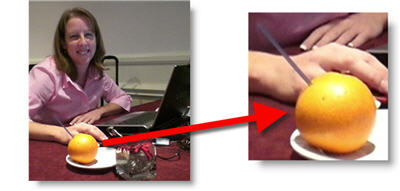
PowerPoint can be very time consuming – up before anyone else and ending after all have gone. This past week one of Lori’s co-workers on a large show “helped” her by supplying fresh Florida (we were working in Florida) Orange Juice for breakfast as she was too busy to get any… thanks Chris!
– Troy @ TLC