Lori Chollar on The Presentation Podcast!
Lori Chollar of TLC Creative Services takes control of The Presentation Podcast with Sandra Johnson for an amazing conversation about the presentation industry from the women’s perspective. Join Lori Chollar, Sandra Johnson, Jude Barak, Wendy Gates-Corbett and Yulia Barnakova for a conversation they recorded at the Presentation Summit!

Listen to the podcast here.
New PowerPoint Animation!? Basic Zoom Effect Options
So, I do not know the answer to this, but I believe this is something new in the PowerPoint animation options!
Maybe the better question to start with is, does anyone recall if the IN SLIGHTLY and OUT SLIGHTLY effect options to the BASIC ZOOM animation have been there?
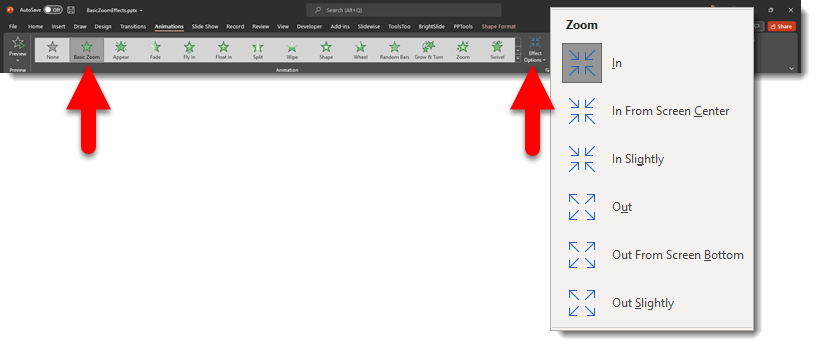
I do not recall these options being available and have long used a combination animation of a Zoom + Fade to create the effect (Tip: use the Brightslide PPT add-in “My Animations” to create a quick to apply library of custom animations!). I also reached out to Steve Rindsberg and sent him the above screen capture. He looked in a few legacy installs of PowerPoint and commented that the In Slightly and Out Slightly effect options were not there. So… is this an exciting new addition, or something I just cannot remember was there?
[videopack id=”15397″]https://thepowerpointblog.com/wp-content/uploads/2021/11/BasicZoomEffects.mp4[/videopack]
Troy @ TLC
Windows 11 Date Calculator!
I am getting familiar with Windows 11 and discovered this gem. I am assuming it is new with Windows 11, but maybe it has been there for awhile and I have been missing out!
Here is the Windows calculator (I seem to use it multiple times each day).
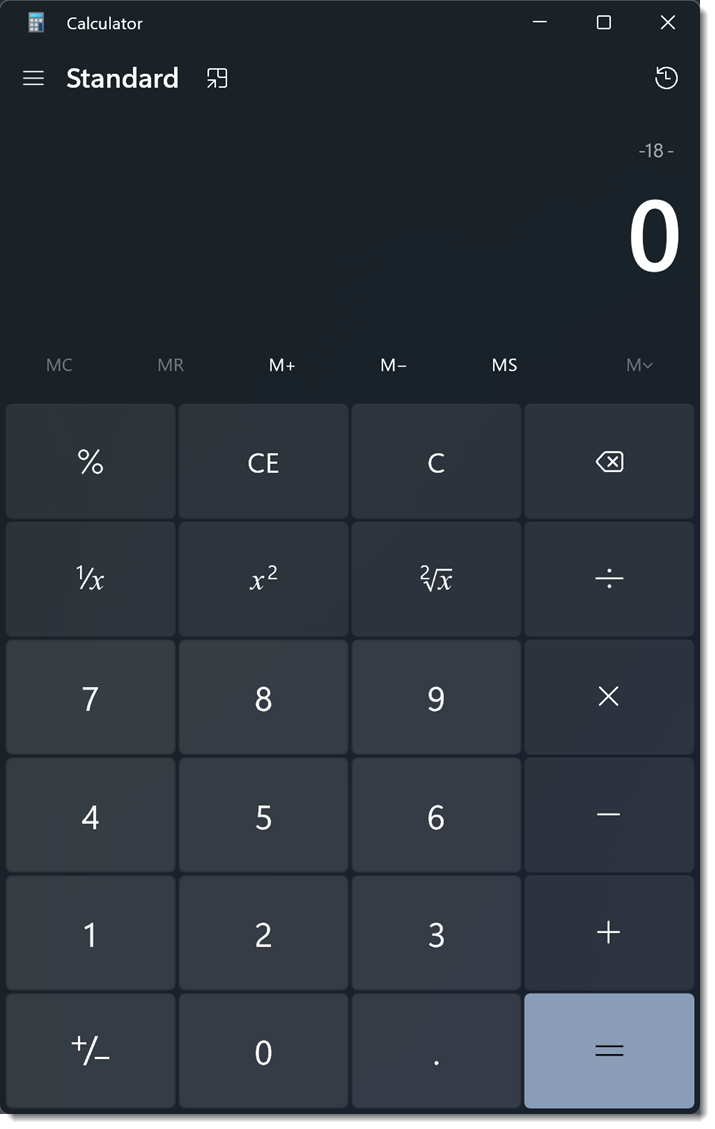
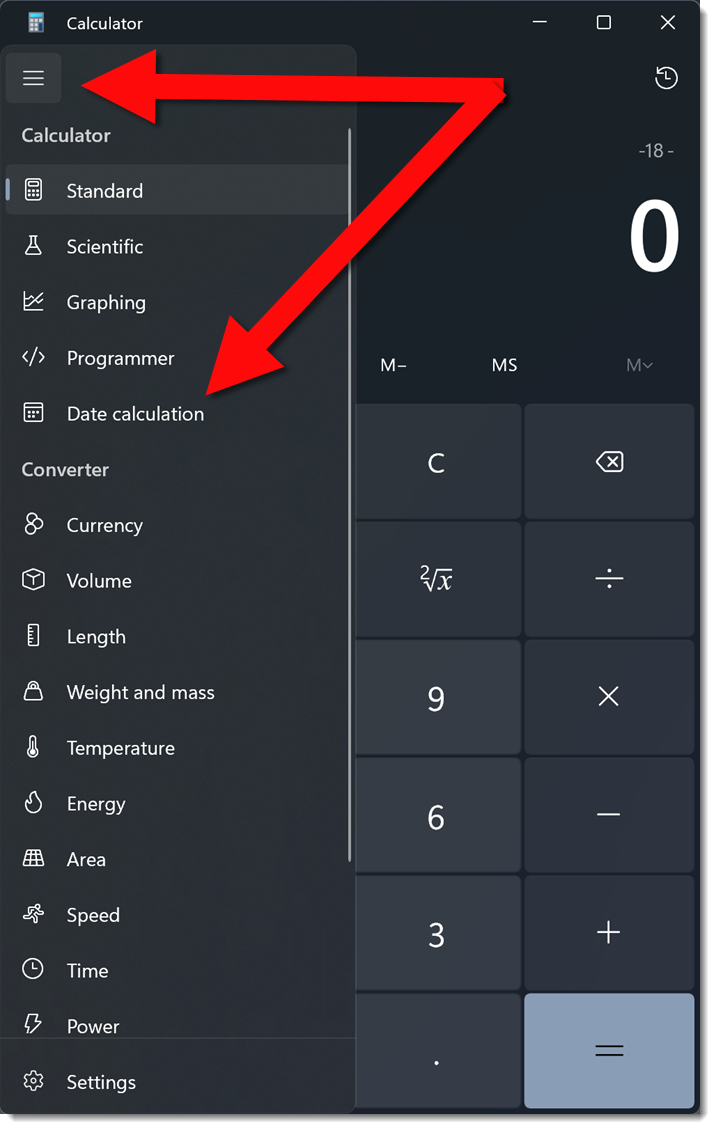
Clicking the upper left menu shows the list of various types of calculators. I discovered the DATE RANGE calculator function, and I am thrilled!
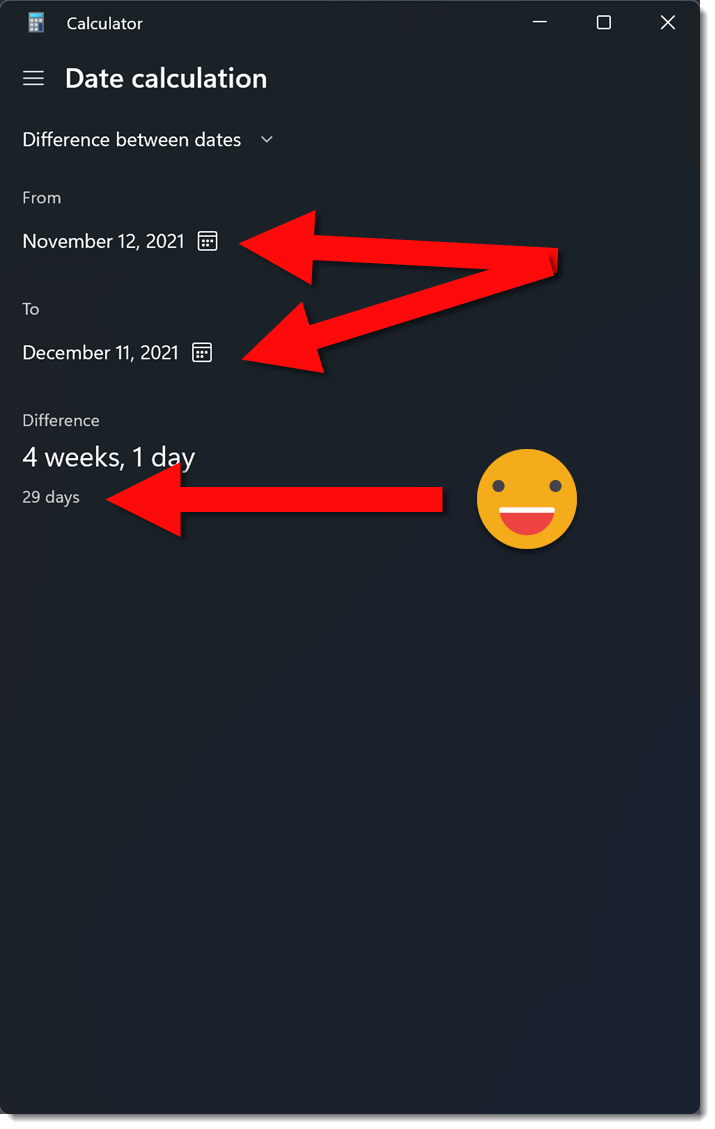
Select DATE CALCULATION. Pick a starting date and an end date from calendar pickers. The bottom row instantly displays the number of days in the range selected. No more counting days in the Outlook calendar!!
Troy @ TLC
Convert Keynote file to PowerPoint File Online, Free and Fast!
Do I know Apple Keynote for Presentation design? Absolutely!
Is Apple Keynote your main presentation design app? No, not for a long time.
Can I give you a Keynote file? Absolutely, but all of our Mac computers are at the studio and everyone is working remote, so I will convert the file to PowerPoint.
Now, the big question is, how do you convert an Apple Keynote file to PowerPoint if you do not have a Mac computer available? The answer is easy – and free – and fast – and very accurate conversion! I use cloudconvert, an online file convert app. The website lists they support “nearly all audio, video, document, ebook, archive, image, spreadsheet, and presentation formats.” And I have used this resource for many file types – and just last week, for converting another Keynote presentation to PowerPoint format so I could integrate a presenters slides into the master show presentation (which is being run in PowerPoint).

Go to cloudconvert.com
In the CONVERT menu select PRESENTATION and KEY (Keynote)
In the TO menu select PPTX (PowerPoint)
Click SELECT FILE
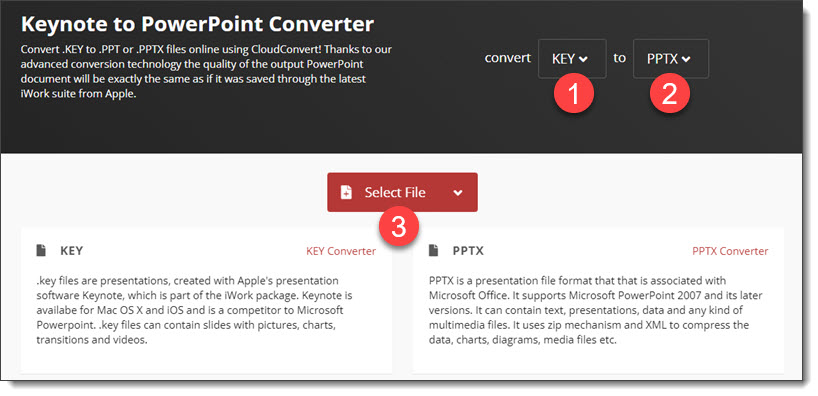
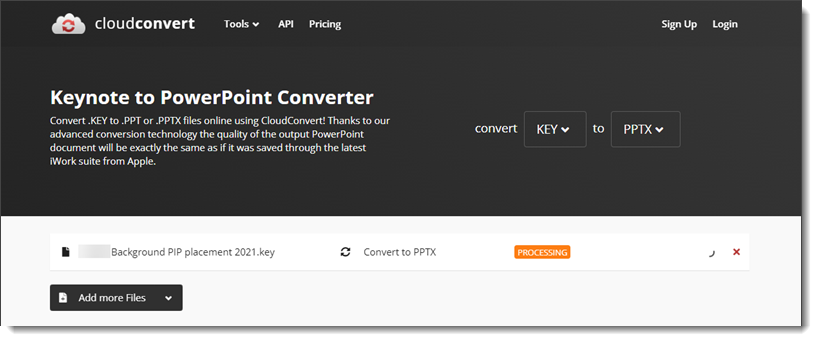
Click CONVERT

When done processing, download the .pptx version of the presentation to work with (knowing the conversion process does not provide a full feature PowerPoint template file, no matter how good or bad the Keynote file is setup).
Troy @ TLC
Your vs. You’re
When we put out a hiring listing Lori and I have the task of evaluating 200+ resumes. One of our rules is if there are typos in the cover letter or resume, that person is removed from the review process.
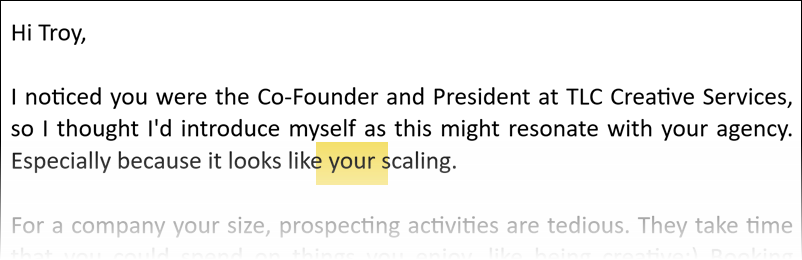
In a recent email, a solicitation, this one did not make it past the first paragraph before I deemed it ready to delete. Then I went back to it to capture the above screen capture for this blog post!
The email contained several spelling, punctuation, and content errors… I have read the statement multiple times and I not certain if the meaning was “you are” (you’re) or that I was physically scaling (which just is a creepy weird thing) – either way, this is a poor prospecting email and I am guessing does not receive much traction in people following up.
Troy @ TLC
Podcast episode 137 – Talking with PowerPoint Add-in Gurus
Yes! A new episode of The Presentation Podcast released today – listen to it here!

Tricks, Treats and Horror Stories (of presentation design)
Lori Chollar of TLC Creative Services was part one of the presentation designers talking presentation design, strategies and Halloween candy themed analogies at The Presentation Guild event on Friday just before Halloween! I was in Spain for client meetings, but logged in to enjoy this great event (and watch my wife present!).