Stylized WordCloud Generator by wordart.com
WordArt.com is an online app that creates unique stylized word art.

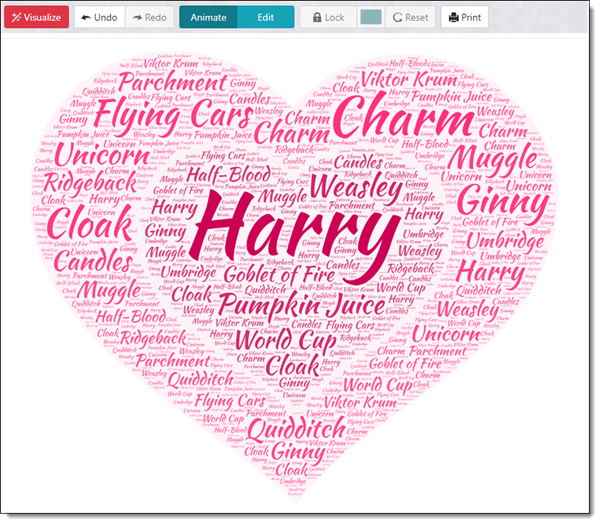
Think of a word cloud, a common presentation request, but created in the shape of an image. The site offers a variety of customization tools ranging from custom fonts and specific colors to a wide range of art images to create the word cloud in.
This is not an entirely no cost site, but PNG and JPEG files are free to download. PDFs and scalable SVGs are available as part of the $4 to $299.99 plans.
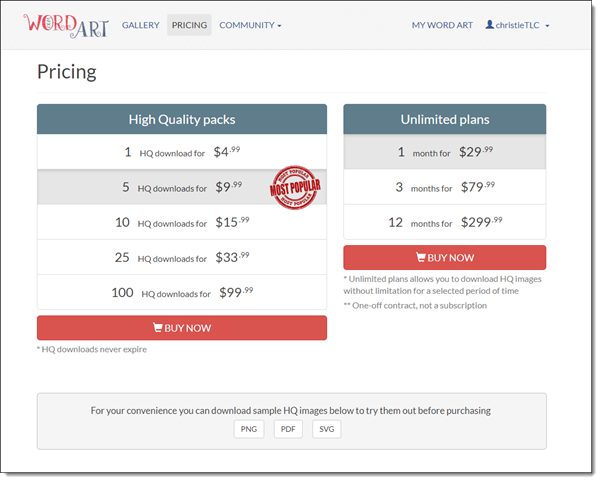
For our presentation needs, the sites free options are perfect. You do need to create an account to access.
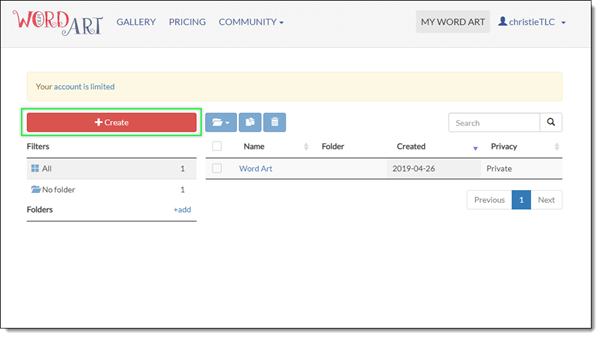
1. After logging in click the “create” button.
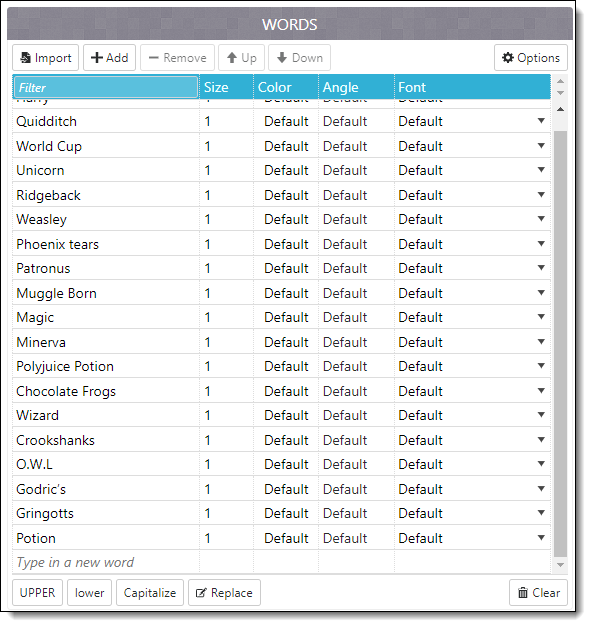
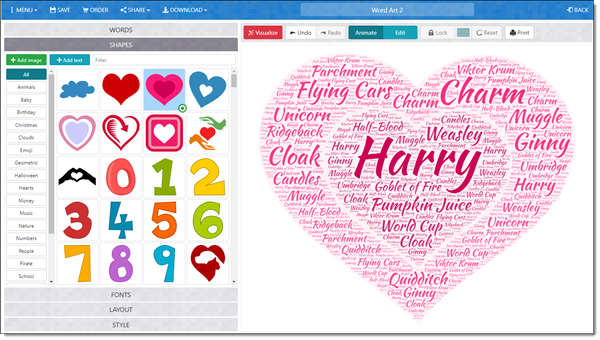
2. The next window is the workspace. On the left is the customizing area to add text and styling. The first tab “words”, is where to Add, remove, reorder and import words.
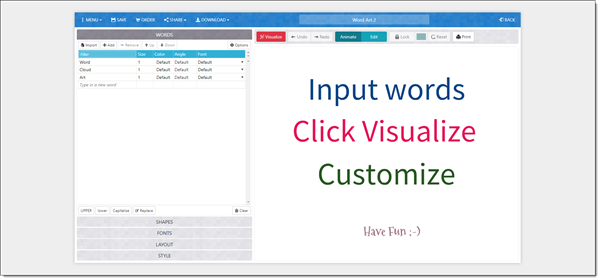
3. At any point to review the art, simply click the “Visualize” tab to generate the finished work.
4. The shapes tab is where you can pick any shape provided as well as upload your own
(.png and .jpg, not vector formats).
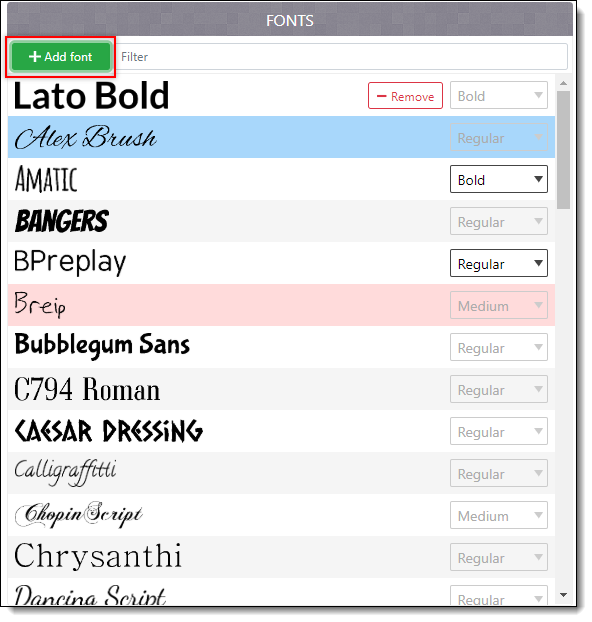
5. A variety of fonts are readily available to use, as well as the option to add a custom font under the “Add font” button.
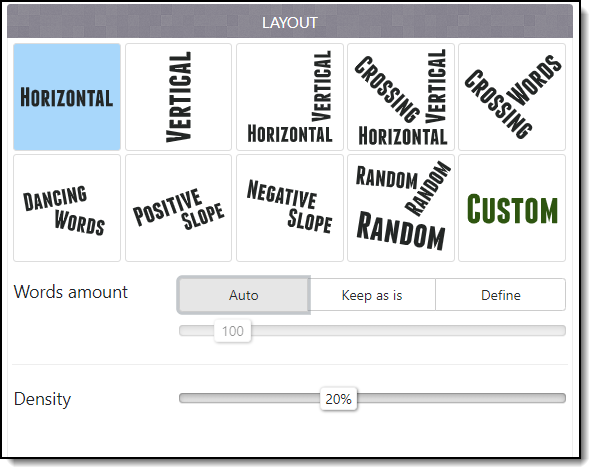
6. Under the layout tab, are different text orientations
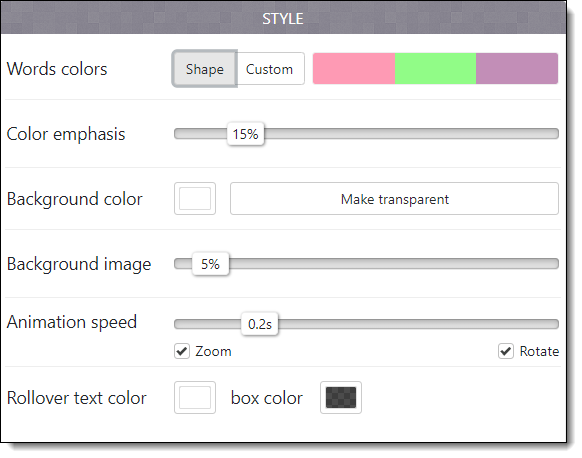
7. The Style tab is where you can customize the colors of the text and the background colors. NOTE it is especially important to remember to click the “Make Transparent” button before saving the art as a PNG, otherwise when exporting as a PNG it will retain the white background.
8. After all customization, click the “Visualize” button to generate the word cloud. You can click the button several times to get a different result.
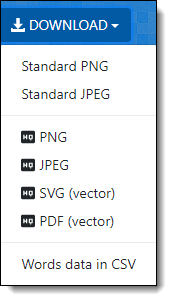
9. Under the download tab are several options. 2 free standard PNG and JPEG options. The HQ options have payment options.
Troy @ TLC
The Presentation Podcast Episode 82 – What We Actually Use (Hardware, Software, Business Tools)
A new episode of The Presentation Podcast with Troy, Nolan, and Sandy is available today! Episode, 82 – What We actually use (Hardware, Software, Business Tools). Listen in on Apple Podcasts, Stitcher, Google Play, Spotify and Soundcloud – just search for “The Presentation Podcast” – or go direct to the episode page here: https://thepresentationpodcast.com/podcast/82

Lorem Ipsum Generator (by Websiteplanet)

The Websiteplanet Lorem Ipsum generator is easy to use and quickly creates standard Lorum Ipsum text.
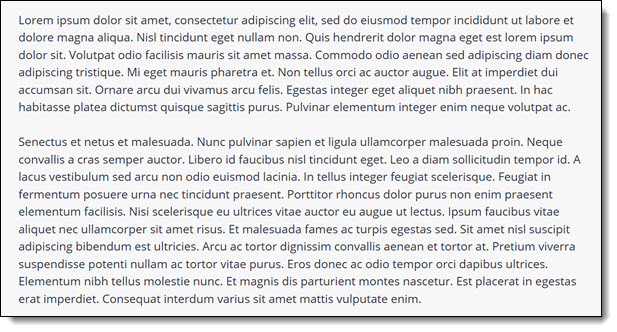
Lorem Ipsum text is a long standing print layout tool and is a good tool to use for any PowerPoint designer. As example: when creating a template, we generally supply sample slides with lorem ipsum text filling text placeholders so slides can be viewed with a quick simulation of real-world content.

The options can create any number of words, sentences, paragraphs or lines. Set the parameters and click GENERATE. The website instantly creates the text, which can be copy/pasted directly into slide text placeholders.
Troy @ TLC
Mixkit – FREE and Professional Videos for Your Next Presentation
Mikkit a site by Envato has video footage that is free to download. No account or other log in is required, just search and download.

We found the collection is fairly small. Categories range from abstract and animation to transport and lifestyle.
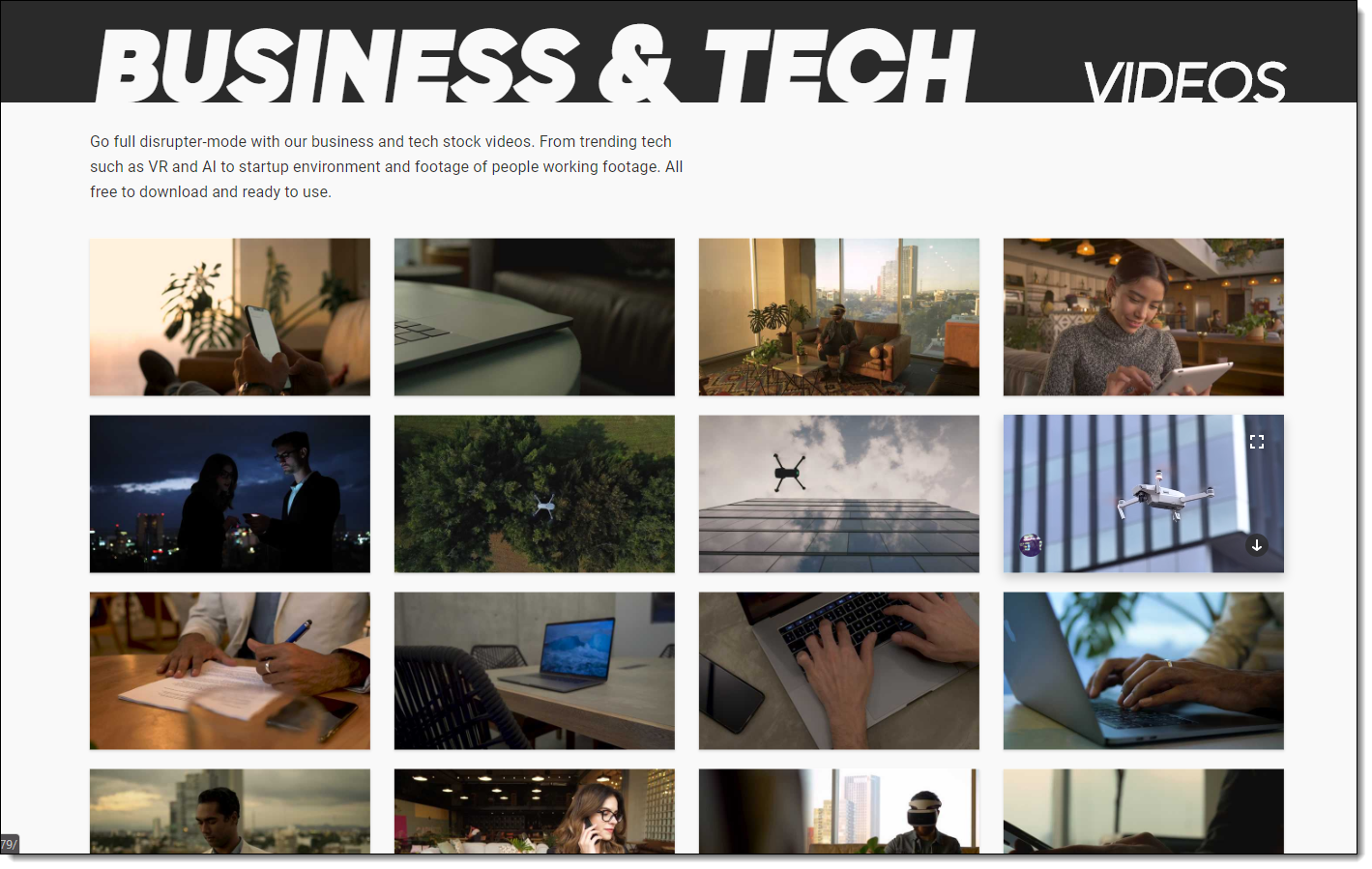
All content is under the MixKit license. Our take on the licensing is it permits you to download, copy, modify, distribute, publicly perform and broadcast the Items. Rights are non-exclusive, worldwide, sub-licensable and attribution is not required (complete user terms are here).
Video files are: 1920×1080, .mp4 file format.
[KGVID]https://thepowerpointblog.com/wp-content/uploads/2019/07/unnamed-file.mp4[/KGVID]
Troy @ TLC
The Presentation Summit is This October!

This October is the best opportunity for presentation experts to meet with Program Managers from Microsoft, be with the largest gathering of The Presentation Guild members, hear from leading presentation design and talk experts – and give me the opportunity to meet you!
Both Lori and Troy of TLC Creative Services will be presenting at the San Antonio for the 2019 Presentation Summit. I will also be recording several episodes of The Presentation Podcast throughout the week.
Troy @ TLC
How Long Will It Take to Say That?
When developing a presentation, factoring in the talk time is essential. Many of our presentation design projects are based on a talk script. We will run the script through an app that gives us an estimate of how long it will take for that amount of text to be spoken.

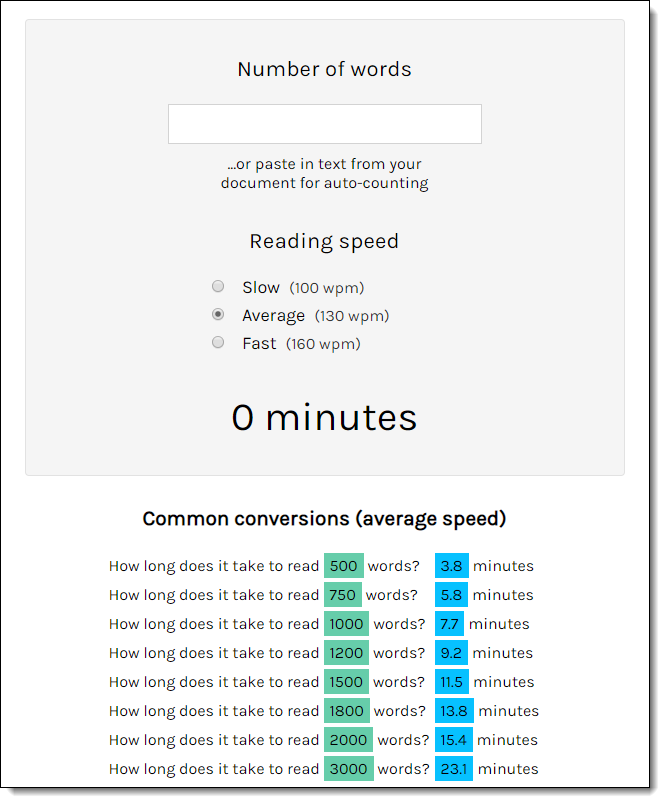
One free online tool for this is “Words to Time“. It has some great features to get a better talk time estimate; number of words and reading speed.
It is very fast and easy to convert words to an estimated time. They offer a simple conversion chart for quick reference as well.
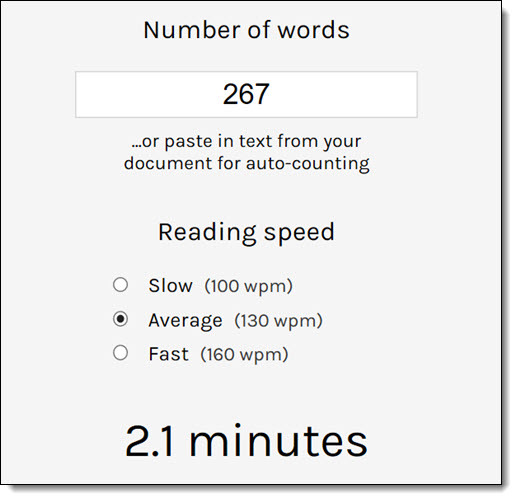
As an example, we converted Abraham Lincoln’ Getty Berg Address.

Lincoln’s speech was a small 267 words in total. Using the average reading speed (approx. 130 WMP) Words to Time estimated Lincoln’s speech to be about 2 minutes. According to the history, this is completely accurate! (Source: https://www.americaslibrary.gov/jb/civil/jb_civil_gettysbg_1.html)
Troy @ TLC
The Presentation Podcast Episode 81 – Grids, Guides and Gutters
A new episode of The Presentation Podcast with Troy, Nolan, and Sandy is available today! Episode, 81 – Grids, Guides and Gutters. Listen in on Apple Podcasts, Stitcher, Google Play, Spotify and Soundcloud – just search for “The Presentation Podcast” – or go direct to the episode page here: https://thepresentationpodcast.com/podcast/81