
USB-C vs. Thunderbolt 3
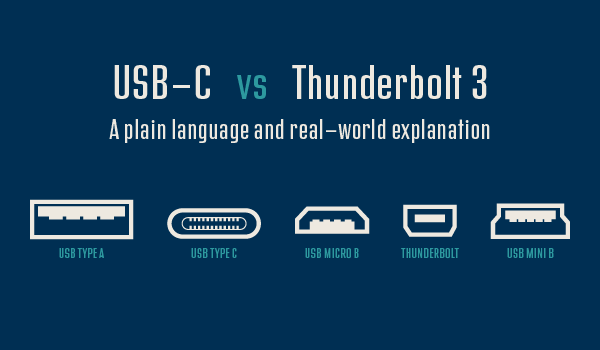
Type-C is a connector. USB-C and Thunderbolt 3 both use the Type-C connector. So they are the same thing, right? Wrong. They are similar (both connect hard drives and monitors and charging cables), but the capabilities of each differ. I wrote an article, posted on LinkedIn, to bring lots of the details on these two device types into a single place. The full article is here.
Troy @ TLC
New Episode on The PowerPoint Podcast!
A new episode of The Presentation Podcast is available today! Troy, Nolan and Sandy are joined by a presentation industry luminary, Cliff Atkinson. Cliff is author of Beyond Bullets, which is now in its 4th edition, and as we talk Cliff continuously drops in one amazing insight and presentation strategy thought after another.
Listen on Apple Podcasts, Stitcher, Google Play, Spotify and Soundcloud – just search for “Beyond Bullet Points, a Conversation with Cliff Atkinson” – or go direct to the episode page here: https://thepresentationpodcast.com/podcast/94
Fire & Ice Text (Image Fill)
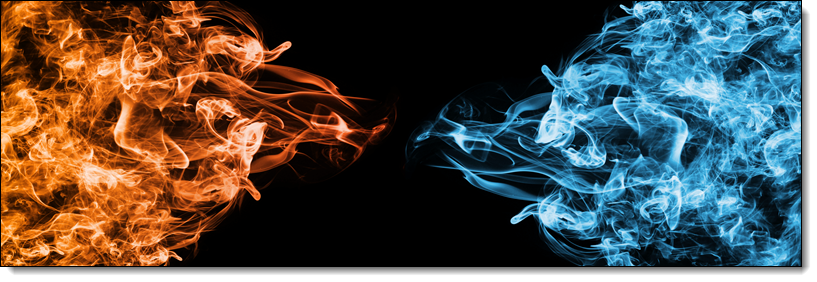
Finalizing our text treatment series, another way to make text more visually interesting is to fill text with a picture. Here is the image used for the next styling effect. Note that the fire and ice are within the same image:
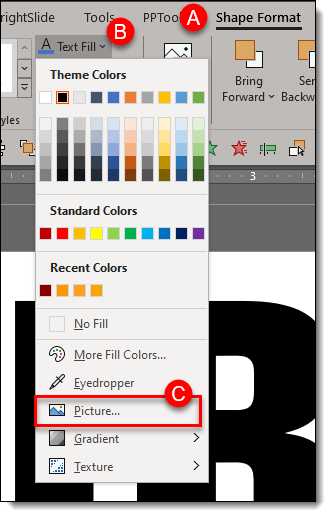
To fill the text with the image, on the ribbon go to SHAPE FORMAT (A), click TEXT FILL (B), select PICTURE (C)
PowerPoints default is to make the image fill the selected text. In this case the image is “squished” to fit. But we want to show only the fire portion of the image on the FIRE text. To adjust the image, work from the FORMAT SHAPE and TEXT OPTIONS pane. Note: We cannot use crop tool to adjust fill image size/position, we must use the legacy fill offset tools.
- Go to the TEXT FILL tab
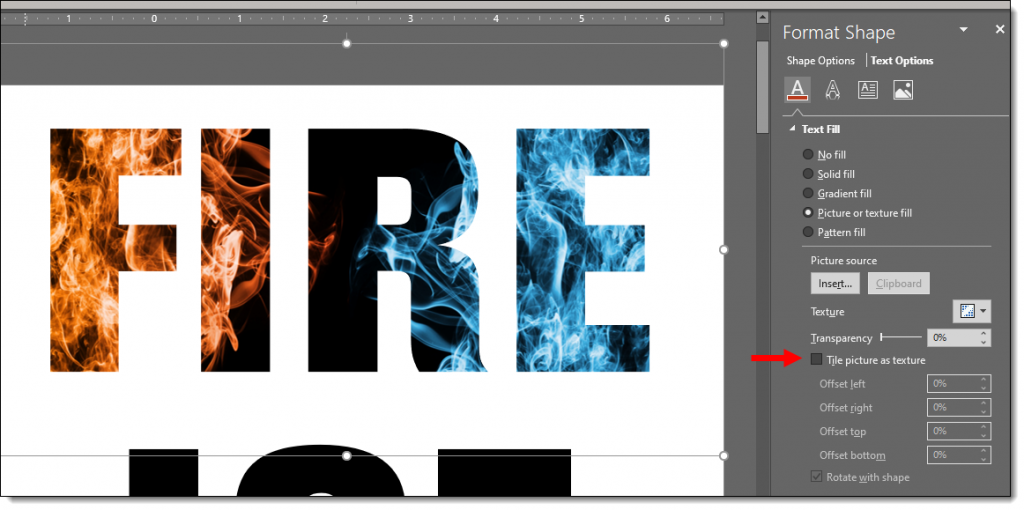
- Select “Tile picture as texture”
Here is our image fill BEFORE checking “Tile picture as texture”
And here is our image AFTER checking “Tile picture as texture”
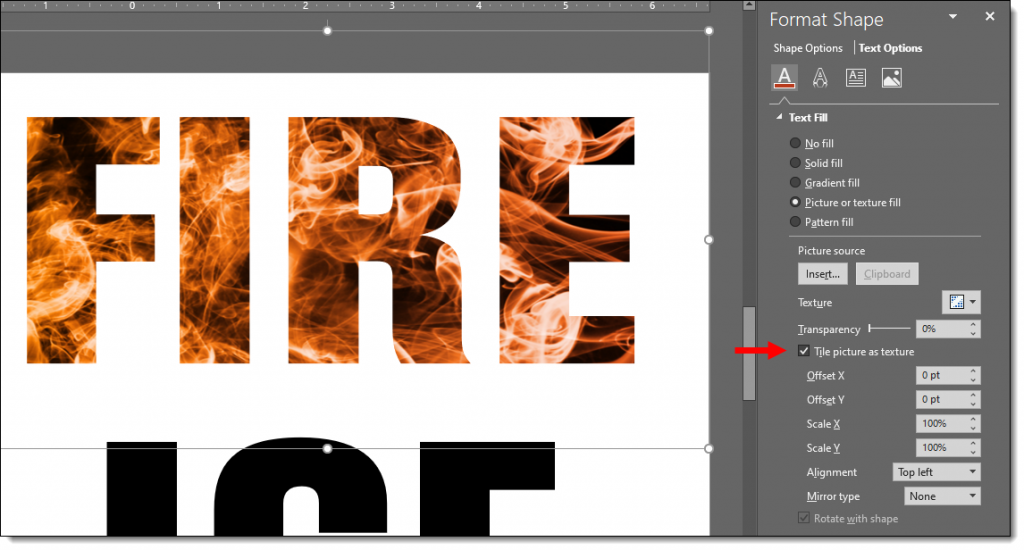
Now that the fire flames portion of the image is filling the entirety of the text, we have a few customizing refinements, but for the most part the default settings work:
- Check TILE PICTURE AS TEXTURE
- Set the Offset X & Y to 0 pt (default)
- Set the X & Y SCALE to 100% (default)
- Set the ALIGNMENT to TOP LEFT (default)
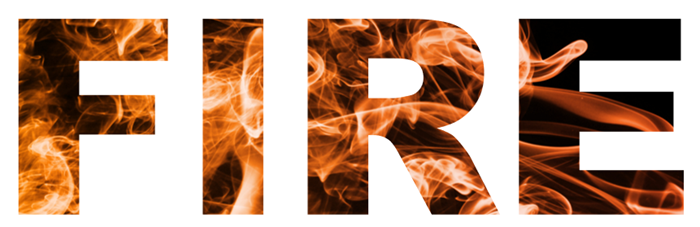
Similar adjustments for ICE:
- Check TILE PICTURE AS TEXTURE
- Set the Offset X & Y to 0 pt (default)
- Adjust the X SCALE (width) to 62% which let’s us see some black area of the image for more visual interest
- Set the Y SCALE (height) to 100% (default)
- Set the ALIGNMENT to RIGHT

Text is still editable in PowerPoint. Styling options such as drop shadows and beveling can also be applied – be creative! Download the sample slide Here.
Troy @ TLC
Fire & Ice Text (Gradients + Styling)
Continuing from the post with the Fire and Ice text using gradient fills, here styling effects applied for even more visually dynamic text.
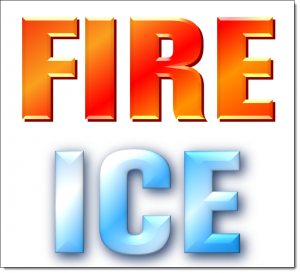
This variation adds shadow and bevel effects to the text. The text remains editable, and the styling effects can be applied to any other text with the Format Painter tool!
Here is the styling effects applied:
- Select the text.
- Go to SHAPE FORMAT (A) on the ribbon
- Select TEXT EFFECTS (B)
- The 6 customization options for text are: SHADOW (C), REFLECTION (D), GLOW (E), BEVEL (F), 3-D ROTATION (G), TRANSFORM (H)
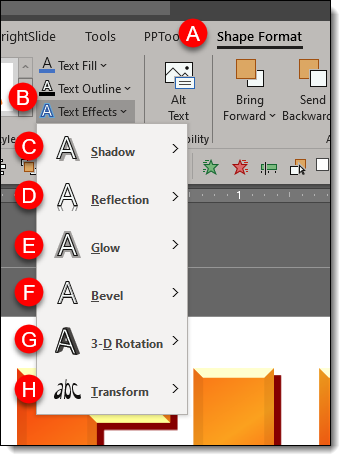
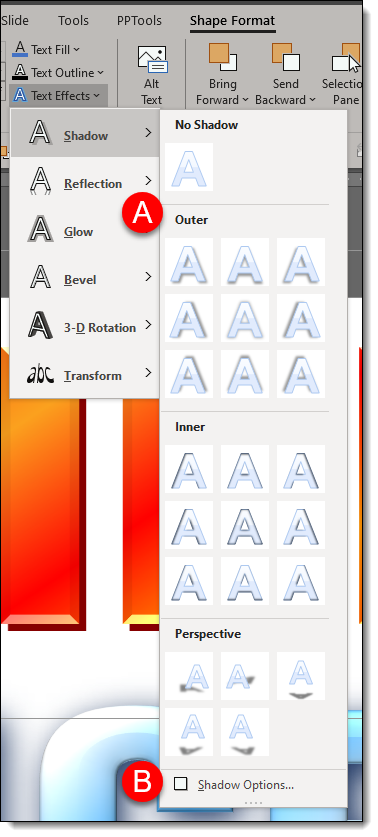
- For all effects, PowerPoint has preset styling options (A) to quickly enhance your text.
- Each effect also has an OPTIONS (B) button to bring up the FORMAT SHAPE panel to the right of the artboard so you can customize the styling effects.
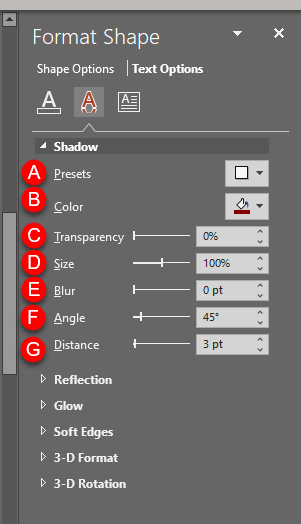
The FIRE text custom shadow settings:
- In the FORMA SHAPE pane, go to TEXT OPTIONS.
- Expand SHADOW
- (A) is the PRESETS (same options available direct from the ribbon)
- (B) COLOR. For the Fire text I used a hard edge dark orange and for the ICE text a super soft (fuzzy) dark blue.
- (C) TRANSPARENCY (not used on this text)
- (D) SIZE. 100% for FIRE and 101% for ICE.
- (E) BLUR. 0 for FIRE and 14 for ICE.
- (F) ANGLE. The default 45 degrees for FIRE and 55 degrees ICE.
- (G) DISTANCE. The default 3 points for both FIRE and ICE.
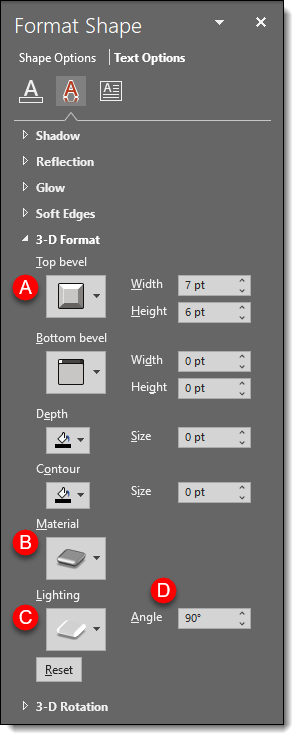
Next expand 3-D FORMAT
- (A) TOP BEVEL: minimal for FIRE and large (softer) for ICE
- (B) MATERIAL: FIRE = Dark Edge and ICE = Warm Matte
- (C) LIGHTING: FIRE = Glow and ICE = the default 3 Point
- (D) LIGHTING ANGLE: FIRE = 90° and ICE = 0°
Hopefully some text styling inspiration – all while keeping the text editable. Download the PowerPoint slide here.
Troy @ TLC
Podcast Released Today! Investing in Our Presentation Design Business
A new episode of The Presentation Podcast is available today! Troy, Nolan and Sandra talk through were they each put money into their design businesses; software, hardware, training, services, and the important items for a successful presentation design business.
Listen on Apple Podcasts, Stitcher, Google Play, Spotify and Soundcloud – just search for “Investing in Our Presentation Design Business” – or go direct to the episode page here: https://thepresentationpodcast.com/podcast/93

Fire & Ice Text (Gradient)
Text does not need to be a boring solid color! As example, here are the two words Amber started with for this mini tutorial series.
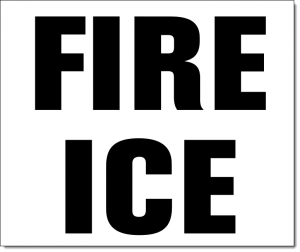
Editable PowerPoint text can be more than a solid color fill. Gradients take a bit of work but can be a great way to make text more visually interesting, and text is still editable even with gradients applied! And when text uses PowerPoint gradients, the gradients can be applied to other text with the Format Painter tool (copy the style from one text box to another).
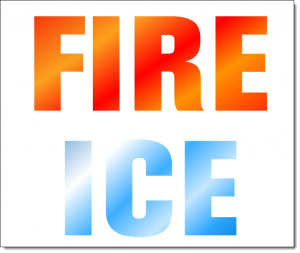
Each word is a separate text box, and each has its own gradient fill styling. Here’s how the gradient was created:
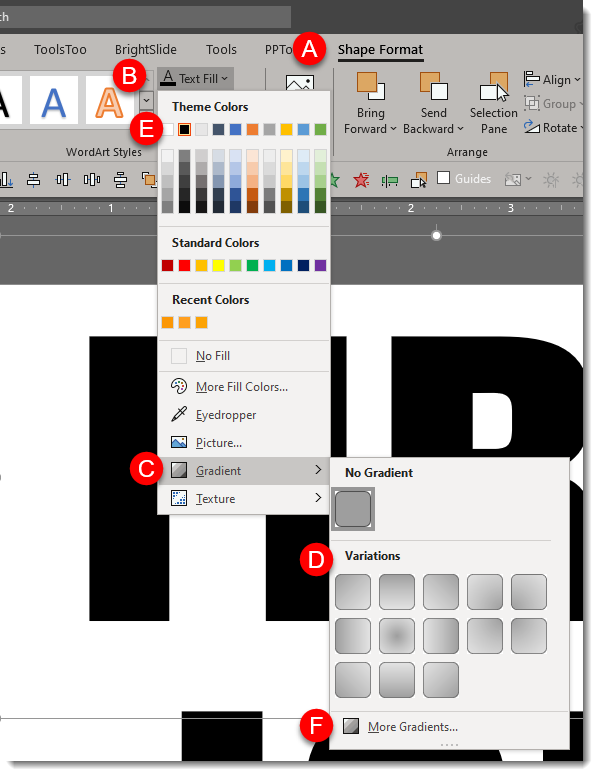
- Select the text
- Under SHAPE FORMAT (A) on the ribbon, click the down carrot under TEXT FILL (B).
- Mouse over GRADIENT (C) to show the gradient fly out menu and select the gradient you want (D).
- These first options are created using the text fill color the text is currently set to, this example being black (E). To see more PowerPoint created variations, click the MORE GRADIENTS (F) at the bottom of the fly out menu.
Click MORE GRADIENTS to see the FORMAT SHAPE pane. This is where we have more control to create custom gradients. The FIRE gradient is 5 gradient stops (eg. colors) set at an angle:
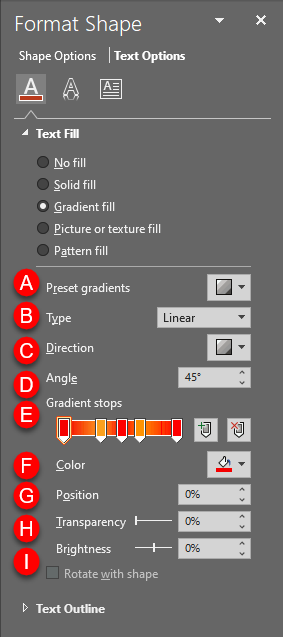
(A) PRESET GRADIENTS: These are gradients created using the 6 theme colors set in your template.
(B) TYPE: Change the type of gradient:
– LINEAR: horizontal, vertical, diagonal
– RADIAL: circular gradient starting from the center or from any of the 4 corners
– RECTANGULAR: rectangular gradient starting from the center or any of the 4 corners
– PATH: creates the gradient in the shape of the object it is filling
(C) DIRECTION: Change the direction of LINEAR or RADIAL gradients
(D) ANGLE: Change the angle of the direction of the gradient
(E) GRADIENT STOPS: set the color points of the gradient. You can ADD (click anywhere on the gradient) or SUBTRACT (click and drag the gradient stop off) points and set the color of each.
(F) COLOR: select the color for a gradient stop.
(G) POSITION: you can fine tune the position of a gradient stop.
(H) TRANSPARENCY: set the transparency of a gradient stop.
(I) BRIGHTNESS: set brightness of a gradient stop.
Download the FIRE & ICE gradient fill sample slide Here.
Troy @ TLC
2019 to 2020 Stylized Text
A popular visual for lots of presentations this time of the year is a visual that sets up a conversation about goals and expectations for the year ahead. Using just PowerPoint text and styling effects, here is a quick dynamic slide (editable slide download link at the end).
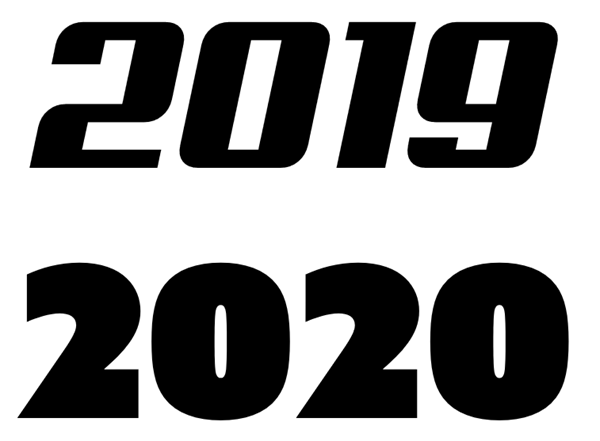
The goal of the slide is to show 2019 moving into 2020. The start of the slide is adding two text boxes:
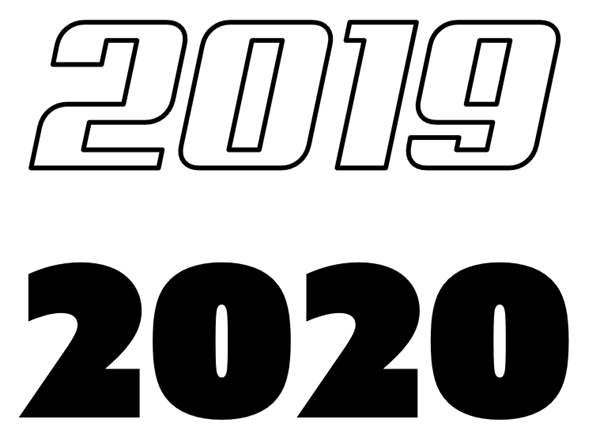
Using just the outline of text is a way to create text that feels “designed”. For this slide I am using a bold outline for the 2019:
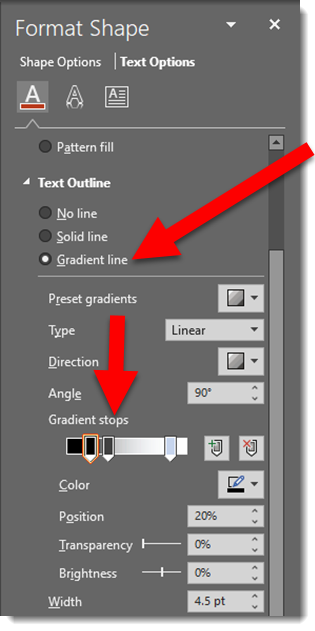
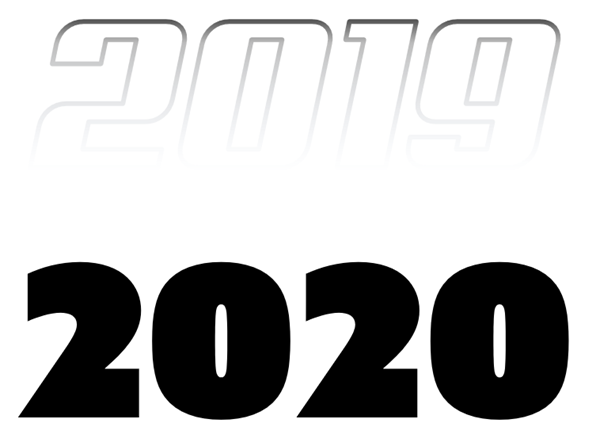
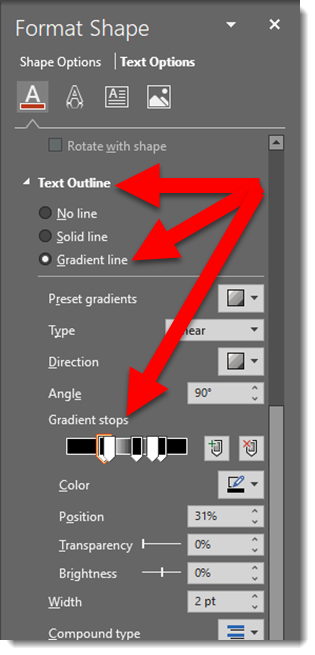
To create a visual of 2019 fading into 2020 the text has a custom gradient outline:
To make the 2020 literally dazzle and sparkle, I am using the same styling effect as the previous post – picture fill. Here is the image used and effects:

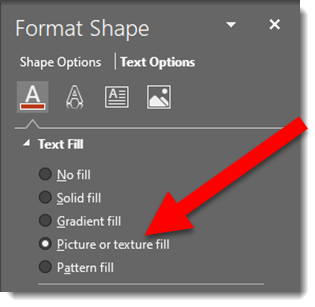

To enhance the 2020 text is further, a custom bold outline is applied:

And as a final touch, a graphic element is added to show the motion of 2019-to-2020. A PowerPoint arrow, sized wide and short with a gradient fill:

Download the PowerPoint slide HERE
Note: custom font used will default to available font when opened, but all effects remain intact.
Troy @ TLC