I work with PowerPoint on a daily basis and I am very honored to be a Microsoft PowerPoint MVP. We have a talented team of presentation designers at TLC Creative Services and ThePowerPointBlog is our area to highlight PowerPoint tips, tricks, examples and tutorials. Enjoy! Troy Chollar
Other Widescreen Page Setup Options
Depending on some variables such as client preference or AV equipment available, I go with 1 of 3 options when developing a widescreen presentation.
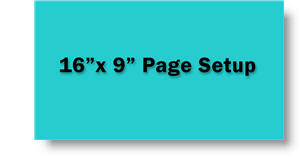
Option 1:
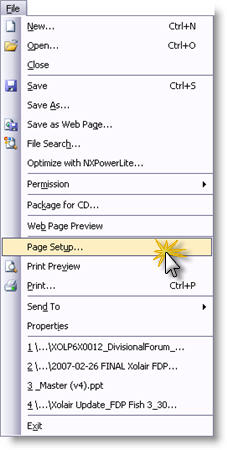
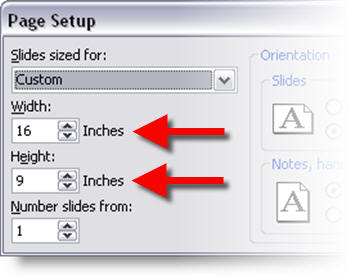
– Page setup = 16”x9”
– This is the easiest to work with and tends to be the least confusing for people inexperienced with widescreen shows
– Problem is all graphics should be created at full size, not upsized from an existing 4×3 presentation
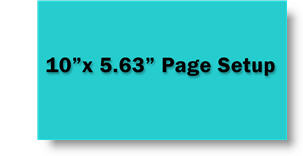
Option 2:
– Page setup = 10”x5.63” (or 8”x4.5”)
– Best size to use if have to use existing graphics from a 4×3 presentation and if client wants to reuse elements in their (4×3) presentations
– Problem is it really confuses people unfamiliar with widescreen shows and aspect ratios
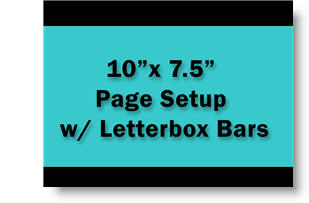
Option 3:
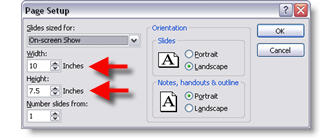
– Page setup = 10”x7.5” (standard 4×3 presentation)
– Add black letterbox bars to top and bottom leaving a 16×9 “active” area
– Again, good for using existing 4×3 presentation graphics or need to supply images for client to repurpose into their presentations
– Also good for multi-source shows as lower letterbox area can contain quick reference syncing information (eg. L1, C1, R2 (left 1, Center 1, Right 1))
– Problem is needs to have real scaler that can cut off unused portion sent to project and a good projector as not all pixels are being used
– Troy @ TLC