Showsite in Atlanta
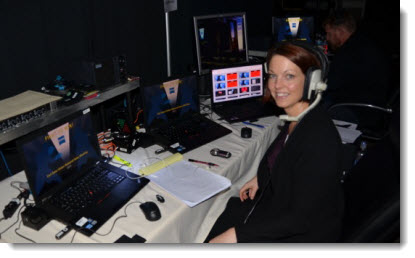
I have been in Atlanta this week on a great show. Backstage graphics area was loaded with an array of computers for PowerPoint, Keynote, Prezi and background GFX.
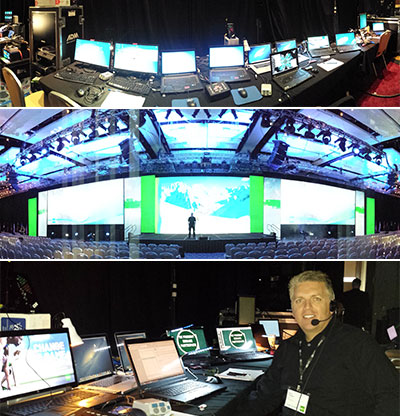
– Troy @ TLC

I have been in Atlanta this week on a great show. Backstage graphics area was loaded with an array of computers for PowerPoint, Keynote, Prezi and background GFX.
– Troy @ TLC
Onsite in wonderful warm Southern California (Laguna Cliffs Marriott) this week for a National Sales Meeting handling all of the presentation design and execution.
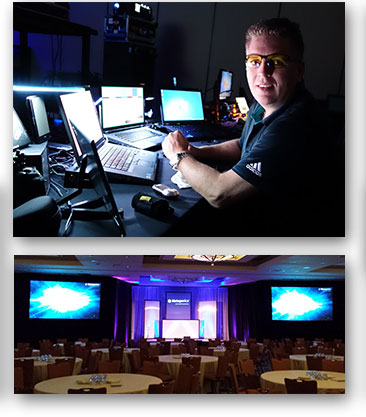
– Troy @ TLC
Funny thing happened this weekend while at the local Home Improvement store – I learned the official 2014 Color of the Year! Not what you would expect to learn while looking for light fixtures, lumber and nails. But there it was, right up front near the check out registers, 4′ high in the paint department.
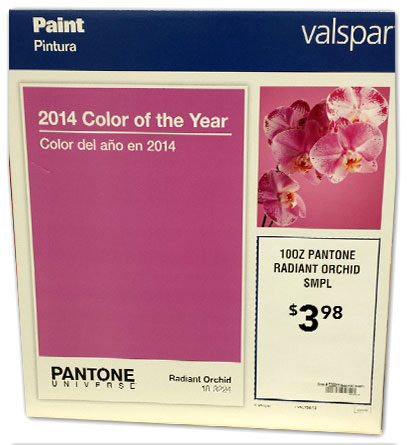
Each year, the Pantone Color Institute chooses a color of the year, and that selection has a big impact on design, art and fashion. 2014 is the year of “Radiant Orchid” – guess I better start working that into some template designs!
Radiant Orchid is “an invitation to innovation, Radiant Orchid encourages expanded creativity and originality, which is increasingly valued in today’s society.” It is “an enchanting harmony of fuchsia, purple and pink undertones… (that) inspires confidence and emanates great joy, love and health.” Leatrice Eiseman, Pantone Color Institute director.
– Troy @ TLC
Lorum Ipsum, or Greeked Text, is placeholder text that has no meaning. Its purpose is to demonstrate how text will look in a layout, in a specific font, size and color. It is also, very helpful for PowerPoint templates and foundation presentations.
Traditional Lorum Ipsum text is a nonsensical latin (created by a 1st century Latin text by Cicero), and looks like this:
Lorem ipsum dolor sit amet, consectetur adipiscing elit. In lacus nisi, tincidunt non purus vel, hendrerit imperdiet urna. Mauris in mattis eros. Nulla ligula arcu, pretium eget justo nec, cursus rhoncus lectus. Nullam eu est blandit, faucibus elit at, pellentesque lectus. Maecenas a vulputate mauris. Donec quis dictum metus. Phasellus at nisi tempus mauris sollicitudin fermentum. Interdum et malesuada fames ac ante ipsum primis in faucibus.
For the above text I used the Lorem Ipsum text generator at lipsum.com (see this January 2007 post).
But that can be boring and TLC is a creative company. So we were very excited about discovering “Meet the Ipsums!” MeetTheIpsums.com is a text generator for dozens of themed Lorum Ipsum text, such as coffee ipsum, cat ipsum, Zombie Ipsum, Canada Ipsum and more!
Here is a personal favorite – Pirate ipsum:
Belaying pin chase coxswain list transom gally pillage broadside furl capstan. Hail-shot aft fore Davy Jones’ Locker careen killick mutiny weigh anchor bilge rat Nelsons folly. Chandler poop deck Blimey six pounders Buccaneer clap of thunder ye Barbary Coast keel Gold Road. Cable doubloon avast grapple interloper hang the jib boom heave down Sea Legs barkadeer.
Even better – not from a productivity vantage, but definitely better for fun and amusement – is that each Ipsum webpage is themed. Here is the interface for generating the above Pirate Ipsum text:
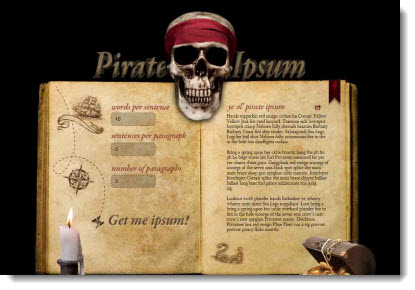
Next time you have a project that needs themed Lorum Ipsum text, check out MeetTheIpsums.com!
– Troy @ TLC
DISCLAIMER: This is NOT a TLC project, just something left on the door of my residence.
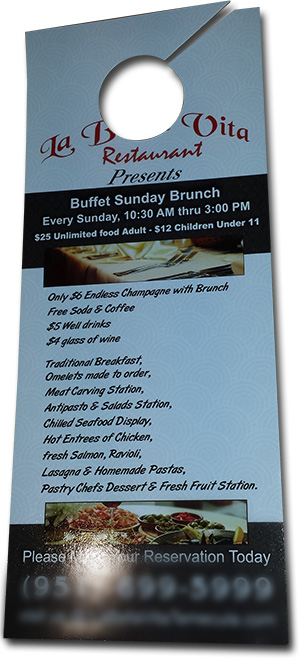
Oops, guess the designer did not think the restaurant name would be missed when the door hanger die the printer spec’d was used.
This is printed really well: good stock, ink coverage, aqueous coating, trim and die. But the design obviously did not account for the die that put a hole where the company name was. Looking closer, other design questions come up: what is the capitalization standard? What is the punctuation standard? Were 7 font styles too many?
I hear it very often, about how someone’s nephew is great with the computer and designed the company brochure – the guy in the end cubicle on the 4th floor has Photoshop on his computer and can create the event banner – the IT department is setting up the webpage (the registration backend page) and has been asked to also create the PowerPoint template.
These people are great and often creative. The downside is when the general person does not know, or understand, the technical needs of the design, the company branding, or just good design principles the results are not ideal. A company’s image suffers, users with improperly setup files suffer, or money is just wasted….
– Troy @ TLC
Things are exciting at TLC Creative Services as we have more and more multiple shows happening simultaneously. This week, I am in Monaco, Amber has been in New York and Jennifer in San Diego.
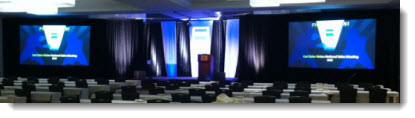
Jennifer has been handling the pre-show design and showsite presentation execution in San Diego for a great end client and production company.
– Troy @ TLC
This was the setup on the provided computer at a recent meeting. Surprisingly, everything worked fine!
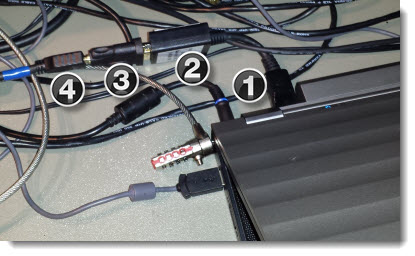
(1) Full size Display Port to (2) DVI to (3) HDMI to (4) HDMI cable.
– Troy @ TLC
This year, TLC Creative Services finally updated its website (which is still in process). I am very happy with the new site and additional information it provides. When developing applications, and websites, PowerPoint can be a great tool in the initial stages.
For example, here is the TLC website mocked up in PowerPoint.
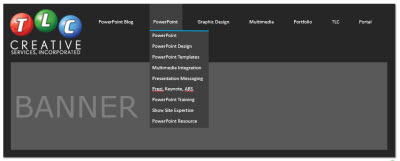
Each item is a separate, and editable, PowerPoint shape. The navigation labels can be revised, their order adjusted and the drop down menus revised.
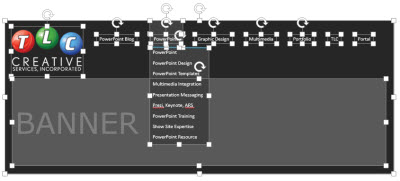
Just another example of using the flexibility of PowerPoint to accomplish more than just “slides.”
– Troy @ TLC

Earlier this week, a post released a copy of our internal PowerPoint Video test slides. It was drawn to my attention that there were 2 errors in the slides (1. the .avi was not set to play automatic like all others, 2. the .mpg1 was a really badly rendered video). Thank you for the those that sent emails!
The original post’s download link has been updated with a revised version of the PowerPoint Video Test Toolkit and here is same link:
Download here.
– Troy @ TLC
For TLC Creative Services, I developed a slide deck that the 5 most common video formats. To test a computer’s setup, we just open this PowerPoint presentation, go to the video format we want to confirm the computer is configured to play and see what happens. If the video plays, we know the computer and PowerPoint are setup for that format and then can troubleshoot the client file with the knowledge that it is not the computer or PowerPoint.
Feel free to download our PowerPoint Video Test Toolkit and use as needed.
Download here (24 MB).
Also, check out the Sept 11 post of the video reference chart to know if a computer’s configuration is going to play a video format.
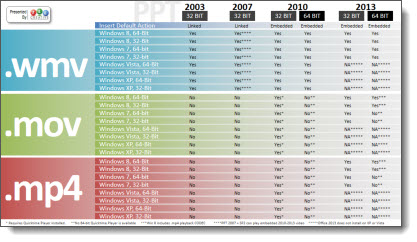
– Troy @ TLC