Resource/Misc

Roll Call on Microsoft Office 2010 Blogs

If you are viewing this post, you may have some of these other blogs already bookmarked. Here is a list (aka ‘Roll Call’) of blogs by Microsoft teams:
Microsoft Access 2010 Team Blog
Microsoft Excel 2010 Team Blog
Microsoft Office 2010 Engineering
PowerPivot Team Blog
Microsoft Outlook 2010 Team blog
Microsoft PowerPoint Team Blog
Microsoft Word 2010 Team Blog
Office Web Apps
Microsoft Project Team Blog
Microsoft Publisher 2010 Team Blog
Microsoft SharePoint Team Blog
SharePoint Workspace Team Blog
SharePoint Designer Team Blog
SharePoint for End Users Blog
PerformancePoint Services
Microsoft Visio 2010 Team Blog
Microsoft InfoPath Team Blog
OneNote
The Office Blog

By |2016-08-16T11:49:44-07:00April 13th, 2010|Resource/Misc|

Buy Office 2007 Today and Get Office 2010 Tomorrow – Free!

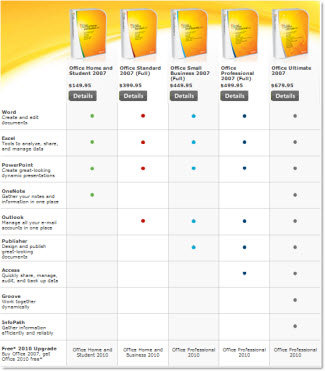
Microsoft announced a program last month that allows you to purchase Office 2007 (full version, not upgrade) and be eligible to download and register Office 2010 when it is available this June for Free. Details are at the Microsoft Technology Guarantee page:

Office 2010 Technology Guarantee – is the following:
• Purchase Office 2007, or a new PC with Office 2007, and activate it between March 5, 2010 and September 30, 2010.
• Have, or create a Windows Live ID.
• Redeem your Tech Guarantee before October 31, 2010.
• The Office 2010 Technology Guarantee will be fulfilled online, via download, at no additional cost.

– Troy @ TLC

By |2016-08-16T11:50:24-07:00April 11th, 2010|Resource/Misc|

PowerPointMaps.com

This is another option for adding a map to a presentation. Reviewing the PowerPointMaps.com website virtually every country/region is represented.

The site offers 2 types of downloads; free and premium. To download a free version you need to register first. I downloaded a few free maps to review the quality. Unfortunately the free version is unusable as it is a flat .jpg image with the website name watermarked across the middle. Here is one of my free map download of the United States, which has an ad for the premium version with a .jpg of the map (I added the red outline to highlight the .jpg)

The premium maps are vector based with each state/region as separate elements which is very usable. Each premium map is 49euros (approx. $66 U.S.) and is definitely a premium price. You can search for “map” to find reviews of other options.

– Troy @ TLC

By |2016-08-16T11:51:10-07:00April 9th, 2010|Resource/Misc|

Free PPT Templates at templateswise.com

Templateswise.com has a variety PowerPoint templates that are all easily previewed and free.

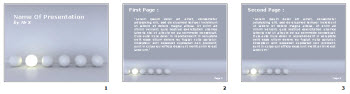
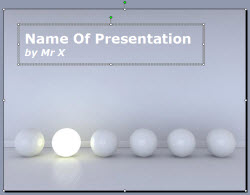
The template designs I viewed are professional and fresh designs. Each has a variety of slide background options. My sample has 4 background options.

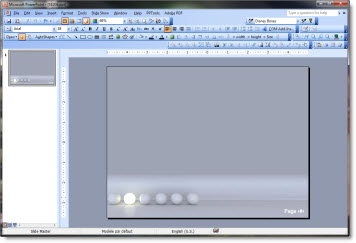
But the templates are not true templates. There is a big difference between a nice slide and a full featured template that has master slide formatting, custom color scheme, and more. The files downloaded do not have any master slide formatting…

One nice feature is the download includes the .pot and large 1600x1200px .jpg’s of each background.

Also, the templates I downloaded are PowerPoint 2003 .pot files.

– Troy @ TLC

By |2016-08-16T11:54:10-07:00April 5th, 2010|Resource/Misc|

5Th Grade Book Reports – with PowerPoint

One of ThePowerPointBlog viewers sent me a link to this story.

My daughter is in 4th grade and has used PowerPoint for several school assignments. Here students in Iowa needed to a read a book and write a book report. All standard school stuff. But their book report had to be created as a PowerPoint presentation!

Read the full story here.

– Troy @ TLC

By |2016-08-16T11:55:01-07:00March 30th, 2010|Resource/Misc|

Dilbert March Madness PowerPoint ‘Boss Button’

PowerPoint is a ubiquitous office application and I think you know you’ve arrived when cartoon character Dilbert references it. This one is worth checking out!

This goes beyond a cartoon and is actually a full screen image of a ‘dilbert’ PowerPoint presentation designed to hide your March Madness (basketball) viewing. It is activated with the “Boss Button” on the NCAA.com video player.

– Troy @ TLC

By |2016-08-16T11:56:54-07:00March 22nd, 2010|Resource/Misc|

NewsMap for Presentation ‘Statistic’ Graphics

I recently made use of NewsMap for some great visual images to visually show the trends being talked about by the presenter. NewsMap is actually an old web based application that has had some big improvements recently.

NewsMap visually shows any topic from the Google News aggregator in a treemap. The treemap shows the topic in bands and sized boxes that show patterns in news the reporting at that moment.

Of note – the newsmap images change quickly as the news changes. So my sample Newsmap of “Microsoft” will have a different layout when you create it for the same topic.

– Troy @ TLC

By |2016-08-16T11:58:17-07:00March 16th, 2010|Resource/Misc|

Google DocVerse

DocVerse is a company Google purchased last week that aims at making its online Google Apps more appealing to MS Office users. DocVerse is ironically a startup founded by two former Microsoft key employees.

Colaboration (having multiple people work on a document seamlessly) and cloud computing are what 2010 is going to be all about. DocVerse is an add-in to Office 2007/2010 that adds great colloboration tools to PowerPoint, Word and Excel. While they are really good, starting in June these features are going to be a part of the upcoming Office 2010.

Google is all about cloud computing and while DocVerse does not add any new features to its apps directly, what is does do is allow MS Office users to upload their MS documents into the Google cloud and work with them, colloborate on them and enter the Google app world without changing them from the MS format. It seems to me, this is acknowledgement that every company, even Google, needs to integrate working with MS document. And second, the full featured desktop application is still superior to cloud based versions.

– Troy @ TLC

By |2016-08-16T11:58:38-07:00March 14th, 2010|Resource/Misc|

List of What’s New In PPT 2010

Fellow PPT MVP Echo Swinford has the most comprehensive list of new features (and a few now missing) at her site, echosvoice.com.

This is the most comprehensive compilation list I have seen with 60+ features listed. If you have been using PPT 2007 for a while, or recently moved it it, this has lots of good information on features you may be overlooking. Here is the link.

– Troy @ TLC

By |2016-09-16T08:59:50-07:00February 22nd, 2010|Resource/Misc|
Go to Top