
Review: ToolsToo PPT Add-in

ToolsToo is a productivity add-in for PowerPoint 2007 and 2010. It is a collection of incredibly valuable tools used when designing slides. It adds a full tab full of 20+ tools that I first tested on a test computer and quickly installed on my main computer and have integrated it into my daily production.

Some tools can be found in other add-ins and I cannot function without, such as:
Equal – width, height, size
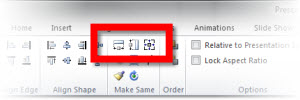
And there are a number of tools that I am amazed have not been thought of before as they are so incredibly useful. Here are a few of my favorites:
Adjoin

and make line straight (veritical or horizontal)

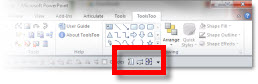
AND any tool can be added individually to the QAT! As example: make equal width, make equal height and make same size buttons have been added to my QAT.
There is a free version offered called “ToolsToo Lite” that offeres a limited set of tools. The full tool set reviewed is $20 and is highly recommend.
– Troy @ TLC
Set Movie To Mute
Sometimes a movie has sound, but you don’t want it. There are lots of reasons; video of a surgery and you don’t want the audience to hear ‘Uh-oh’ in the background, a screen capture video and the application sound FX are distracting, or any number of other reasons.
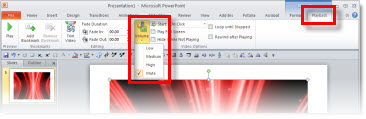
From within PPT you can set a movie to play muted.
PPT 2003:
1. Select movie

2. Right-click and choose EDIT MOVIE OBJECT
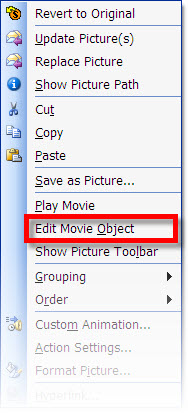
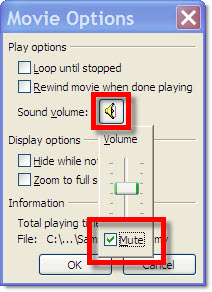
3. Click speaker icon and click MUTE
PPT 2007:
1. Select movie
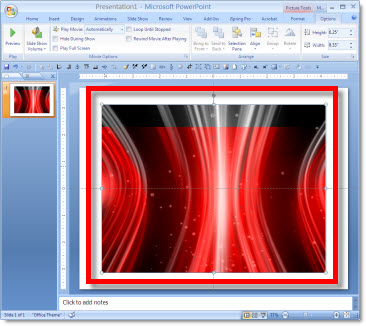
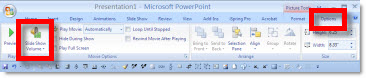
2. Go to OPTIONS tab and click the speaker icon
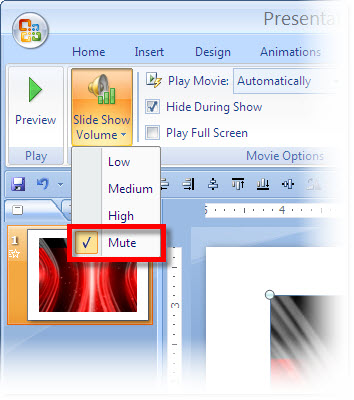
3. Select MUTE
PPT 2010:
1. Select movie
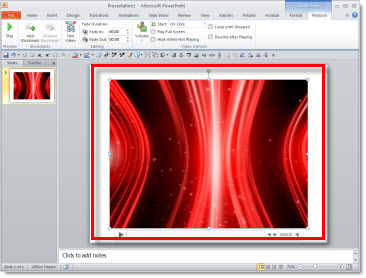
2. Go to PLAYBACK tab, click the speaker icon, select MUTE
– Troy @ TLC
Automatically Advance To Next Slide When Movie is Done
You have a great opening movie for your presentation. But at the end of the movie the slide shows black (last frame of movie) until you advance to the next slide. This is the last thing you want to think about as you prepare to present.
The solution is fairly easy; it is just not a movie option so you may be looking in the wrong place.
Here is my sample slide with the opening movie.
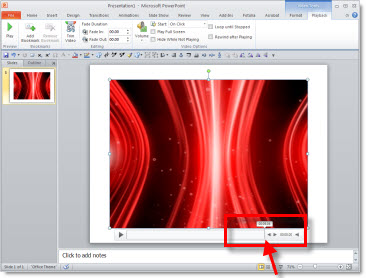
Select the movie and roll over the playback bar (see Aug. 6 post) to see how long the movie is. On my sample slide the movie is 00:08.12 seconds long.
Go to the TRANSITIONS tab.

Add a time that is shorter than the movie to the AFTER box (I used 3 seconds)

That’s it. To automatically advance to next slide after the movie plays the slide transition just needs to be a shorter time than video. In the sample I set the automatic slide advance to 00:03:00 seconds, but the video is 00:08.12 seconds. The slide will not advance until the video is done (even though it is longer than 3 seocnds).
– Troy @ TLC
How Long is My Movie?
The Animation Pane does not show how long a movie is (like it does for all other animations). Here is one way to check, from inside PowerPoint, for PPT 2003, 2007 and 2010.
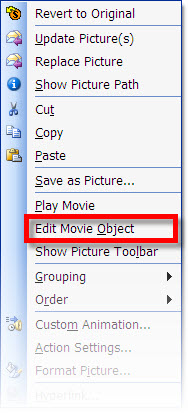
PPT 2003:
1. Select video
2. Right-click and choose EDIT MOVIE OBJECT
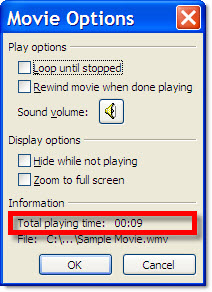
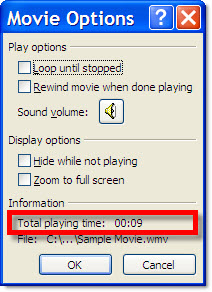
3. At the bottom of the MOVIE OPTIONS dialog it shows TOTAL PLAYING TIME
PPT 2007:
1. Select video
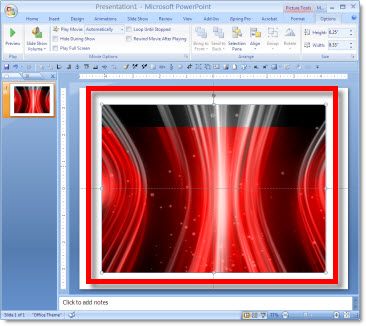
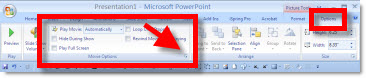
2. Under the OPTIONS Tab, click the MOVIE OPTIONS Pop-up Menu
3. At the bottom of the MOVIE OPTIONS dialog it shows TOTAL PLAYING TIME
PPT 2010:
1. Select video
2. Roll mouse over the dynamic playback bar to the end
– Troy @ TLC
Loop 1st Movie While the Second Plays Too
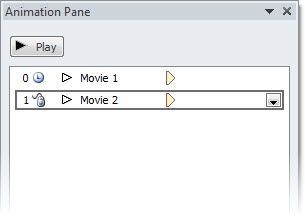
My sample slide shows 2 movies of heart surgery in action. Both movies are set to play at the same time (July 29 post) and set to loop (July 31 post). But here the presenter wants to talk to the 1st movie, and then click to play the 2nd movie.
The first step is to adjust the animations:
1. Open the Animation Pane
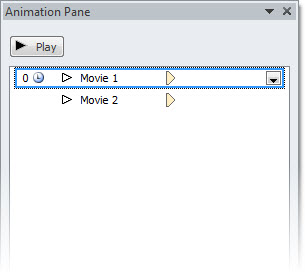
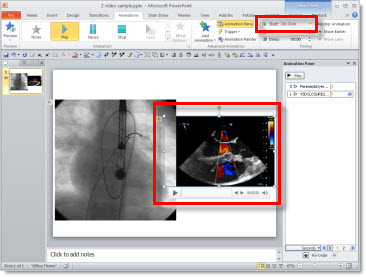
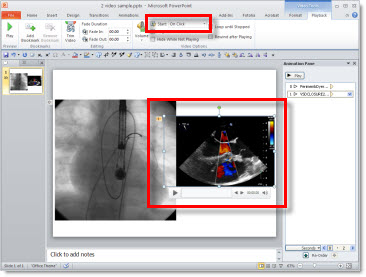
2. Select the 2nd movie and change its animation to ON CLICK
– I prefer to do this on the ANIMATION tab
– But the animation start for movies can also be changed on the PLAYBACK tab
3. Select the 1st movie and TIMING (to open the PLAY VIDEO dialog)
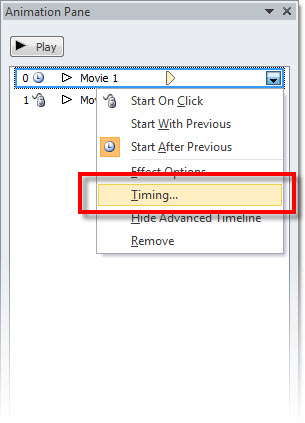
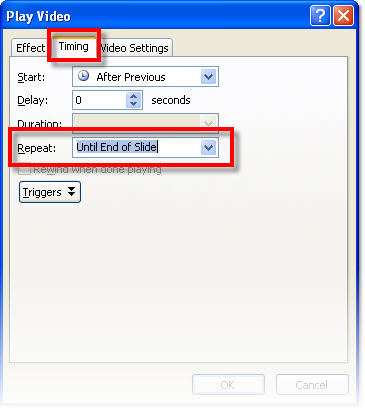
4. The REPEAT needs to be set to UNTIL END OF SLIDE vs. Until Next Click
** PPT 2003 and 2007 the default is UNTIL NEXT CLICK, so if modifying legacy presentations this will need to be checked. PPT 2010 the default is UNTIL END OF SLIDE, so it ‘automatically’ sets up the 1st movie to continue playing while the 2nd plays.
– Troy @ TLC
Set Movies to Loop
Here is my same sample slide from an earlier post. Because this is a short seamless animated loop it is usually set to loop. Setting a movie to loop takes only a few easy steps.
1. Select movie
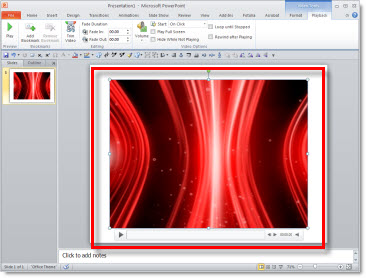
2. With the movie selected the VIDEO TOOLS functions are added to the ribbon.

3. Go to the PLAYBACK tab and click LOOP UNTIL STOPPED

Then repeat the same steps for the 2nd movie. The animation pane does not show the movie playback time, just a simple ‘appear’ icon. But if you repeat (eg. loop) any other element (text, shape, picture, etc.) the timeline shows the length of each loop and how many repeats it is set to do. For comparison, here is the animation pane the movie and three inserted shapes all set to repeat 3X’s. The vertical line is the end of the animation and then the repeat – which only shows up on the shapes, the movie animation only shows the play icon (no looping information).
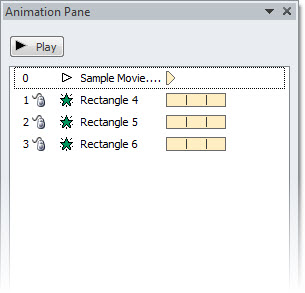
– Troy @ TLC
Setup 2 Movies to Play Simultaneously
My sample slide has movies of 2 cardiograms (heart surgery movies). The 1st plays automatic and the 2nd starts after it finishes – which is the typical animation setup I have seen on hundreds of medical slides.
To make both movies play simultaneously:
1. Select the 2nd movie
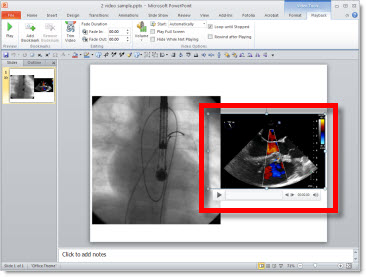
2. Change AFTER PREVIOUS to WITH PREVIOUS

3. Open the Animation Pane and verify video are set in needed animation sequence
– Troy @ TLC