
How to Make Excel Use a PowerPoint Custom Color Scheme
Microsoft Office; PowerPoint, Excel, Work, etc. have many shared components. PowerPoint tends to be the most visual design app of the suite and a common request we receive is how to add the colors from a PowerPoint we developed into Excel. You will need to add the custom color scheme to your computer, see the previous post. The process is fairly easy, here is an example and the action steps:
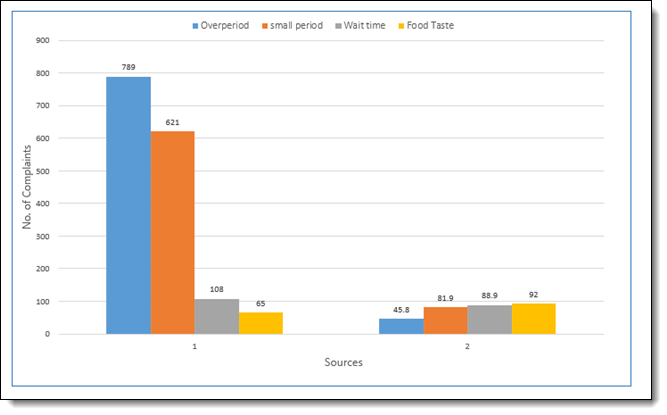
1. In Excel, our example chart uses the standard Office color scheme (boring!)
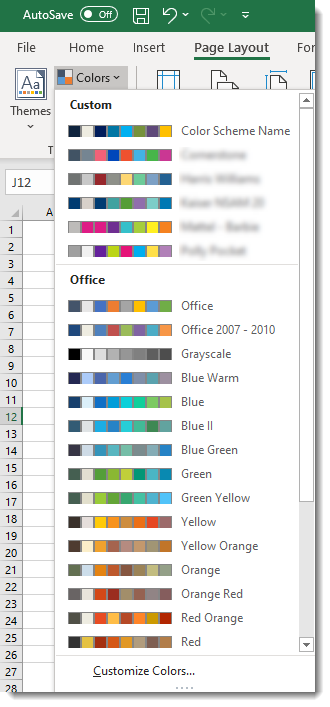
2. In excel go to PAGE LAYOUT > COLORS
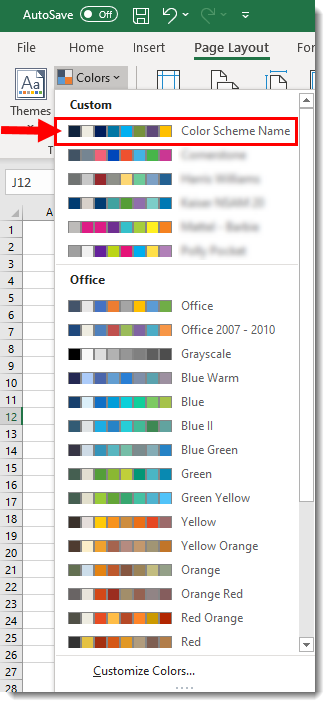
3. In the CUSTOM section, select the custom color scheme we saved from PowerPoint to the computer Office options. We are selecting the COLOR SCHEME NAME custom colors.
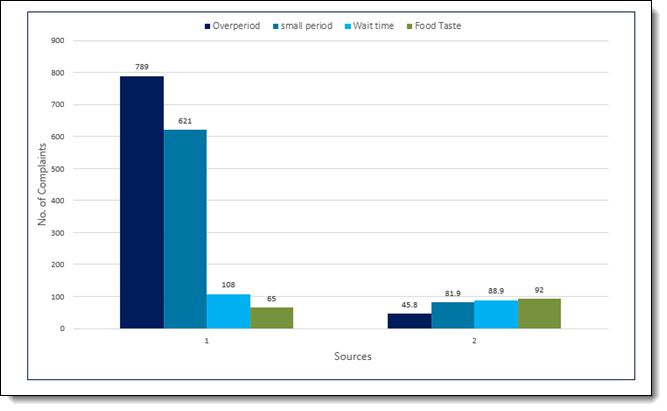
4. Now the excel file instantly updates charts to match the PowerPoint file!
Troy @ TLC
How to Apply a Saved Color Scheme to an Existing PowerPoint
Any PowerPoint slide deck can have any preset color scheme applied to it – and everything in that presentation that uses the color scheme for their colors will automatically update! This includes text, shapes, charts, tables and more. It is amazing when the slide content is setup to use color scheme colors – and frustrating when it does not…
Here is our example presentation, that uses a green color scheme – and the template was developed using the color scheme.
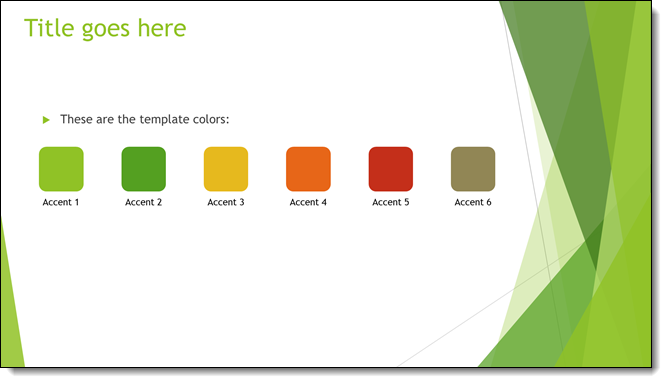
We want to update this presentation to the “blue” division. We can easily update the presentation to the “blue” color scheme (see previous blog post for how to add color schemes to PowerPoints CUSTOM list). To update the presentation to the needed color scheme, go to DESIGN > COLORS > select the desired color scheme.
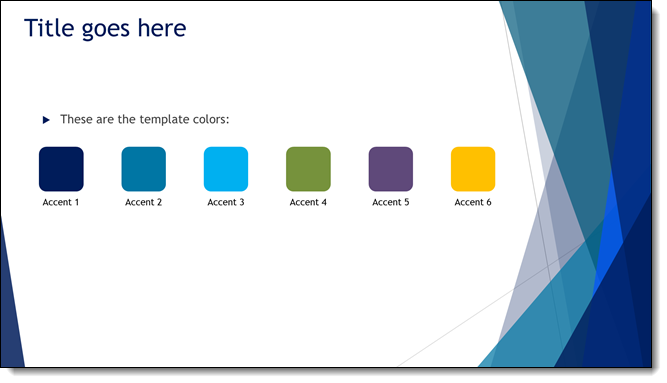
As you rollover the different schemes, the color schemes preview. Ultimately we have selected the “blue” color scheme for this presentation.
[videopack id=”14012″]https://thepowerpointblog.com/wp-content/uploads/2020/05/PPT_Colors_PT_2_screencapture.mp4[/videopack]
Troy @ TLC
How to Save and Name a Custom Color Theme in PowerPoint
Any presentation can have any custom color scheme applied to it. This tutorial is how to save a custom color scheme from one presentation, or template, to your computer and then apply it to any other presentation.
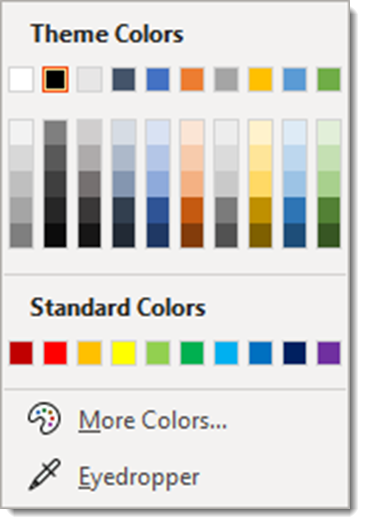
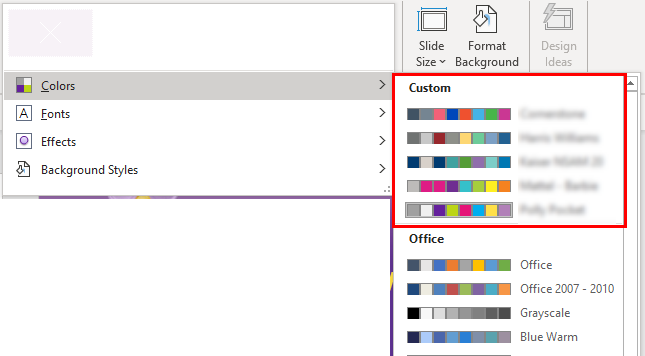
1. Custom color schemes, for example from a custom PowerPoint template, is displayed in DESIGN > COLORS > CUSTOM. Note, custom color schemes that have been saved to your computer show up in this list.
3. To save the color scheme from any file/template, click CUSTOMIZE COLORS at the bottom of the list.
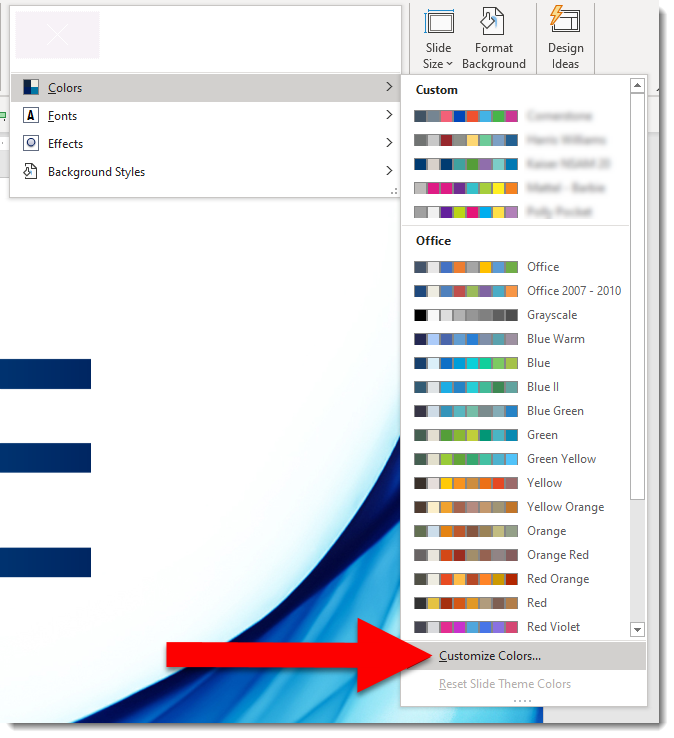
4. The CREATE NEW THEME COLORS dialog opens and displays all of the assigned colors. The only action you need is to give the color scheme a name (see previous post for tip on seeing the assigned name).
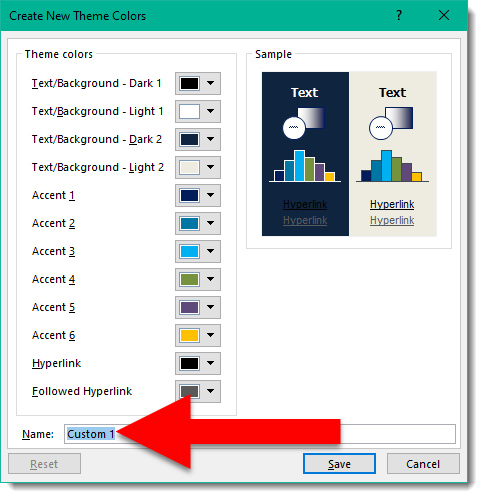
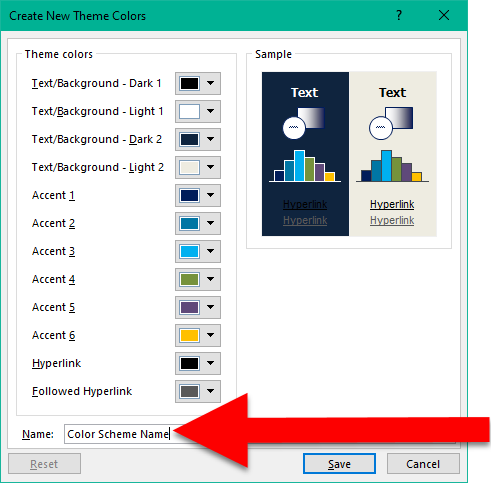
5. Replace “Custom 1” with a descriptive name. For this tutorials we will use “Custom Color Scheme Name” and click SAVE
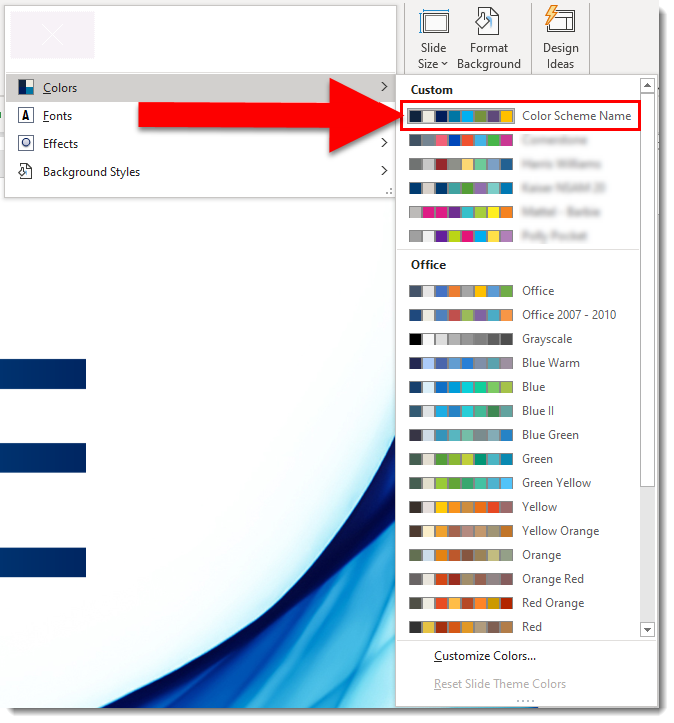
6. Now you will have access to the “Color Scheme Name” custom colors on your computer and can apply them to any presentation or template.
Troy @ TLC
What is the PowerPoint color scheme name of this file?
Every custom color scheme has a name. But when the CREATE NEW THEME COLORS dialog is opened, the color scheme name is a generic “custom 1” name. It is not intuitive on finding the color scheme name, so here is a tutorial on how to see the color scheme name currently being used by a file.
— Note: I am reposting what I put online back on April 29, 2016 —
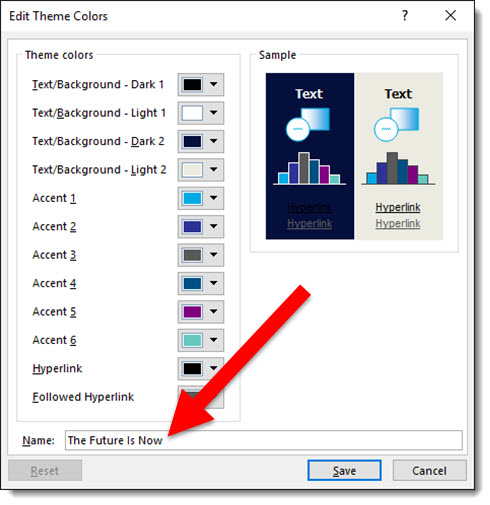
Every template has a Custom Color Scheme. And every color scheme has a custom name. For example: Here is a custom PowerPoint template I am working on, and I named the template color scheme “The Future Is Now” which is the theme name of the event where it will be used.
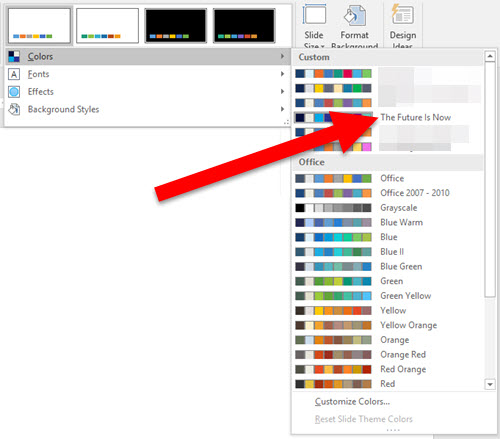
And when I look at the color schemes available on my computer, this theme is listed – because it was created on this computer:
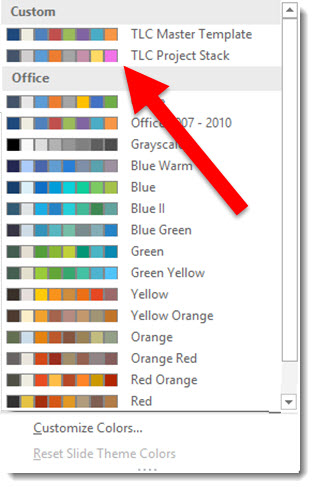
But on any other computer, with the template open, if I look at the color schemes, The Future Is Now is not listed:
To find the Custom Color Scheme name, do this:
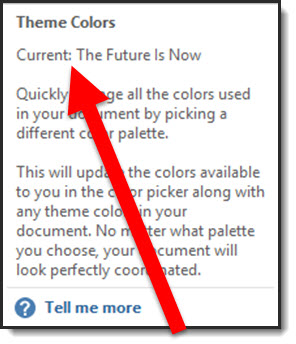
- Go to VIEW > SLIDE MASTER > BACKGROUND > mouse over (do not click) COLORS

- The pop up dialog shows the current template color scheme name
Now you can edit the existing color scheme and know what name to give it.
-Troy @ TLC
The Design Challenge #4 Designs!
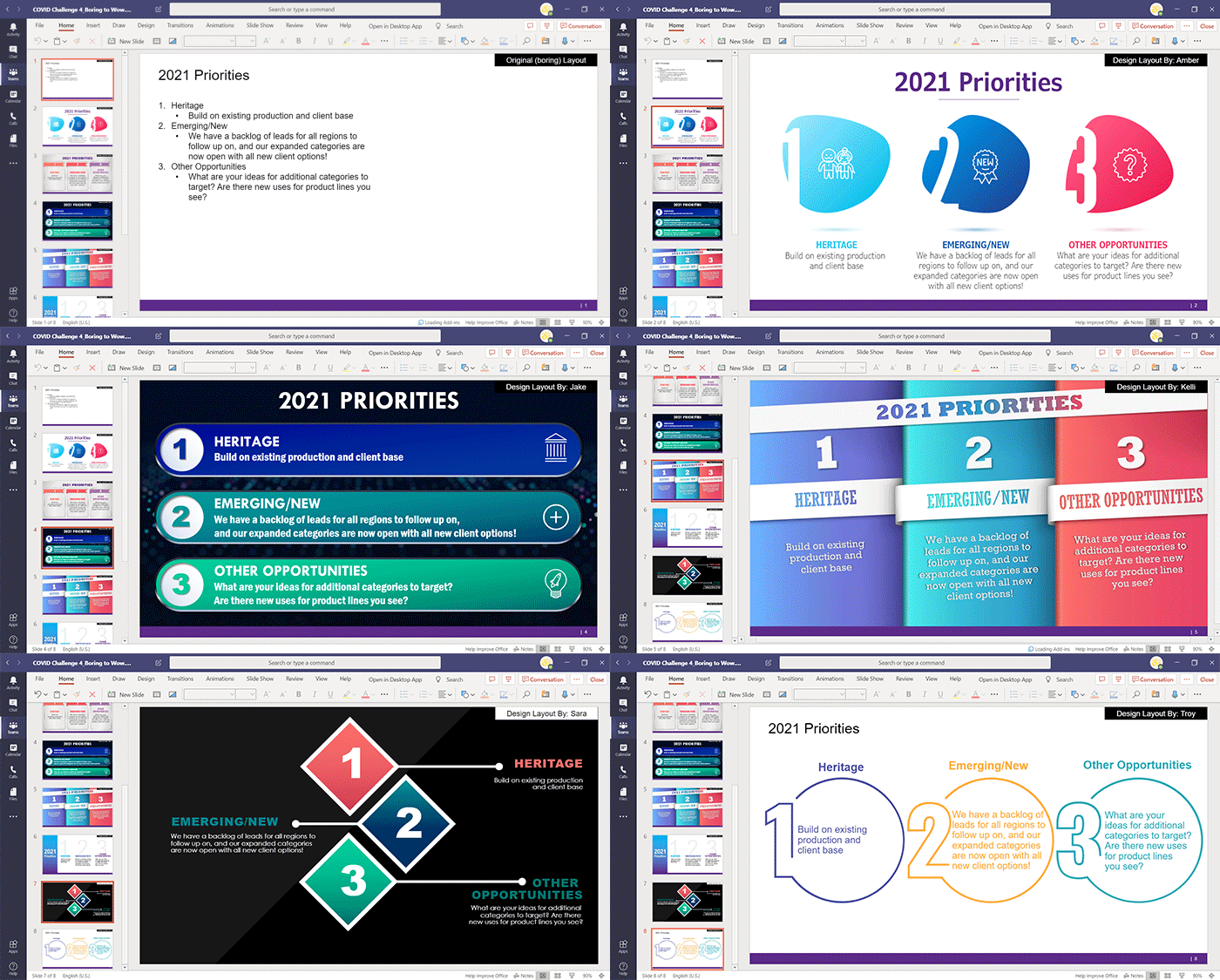
It has been a fun week designing a WOW slide – and working with a Microsoft Teams workflow! The TLC Creative design team’s entries for Challenge #4 are in and they all succeed in going from the boring bullet list to a spectacular WOW slide design.

As a reminder. the design team was tasked with not only a slide design, but to work from one shared presentation file hosted in a Microsoft Teams project channel. The design team had a fun time getting familiar with accessing PowerPoint within Teams – and not having a ‘save’ button. Here are our COVID-19 Design Challenge #4 results!
New Episode of The Presentation Podcast – Slide Design for Remote Presenting
A new episode of The Presentation Podcast is available today! Troy, Nolan and Sandy are joined by Richard Goring of BrightCarbon, Mike Parkinson of Billion Dollar Graphics, and Cliff Kennedy of Kennedy Speech Communications for a great episode! This conversation is about slide design and presenting techniques of remote presenting.
Listen on Apple Podcasts, Stitcher, Google Play, Spotify and Soundcloud – just search for The Presentation Podcast for “Being a Remote Presenter (with Ken Molay)” or go direct to the episode page here: https://thepresentationpodcast.com/podcast/101

COVID Design Challenge #4
With this challenge, not only did our design team have to put together some amazing design, but they had to do it all working in Microsoft Teams! So part of this design challenge was our design team all being forced into the world of Microsoft Teams for file management (we have been using Teams for calls, meetings and presenting, but now transitioning to incorporating it file management, editing and communication).
For our design challenge #4 a master slide deck was uploaded to the Teams project “channel”. Slide 1 was the base boring bullet list of black text on a white background. Each designer had an assigned slide, with zero design applied.
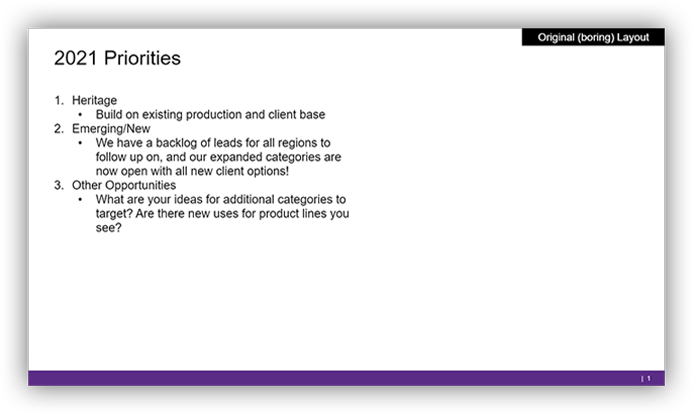
Each designer was challenged to develop their own slide with the same base content, but any layout and visuals they envisioned. Again, based on a Microsoft Teams workflow, the catch was all design had to be done from the shared presentation. No downloading, and not keeping the file connected to the Teams version!
Work from the master slide deck on Microsoft Teams. Slide 1 is the content, and everyone has a slide for design assigned. Develop your version of an original (boring) slide with images, graphics, and visual layout. Use any color scheme and font options, but no animation needed. You cannot download the PowerPoint file to your computer, you can work directly in Teams version of PowerPoint, PowerPoint online or PowerPoint on your computer – but it must always be worked on as a shared file.
Check back later this week to see what each design did to turn the boring slide content to a WOW slide!